Basic Waitlists - How they work
Learn how the default basic waitlist works when your form fills up, how to manage waitlist notifications, and how to disable the waitlist feature if needed.
When all slots/options on your form have been taken, a waitlist option will appear on your form by default. You can disable this option if you do not want to collect waitlist responses. At this time, we do not automatically move users from the waitlist if you add more available options or add new max response slots, or if responses are deleted to open up available slots.
- Automatic Waitlists - automatically notify or fill waitlist members when the entire form has open spots (Boost)
- Option-Specific Waitlists - let respondents waitlist for individual full options while signing up for available ones (Boost)
- Waitlists Overview - compare all three types side by side
Sections in This Guide
- WAITLIST NOTIFICATIONS FOR FORM CREATORS
- WAITLIST EXPERIENCE FOR RESPONDENTS
- DISABLE THE WAITLIST FUNCTION
- VIEWING WAITLIST RESPONSES
WAITLIST NOTIFICATIONS FOR FORM CREATORS
Step 1
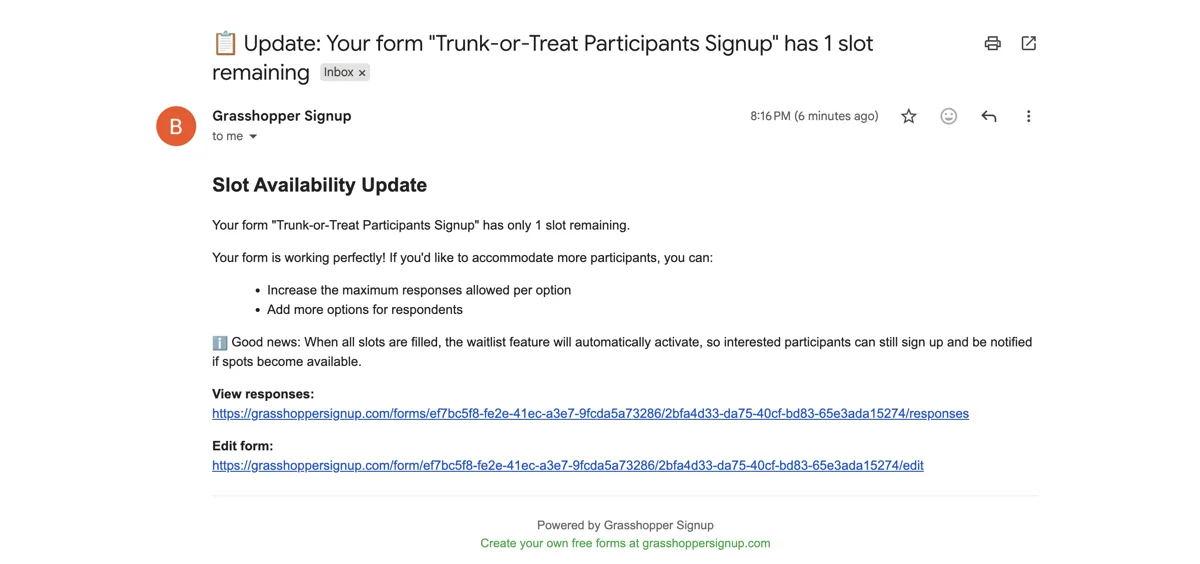
When your form has 1 slot remaining, you will receive an automatic notification via email.
Step 2
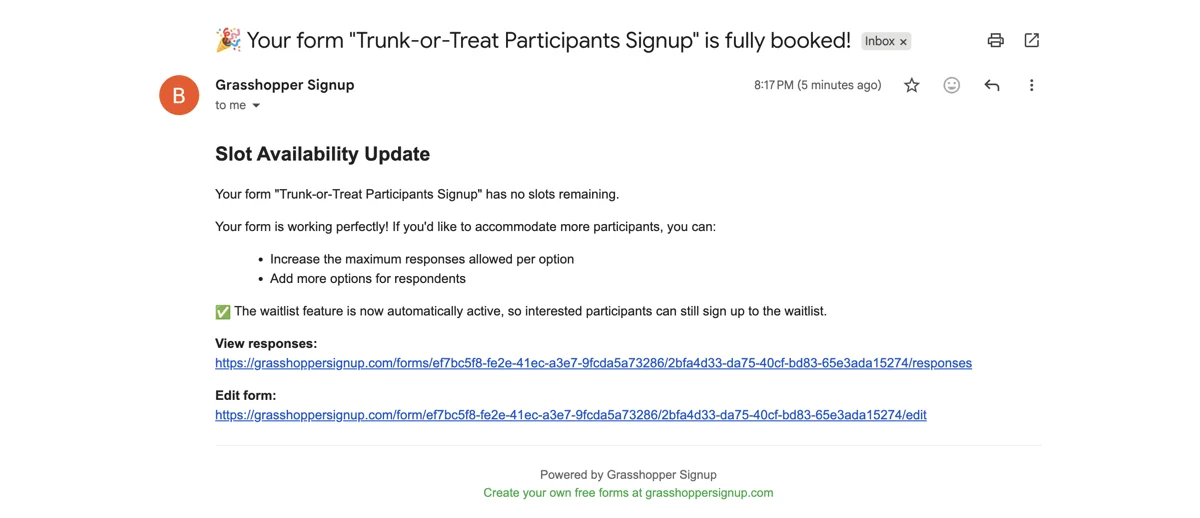
When your form has zero slots remaining you will receive another notification via email.
Step 3
If you want to add more slots or additional options, you can edit your form at any time.
WAITLIST EXPERIENCE FOR RESPONDENTS
Step 1
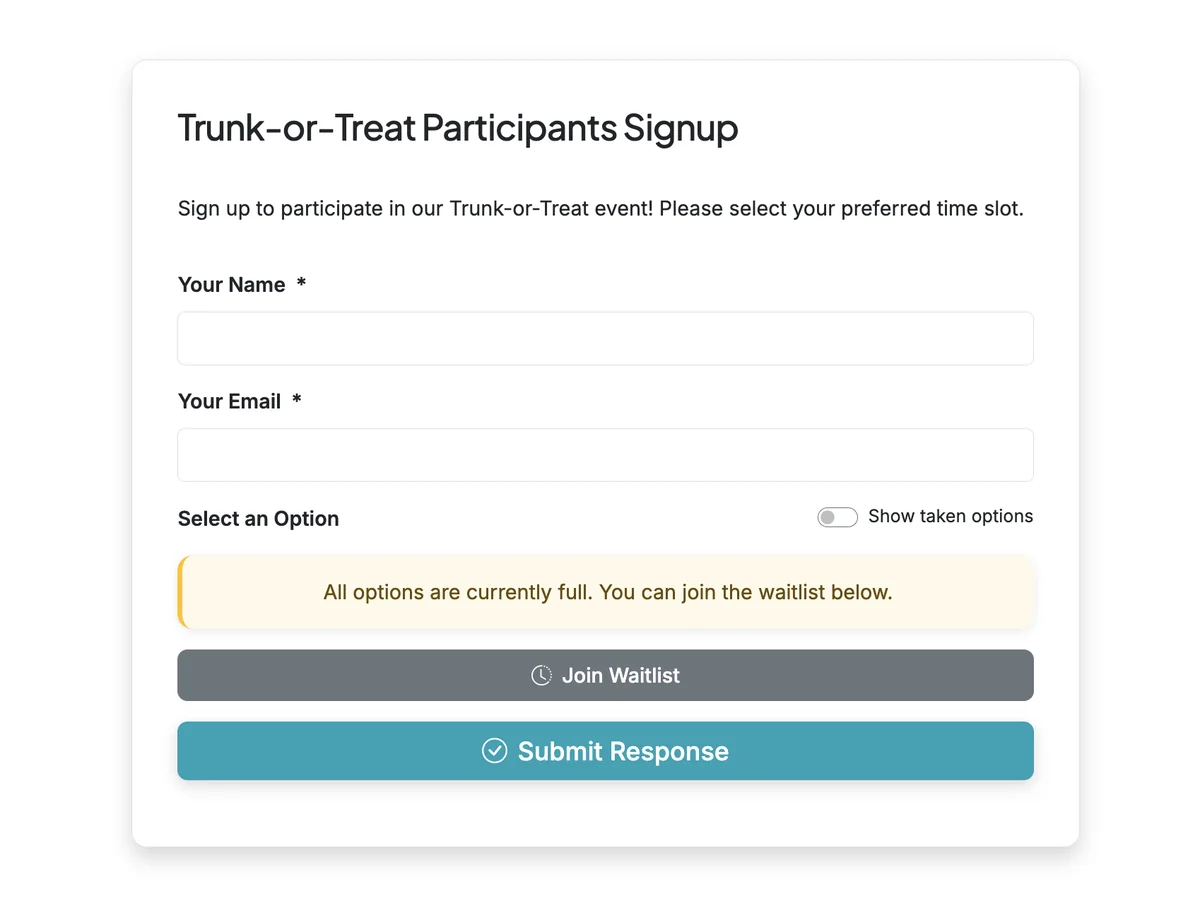
When a form has no remaining options, a waitlist button will appear on the form for respondents.
DISABLE THE WAITLIST FUNCTION
Step 1
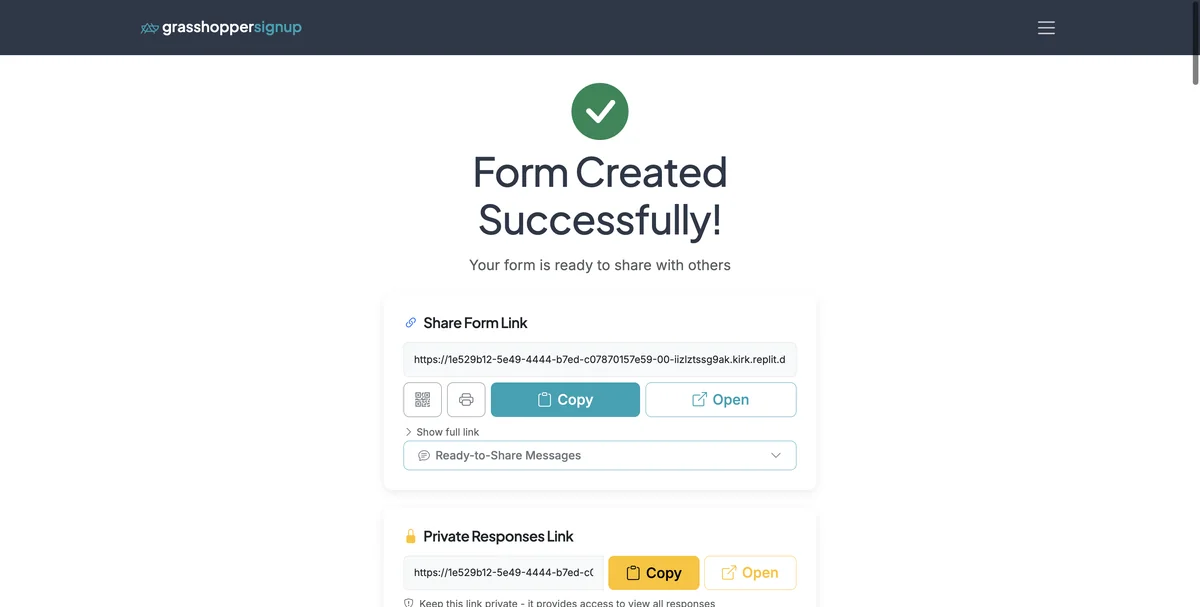
Start on your Form Options page.
Step 2
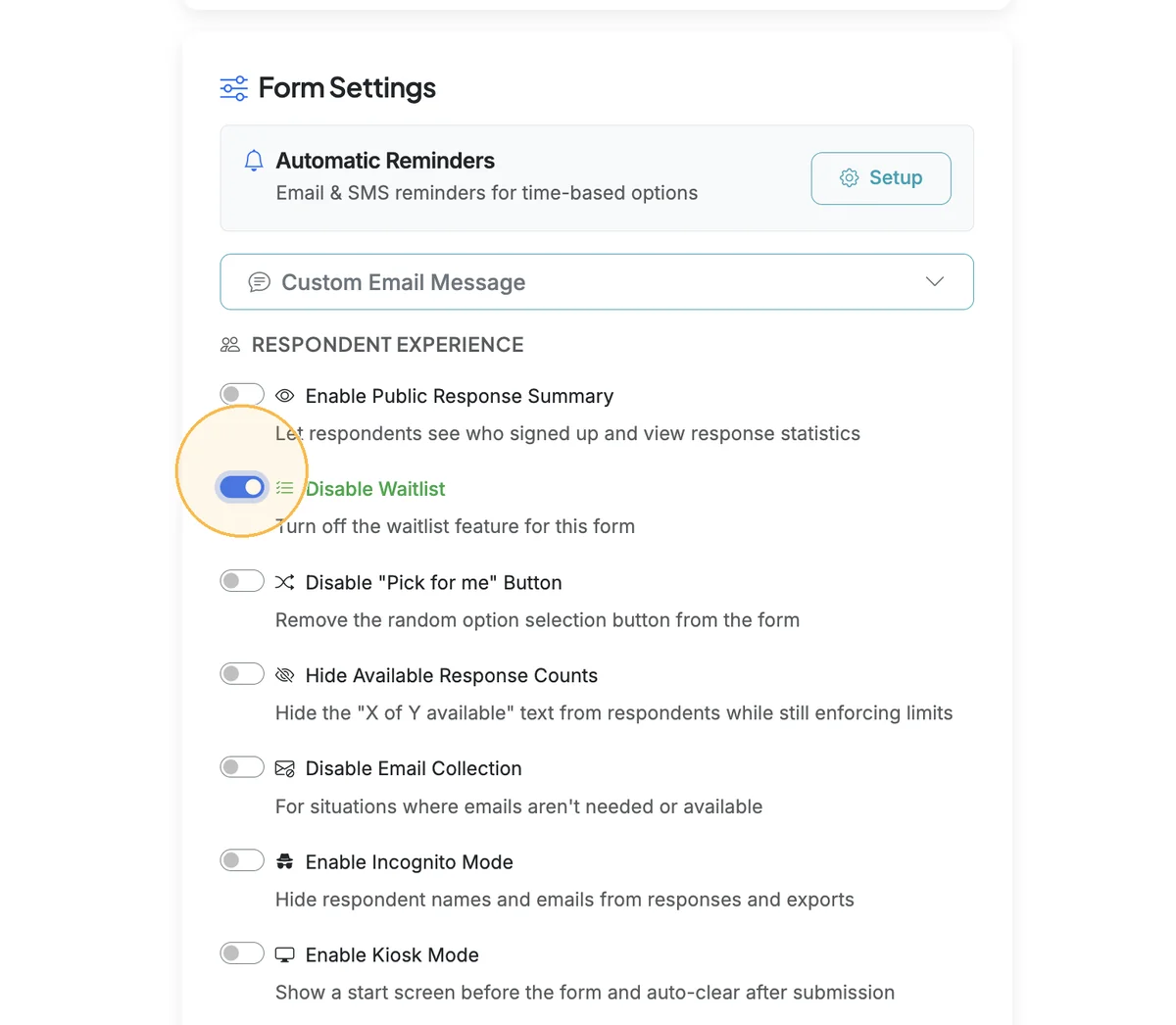
Scroll down to Form Settings. Turn on the 'Disable Waitlist' toggle to disable the waitlist function.
Step 3
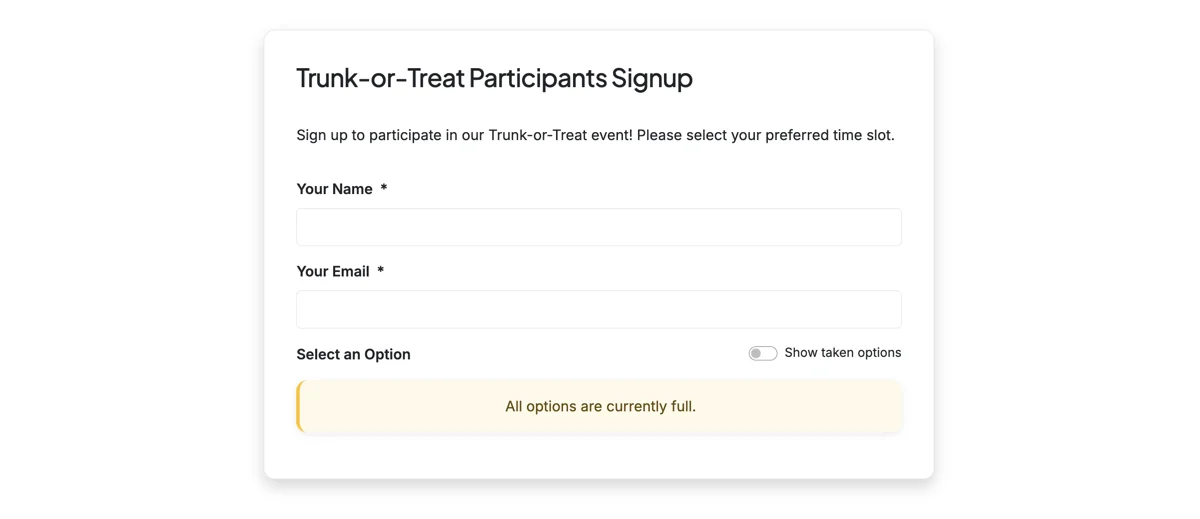
If the waitlist is disabled, and all options are filled, respondents will see a message stating that all options are currently full.
VIEWING WAITLIST RESPONSES
Step 1
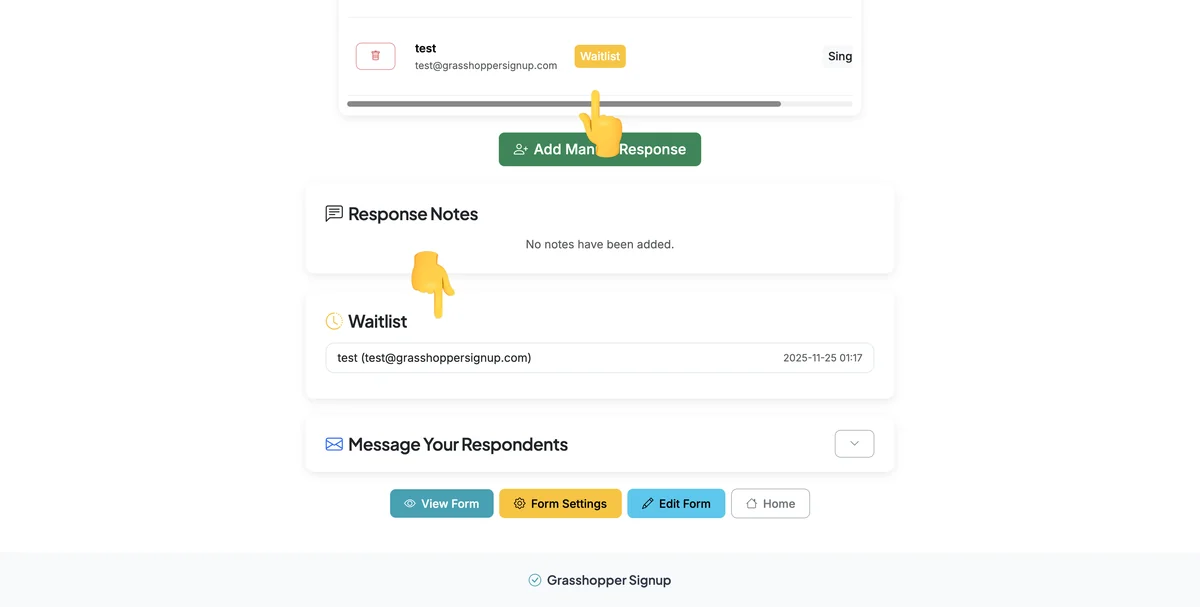
On the Responses page, waitlist responses will show up in both the Response Details and the Waitlist section.
Key points about waitlists:
- Automatic activation: Waitlist appears automatically when all form slots are filled
- Notifications: Form creators receive email alerts when 1 slot remains and when the form is full
- Manual management: Waitlist users are not automatically moved to available slots if spaces open up
- Optional feature: Can be disabled if you don't want to collect waitlist responses
Total Steps: 8
Steps generated by StepHopper, a product of Grasshopper Signup - Create interactive step-by-step guides