Show as "Needed", Hide Available Count
Change the language from "Available" to "Needed" when displaying remaining slots, or hide the available count for specific options.
You can change the language from "Available" to "Needed" when displaying the remaining slots for options. You can also hide the available count for specific options (you can also hide available count for all options in Form Settings).
Show as "Needed"
Step 1
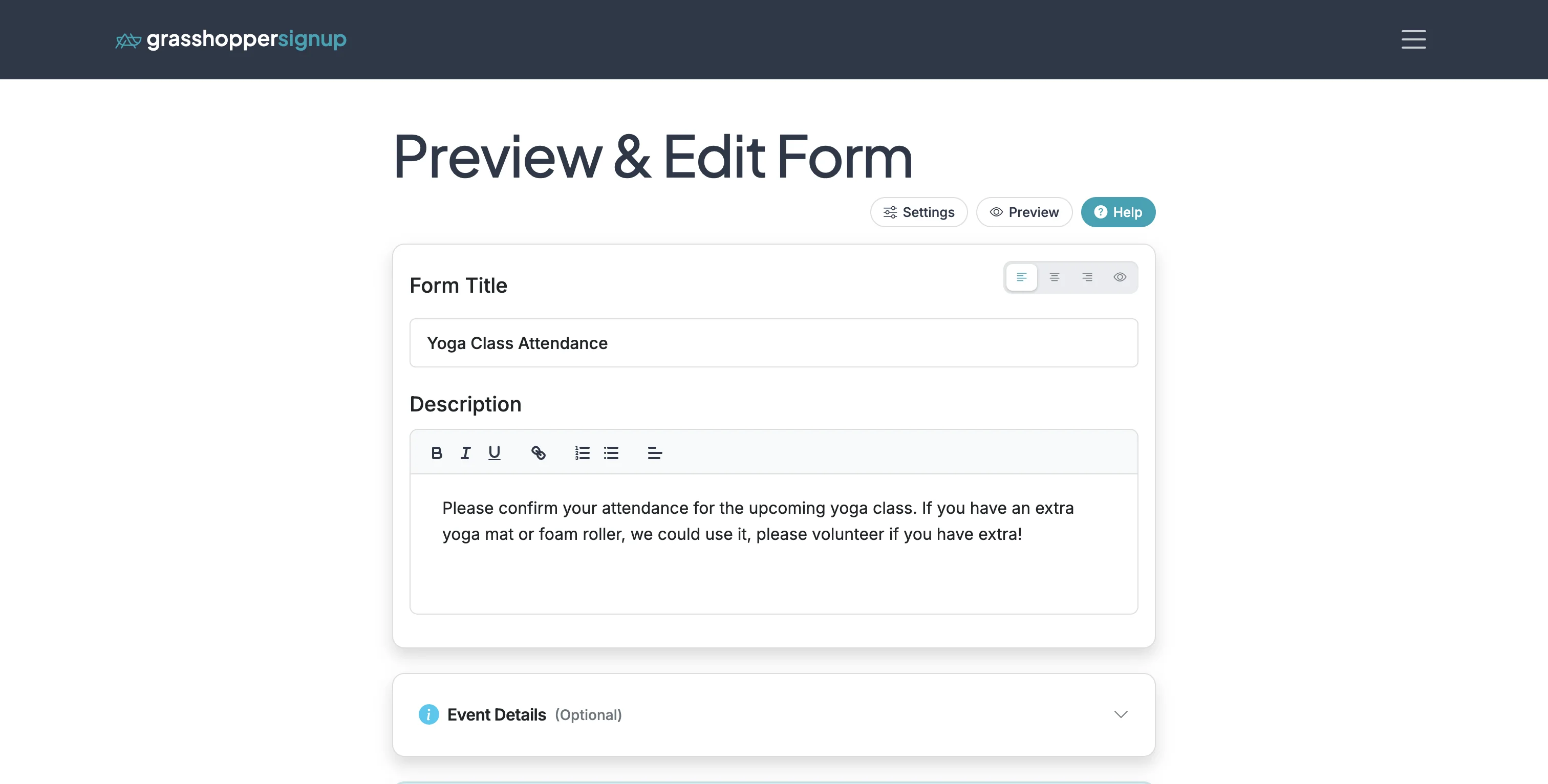
Start on the Edit page of your form.
Step 2
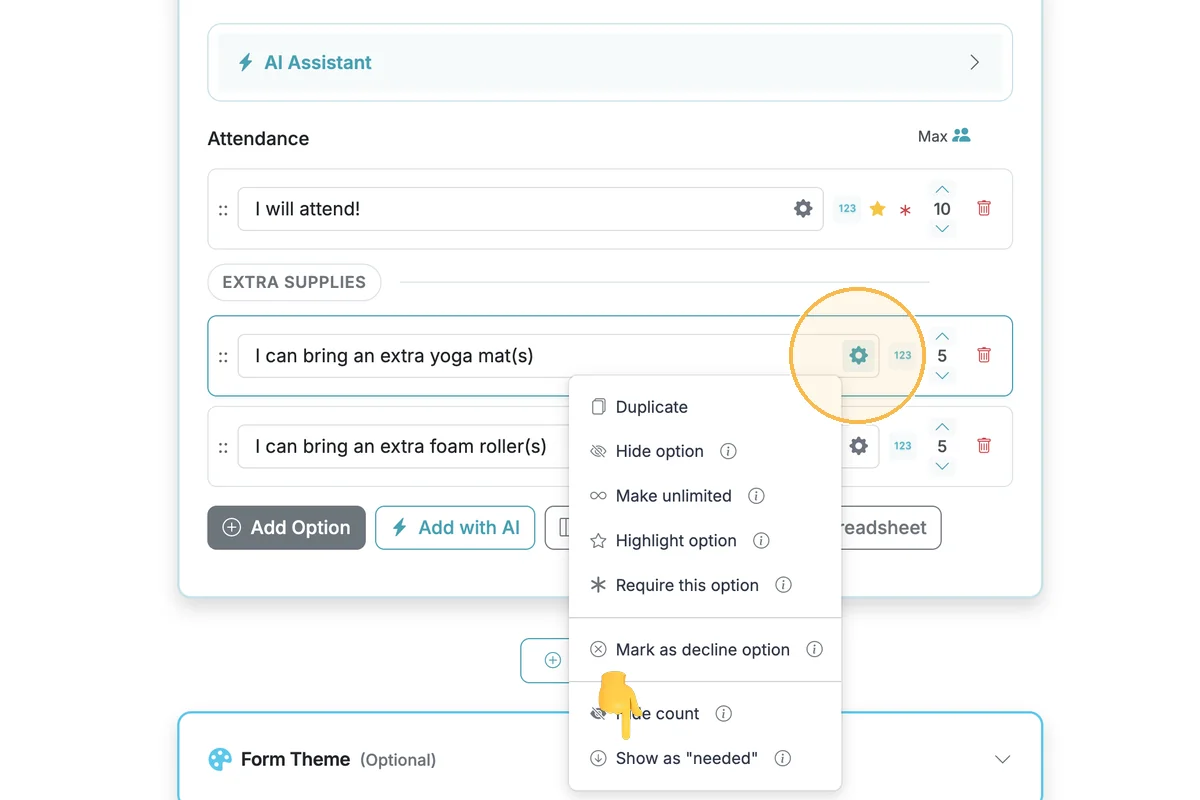
Scroll down to the Signup Options. To change the language from "Available" to "Needed", select the gear icon on the option(s) you want to change. Then select "Show as needed".
Step 3
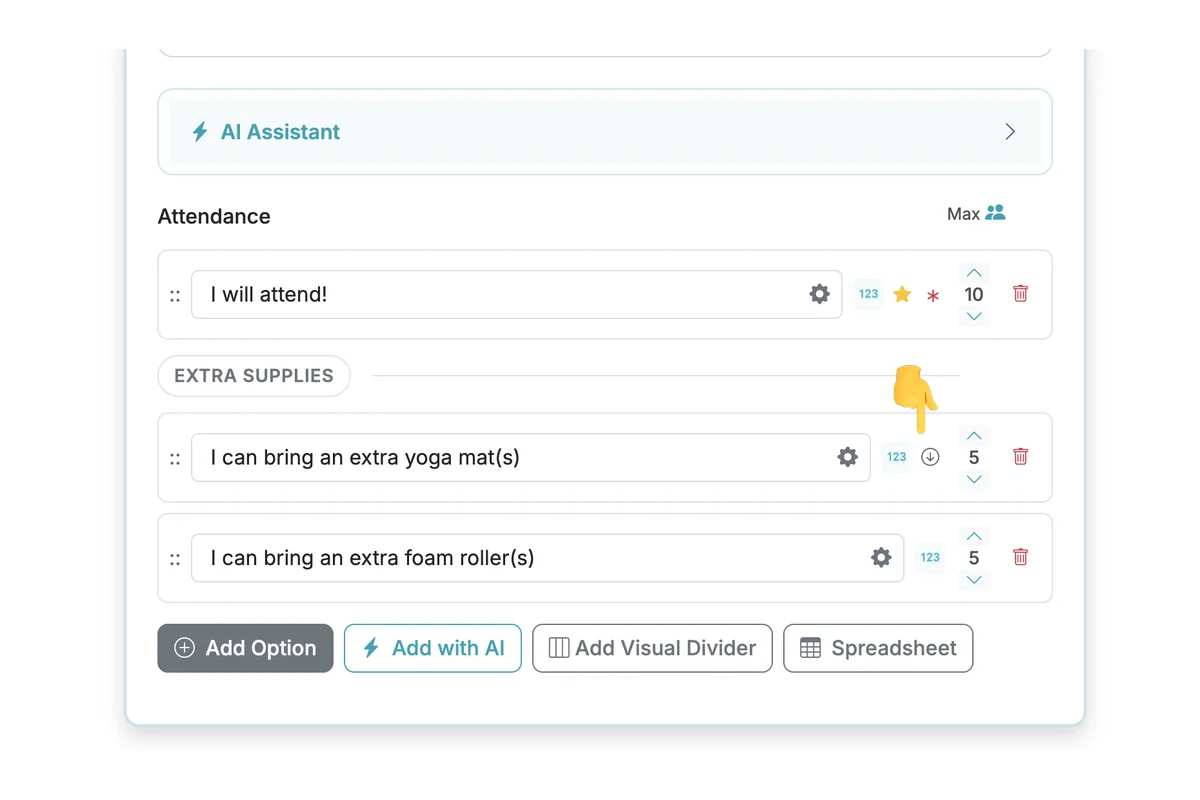
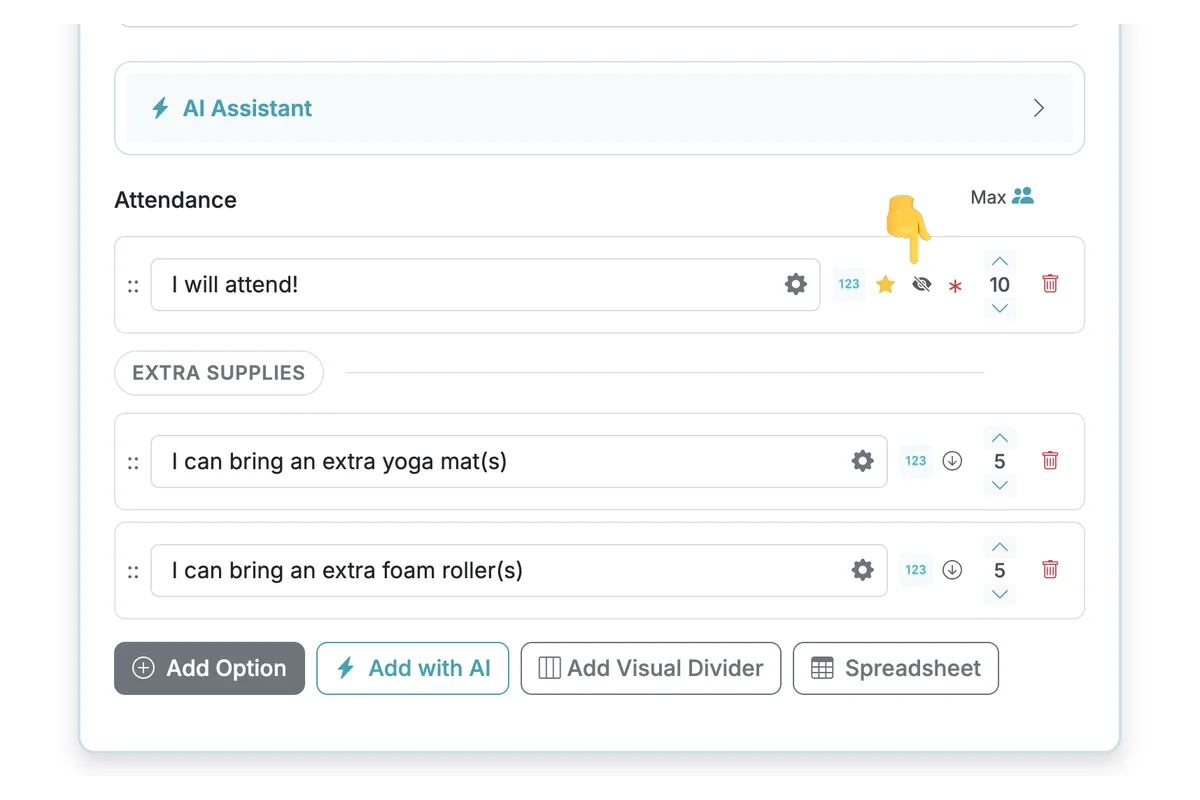
When Show as "needed" is enabled for an option, an icon with a circle and downward pointing arrow will appear next to the option label.
Hide Count on Individual Options
Step 4
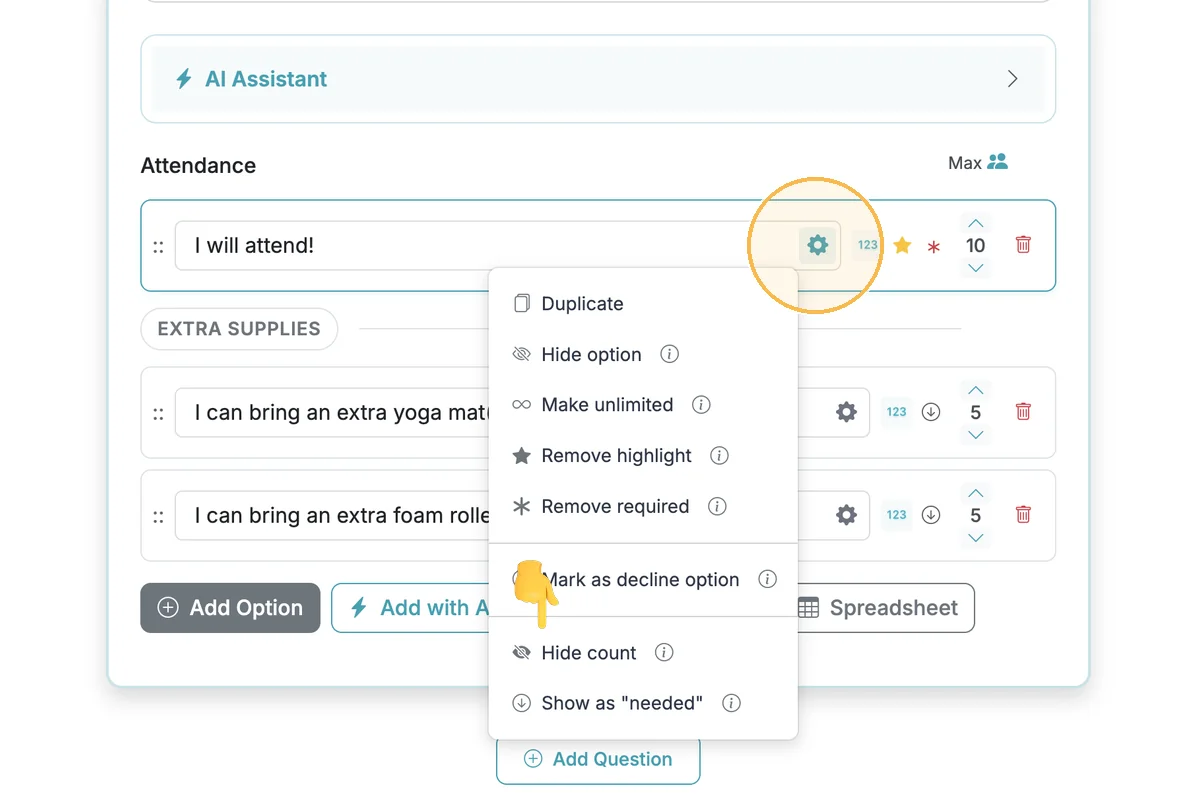
To hide the available/needed count on an individual option, click the gear icon and select "Hide count".
Step 5
When Hide count is enabled for an option, a crossed-out filled eye icon is shown next to the option label. There is a different, but similar icon that shows up when an option is fully hidden from respondents.
Respondent View
Step 6
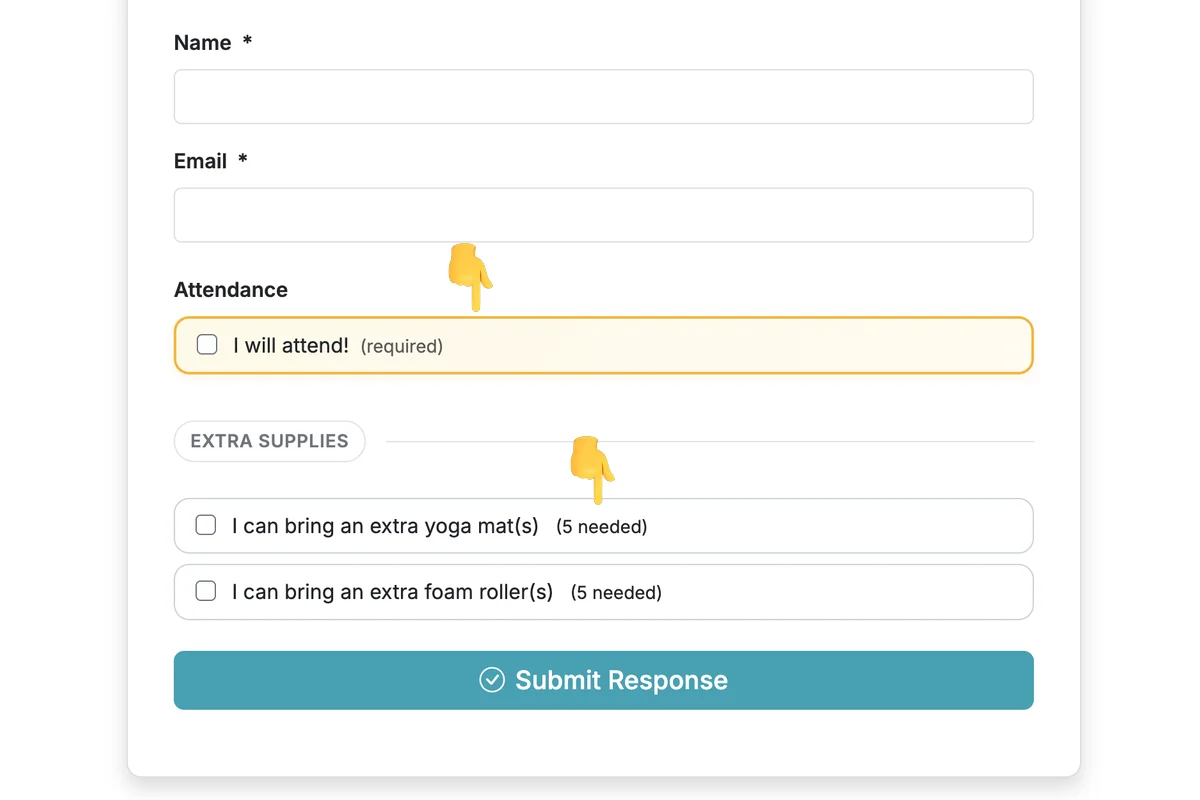
When respondents view a form with Show as needed and Hide available count enabled, they will see "Needed" instead of "Available" and will not see the option count for the selected options.
Total Steps: 6
Steps generated by StepHopper, a product of Grasshopper Signup - Create interactive step-by-step guides