How to Search Responses
Learn how to search for responses by email across all your forms using the Search Responses function in your Dashboard.
Use the Search Responses function in your Dashboard to search for responses by email across your forms.
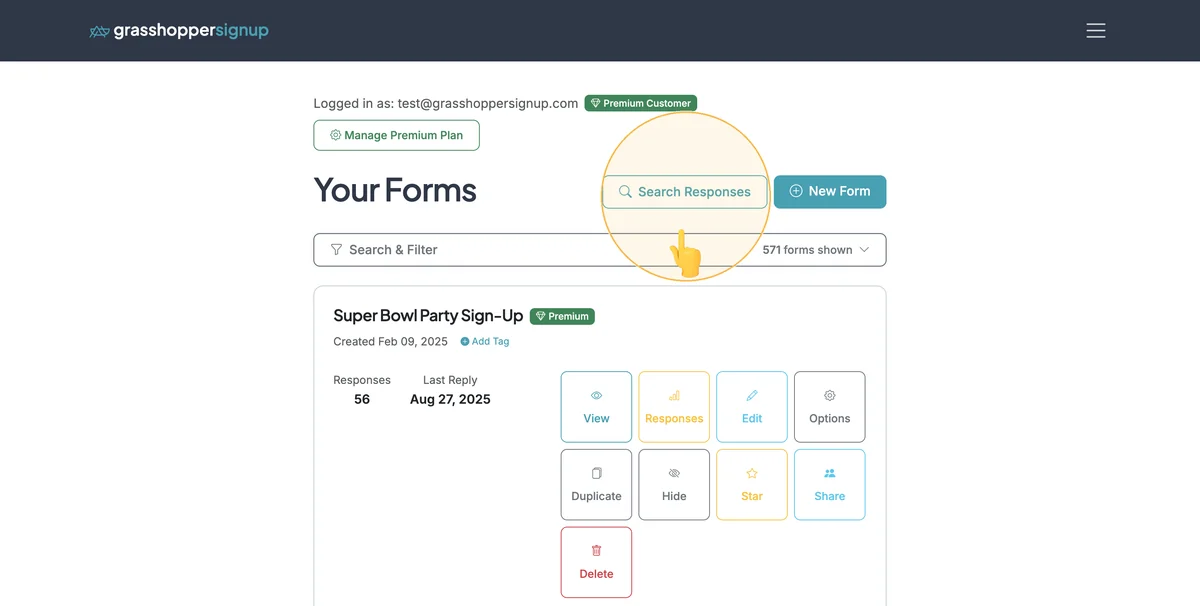
Step 1
Login to your Dashboard and click 'Search Responses'.
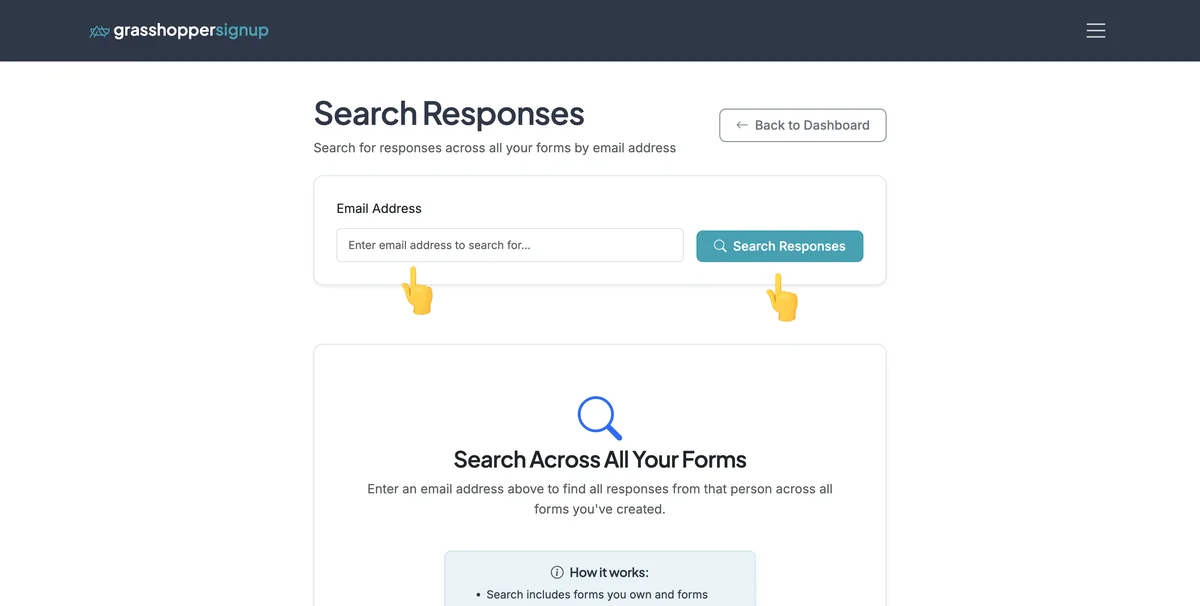
Step 2
Enter an email address and click 'Search Responses'.
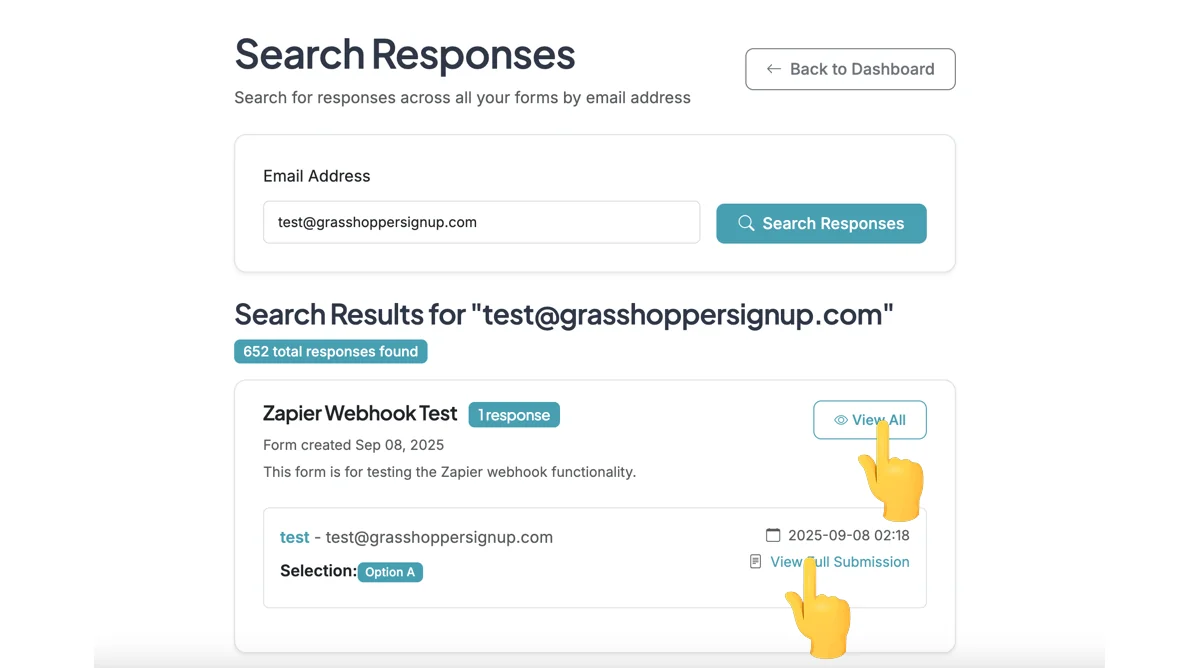
Step 3
Searching responses will show you all responses across your forms for the email address you search for. The results include links to view the full submission for each response or view the responses page for the form.
Benefits of using Search Responses:
- Cross-form search: Find all responses from a specific person across all your forms
- Quick access: Directly view full submissions or go to form response pages
- Efficient management: Perfect for tracking participant activity across multiple events
- Administrative tool: Helpful for managing repeat volunteers or attendees
Total Steps: 3
Steps generated by StepHopper - Create interactive step-by-step guides