Send a Message to Respondents
Learn how to send messages to all respondents from the Responses page for follow-ups, thank you notes, or important updates.
You can send a message to your respondents from the Responses page for your form. This function can be used to send a thank you or follow up message to respondents, or can be used at any time to send a message.
Step 1
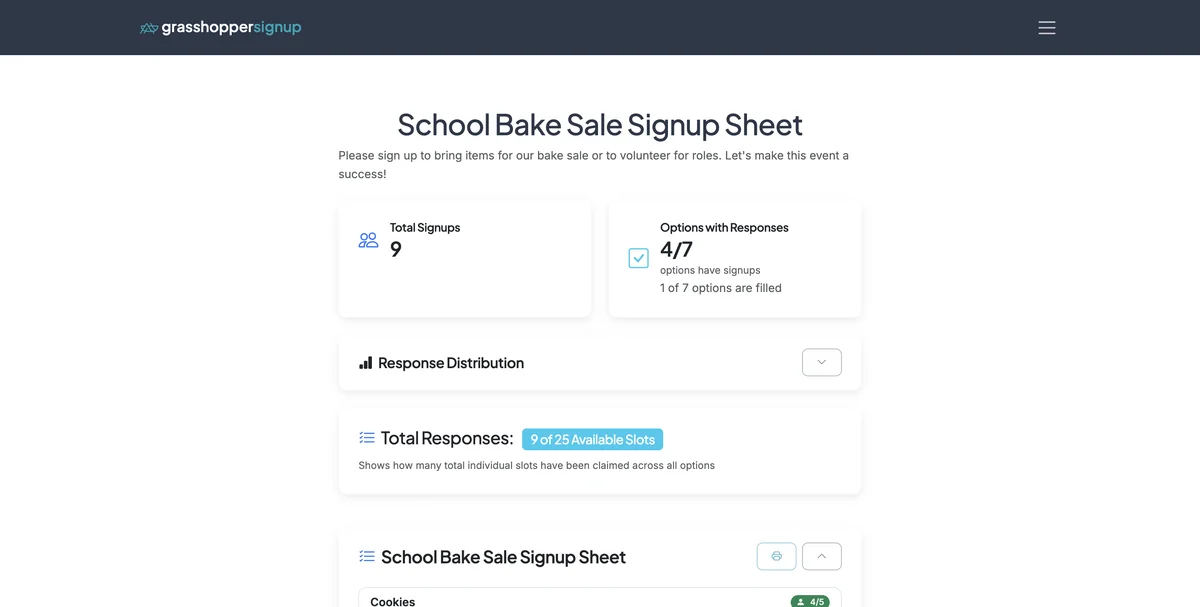
Start on the Responses page for your form.
Step 2
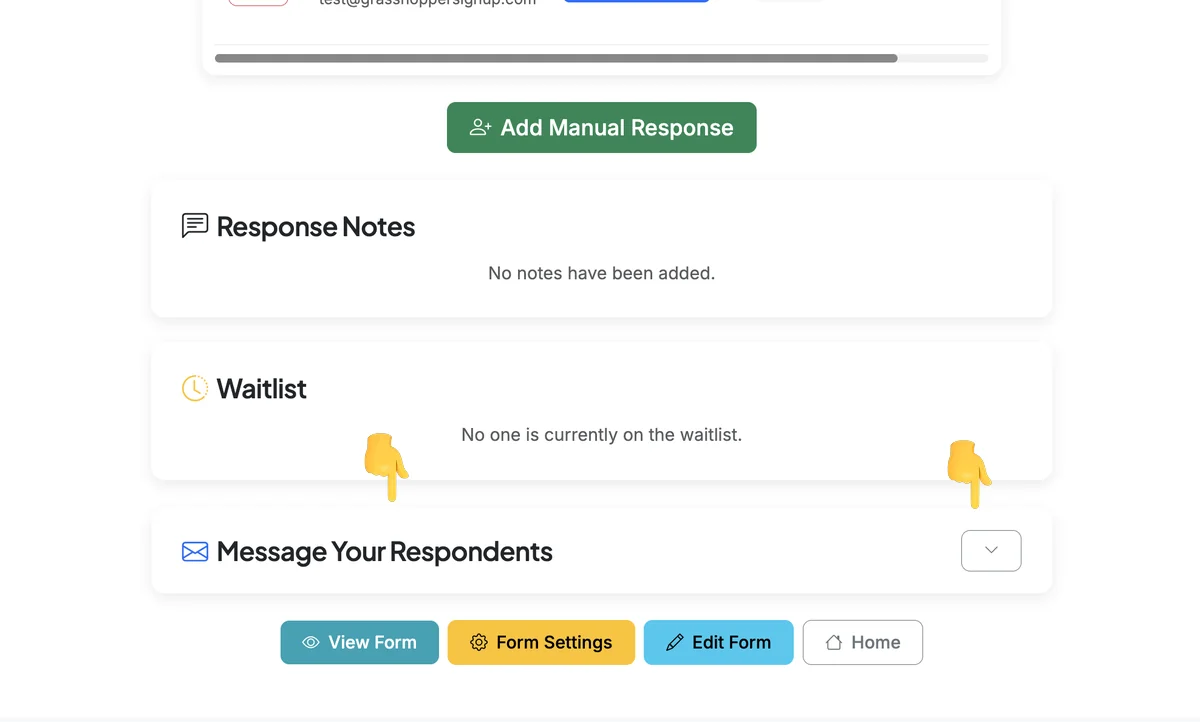
Scroll to the bottom of the page and find the 'Message Your Respondents' section. Expand the container to add a message.
Step 3
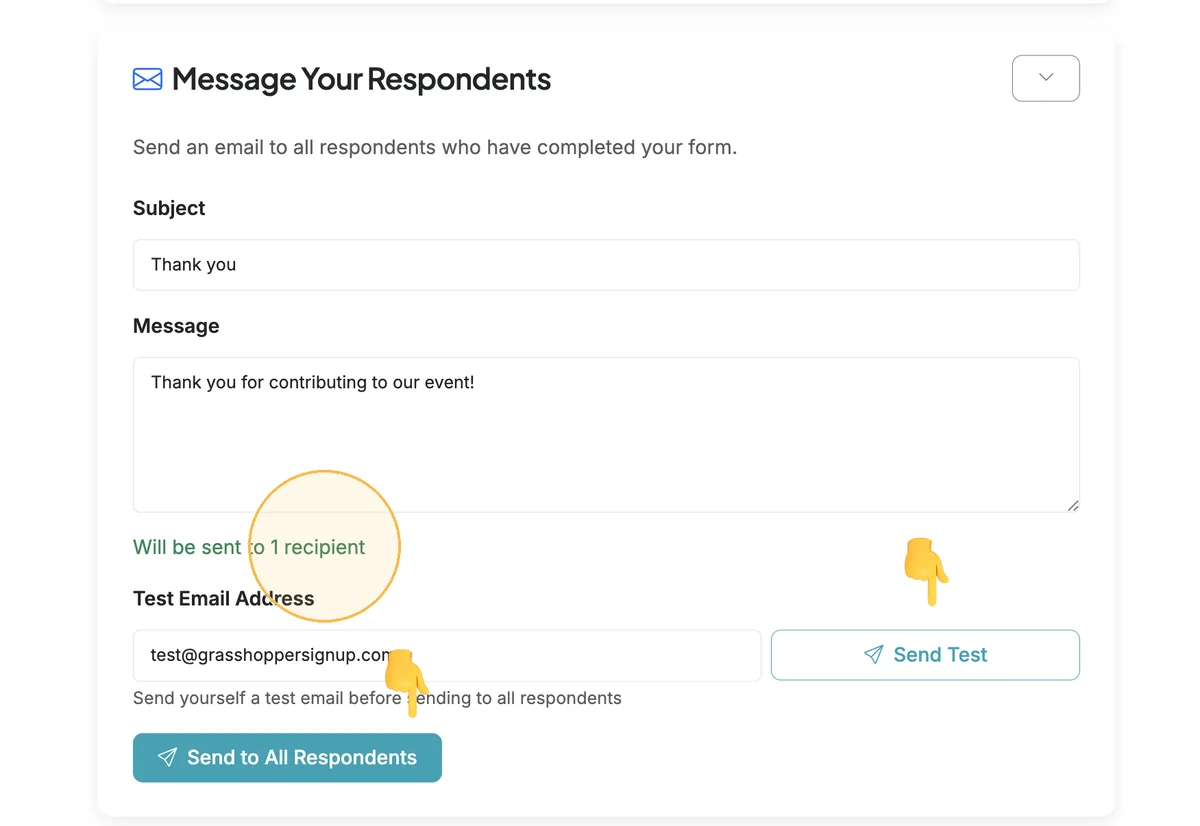
After you add your subject and message, you can 'Send Test' to any email to test the message. Click 'Send to all respondents' when you are ready to send to all respondents. This will send a message to all unique, undeleted email respondents to your form. The "Will be sent to X recipients" message will tell you how many emails will be sent when the full message is sent.
Benefits of messaging respondents:
- Direct communication: Reach all your respondents instantly with important updates
- Test before sending: Send a test email to verify formatting and content
- Unique recipients only: Automatically sends to each unique email address once, avoiding duplicates
- Versatile uses: Perfect for thank you notes, event updates, last-minute changes, or follow-up information
Total Steps: 3
Steps generated by StepHopper, a product of Grasshopper Signup - Create interactive step-by-step guides