Highlight an option
Learn how to highlight options on your form to visually distinguish them from other options.
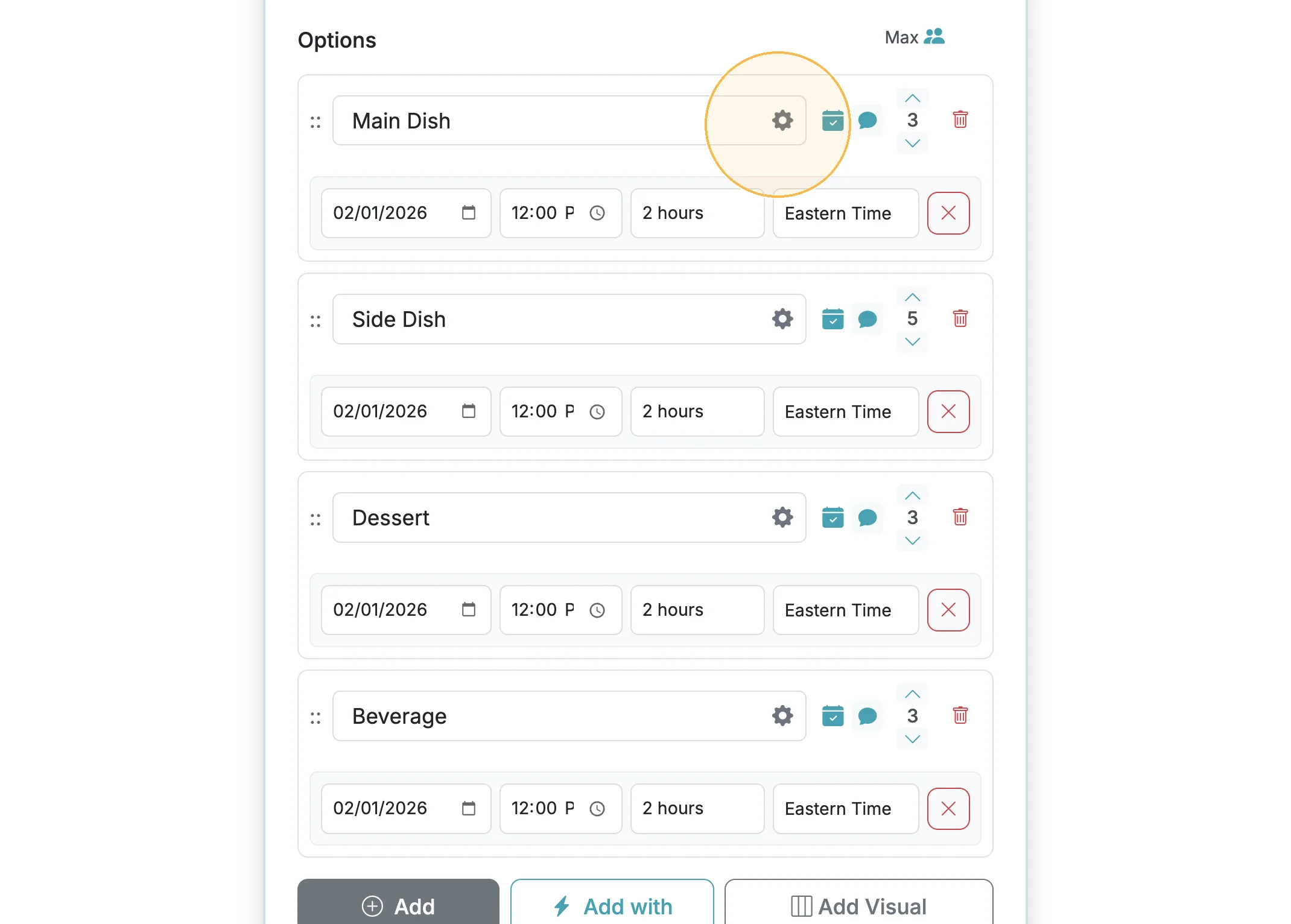
You can highlight options on your form if you want to visually distinguish them. Click the gear icon next to the option label when editing your form to highlight an option.
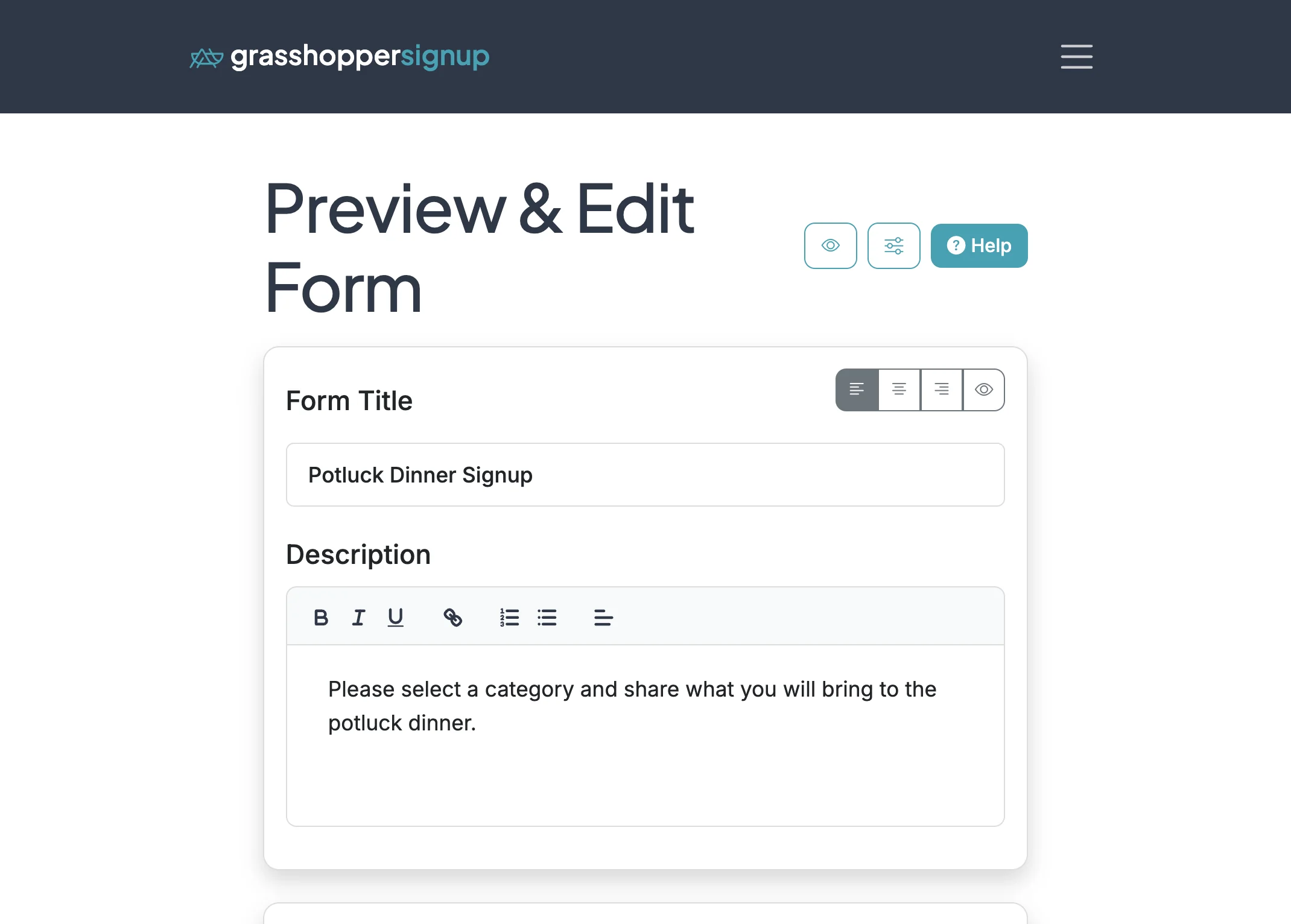
Step 1
Start on the Edit page for your form
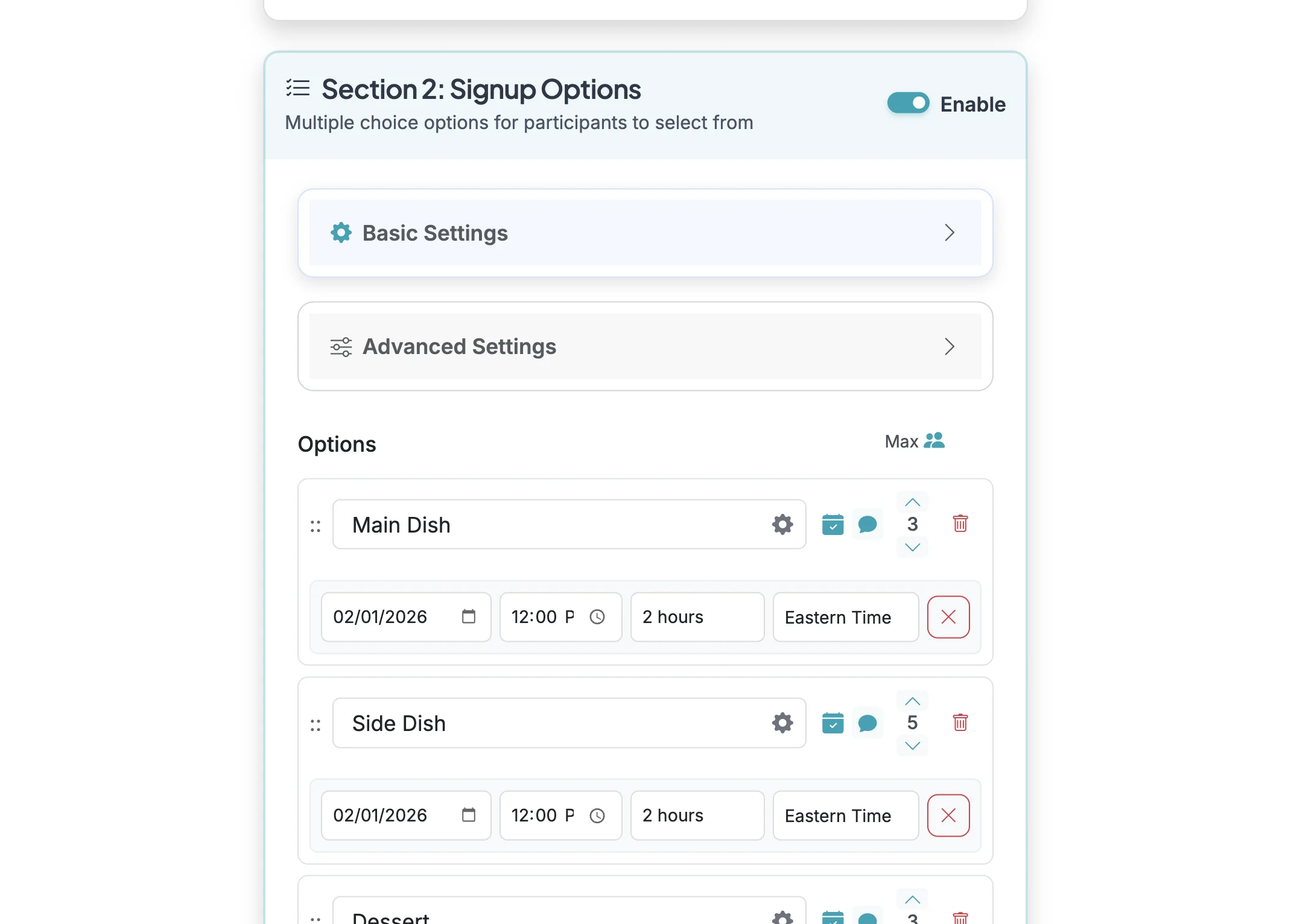
Step 2
Scroll down to your form options.
Step 3
Click on the gear icon to open the option settings.
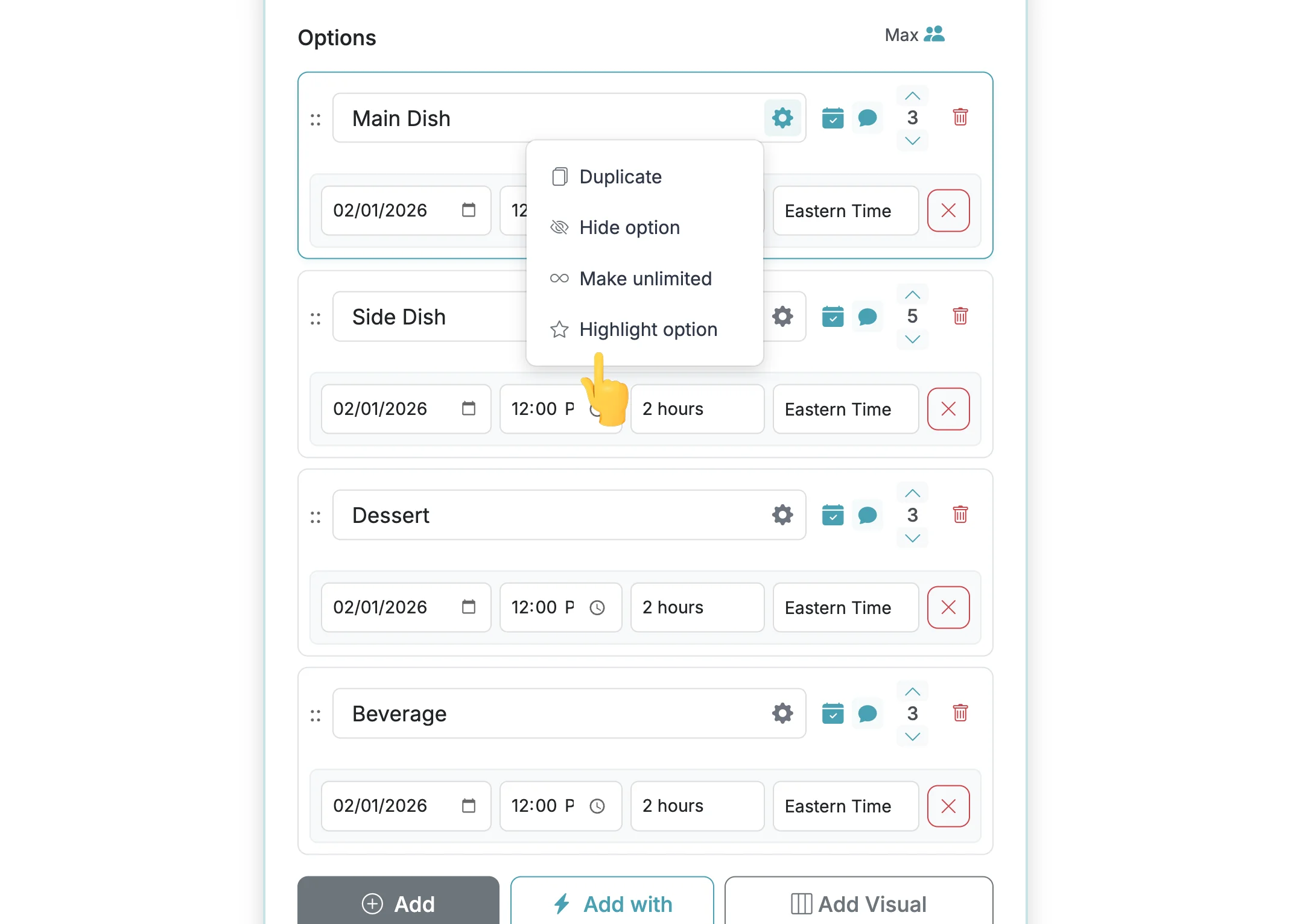
Step 4
Click on 'Highlight option' to enable option highlighting for that option.
Step 5
A star will show up on the option to indicate that the option will be highlighted.
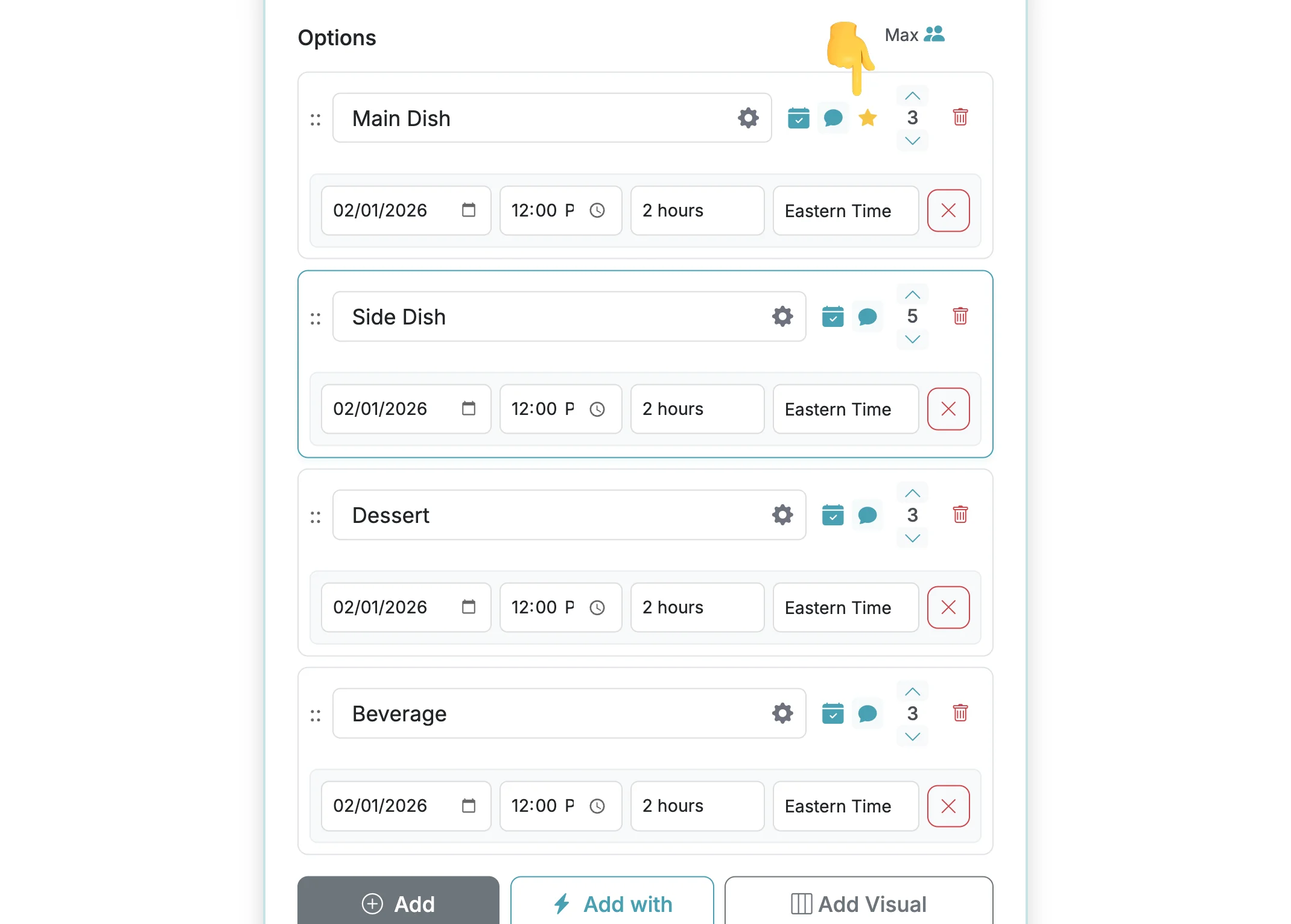
Step 6
When respondents take your form, your highlighted option will be ... highlighted.
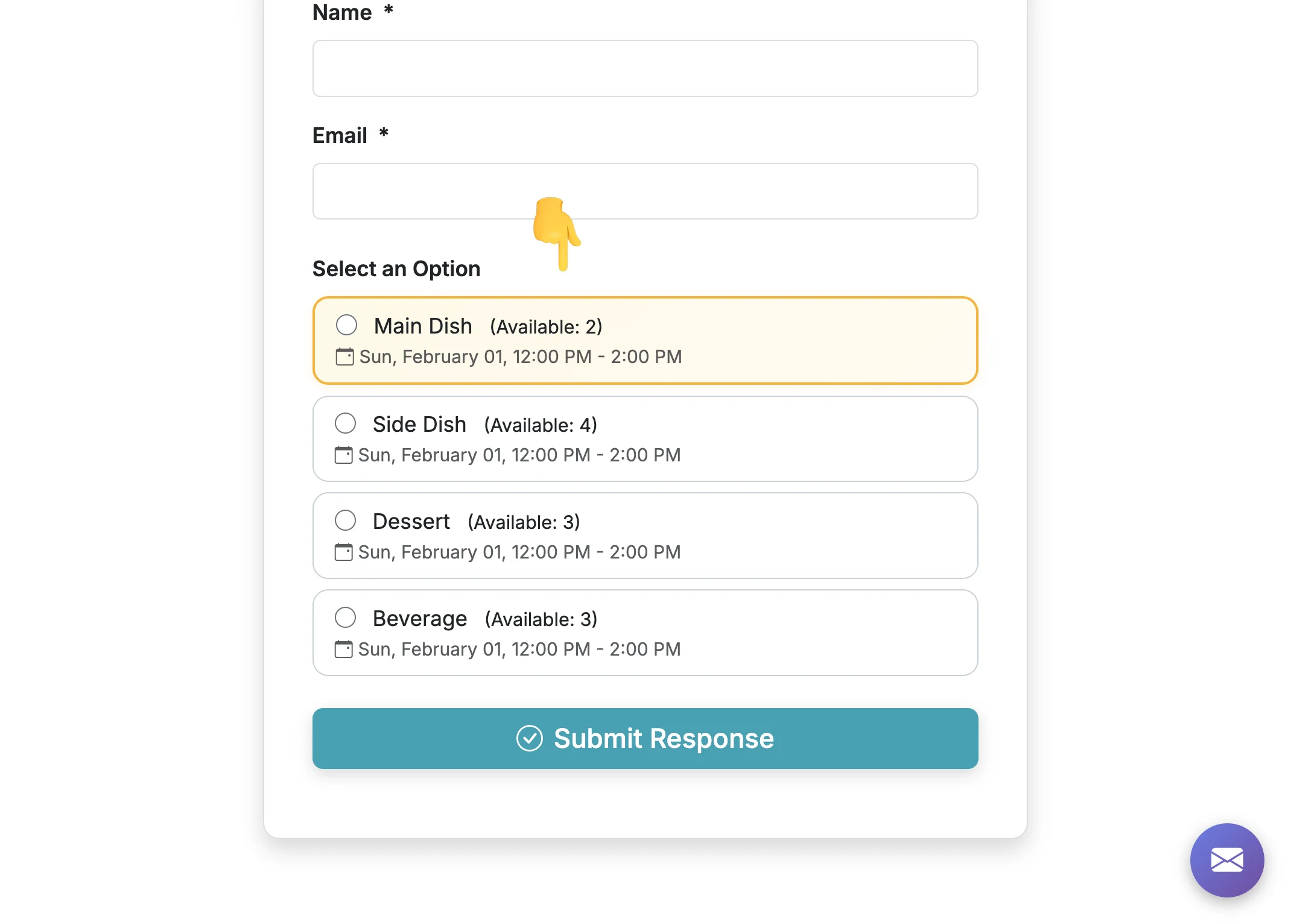
Total Steps: 6
Steps generated by StepHopper, a product of Grasshopper Signup - Create interactive step-by-step guides