Hide Available Response Counts
Learn how to hide the number of available slots while still enforcing max response limits for each option.
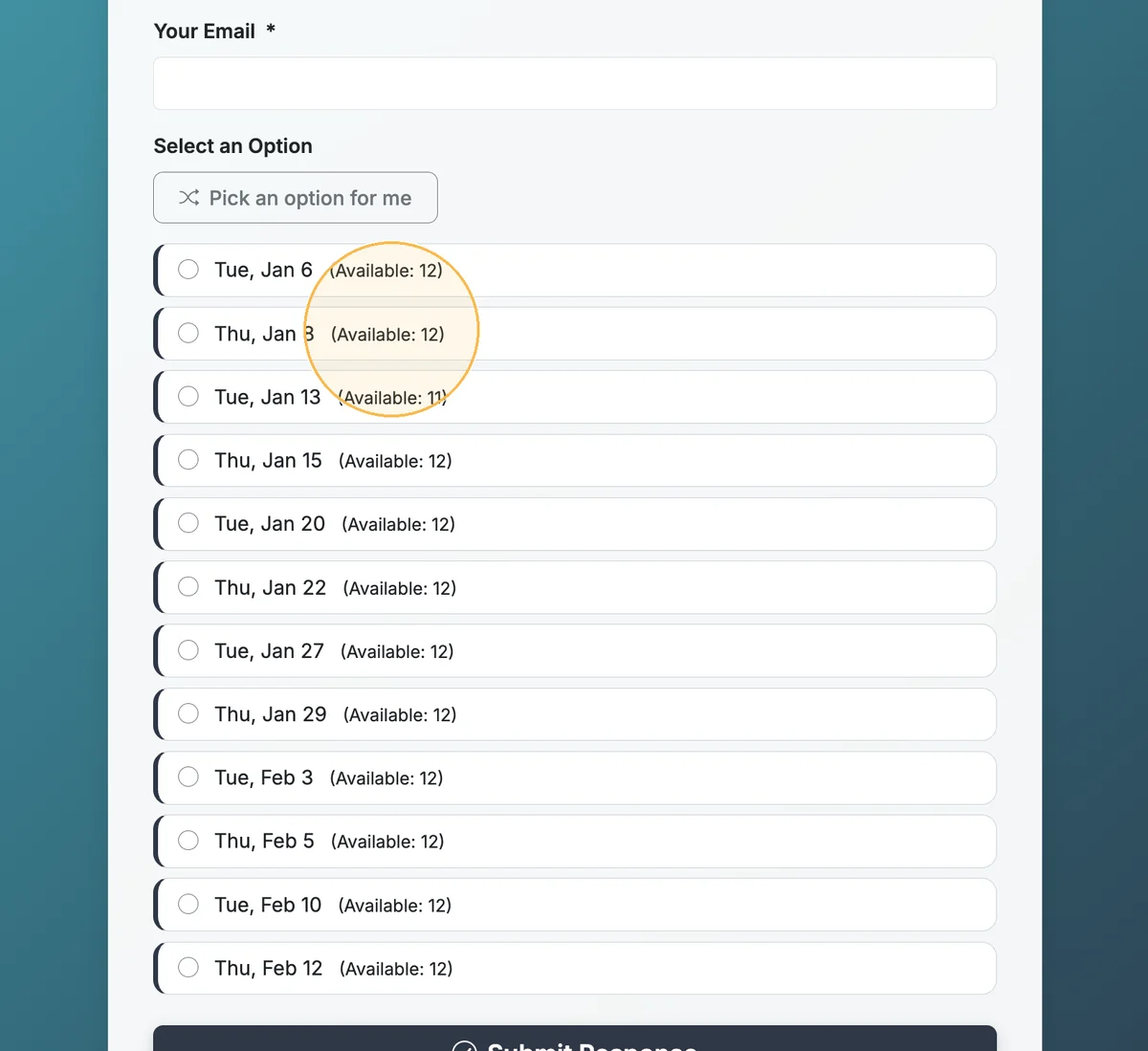
When you use Max Responses, by default your form will show respondents how many slots are available for each option. You can hide the number of available responses/slots, while still enforcing a max response count for each option by using the 'Hide Available Response Counts' option.
Step 1
By default, your form will show available response counts. This is an example of a form that uses max responses.
Step 2
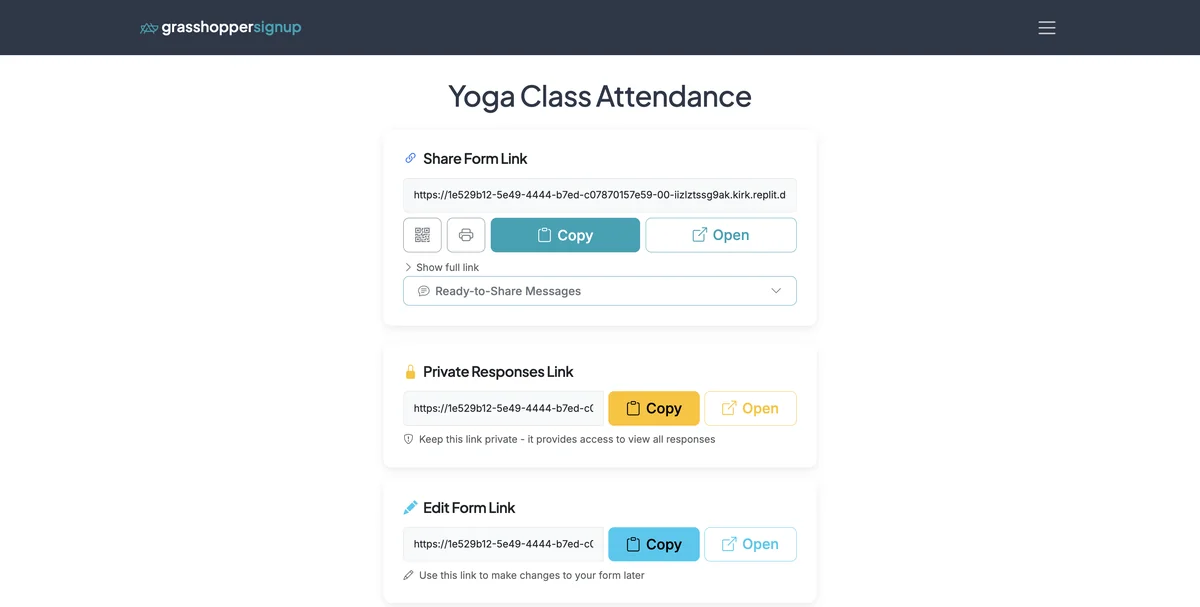
Start on the Form Options page.
Step 3
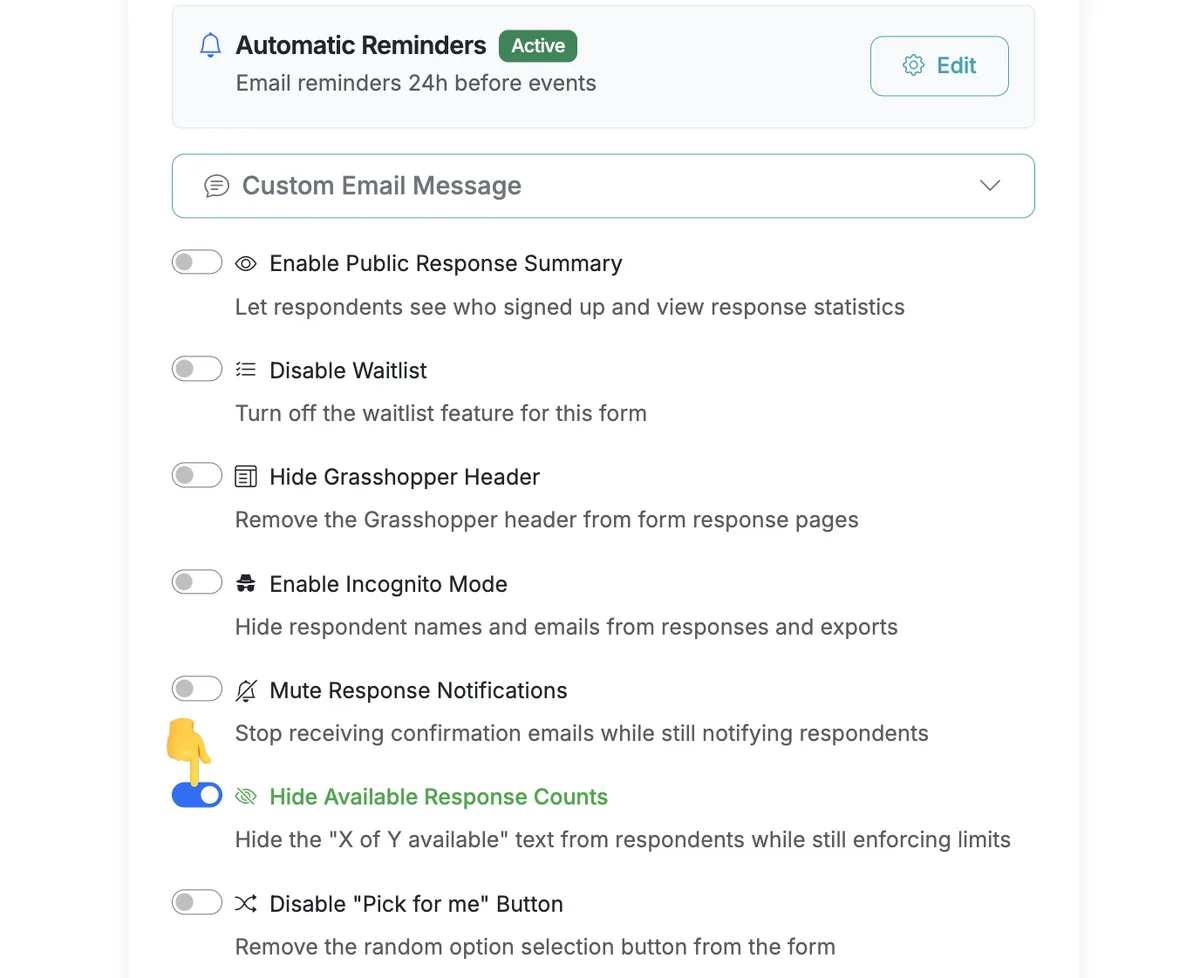
Scroll down to Form Settings and enable the 'Hide Available Response Counts' toggle. This will hide available response counts from respondents while still enforcing max response limits.
Step 4
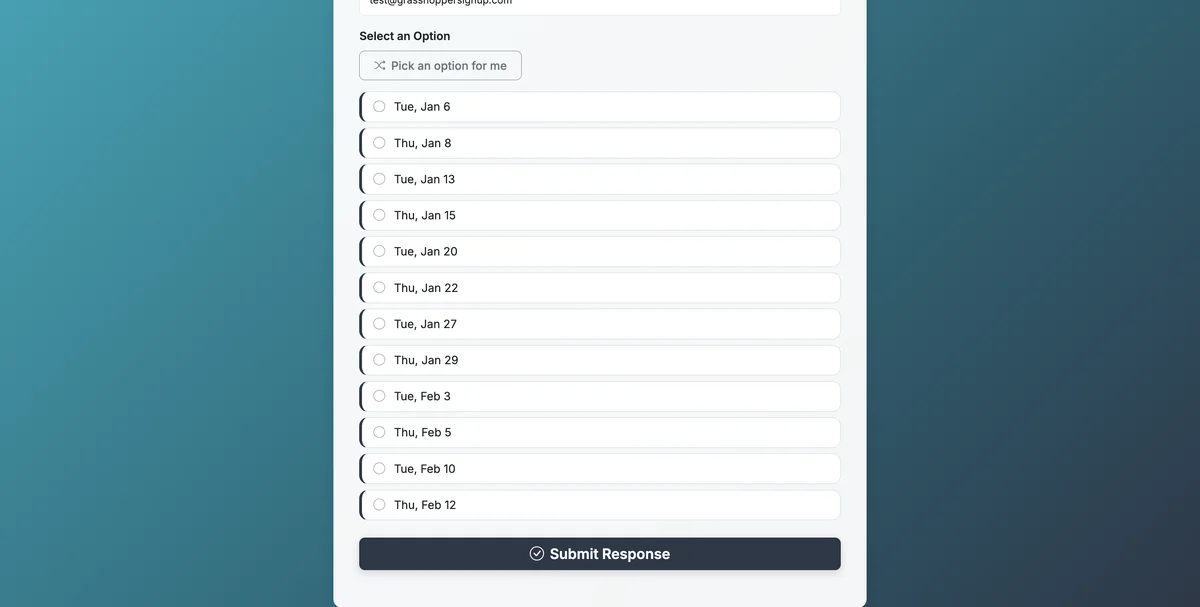
Your form will now show options without the available response counts visible.
Benefits of hiding response counts:
- Privacy focus: Respondents don't see how many spots remain, reducing pressure or urgency
- Still enforces limits: Max responses continue to work - options become unavailable when full
- Cleaner appearance: Simplifies the form interface for respondents
- Flexibility: Useful when you want to limit responses but don't want to show exact counts
Total Steps: 4
Steps generated by StepHopper, a product of Grasshopper Signup - Create interactive step-by-step guides