Find and Replace: Rename Many Options at Once
Rename text across all your form options in one step with Find and Replace, preview every change first, and keep existing signups linked.
Find and Replace: Rename Many Options at Once
Find and Replace lets you change the same piece of text across all of your options in one step, instead of editing each option by hand. It's built for forms where the same word or name repeats across a long list of options, for example a schedule where every time slot ends with a person's name.
Where to find it
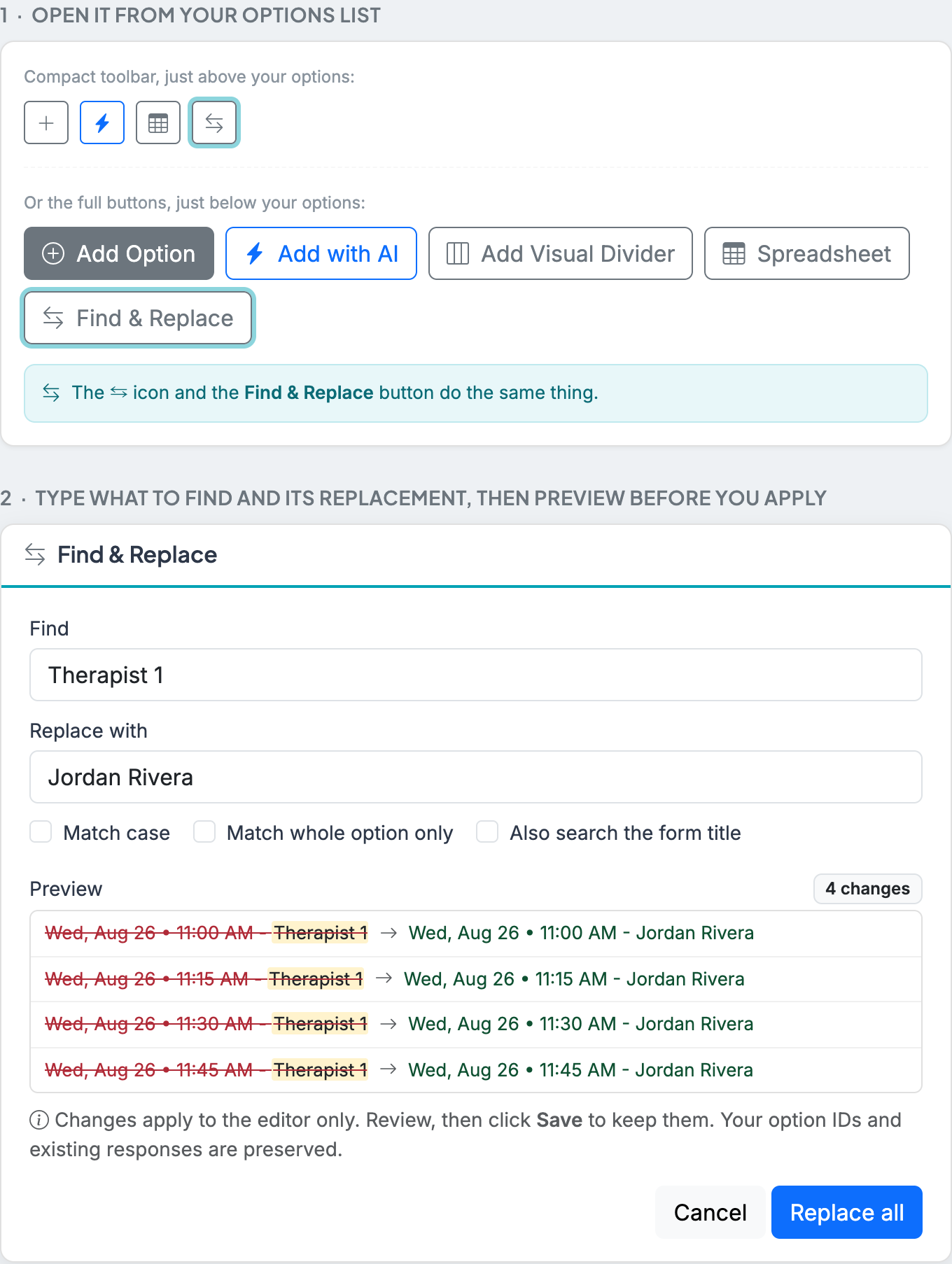
Open your form's Edit page and scroll to your options list. Click the Find & Replace button just below the list (there's also a small icon in the toolbar above the list).
How it works
- Type the text you want to change in Find, and what it should become in Replace with.
- The Preview shows every option that will change, with the old text struck through and the new text beside it, plus a count so you know exactly what will happen.
- When it looks right, click Replace all, then click Save on your form to keep the changes.
Options
- Match case: only replace text that matches the exact capitalization you typed.
- Match whole option only: replace an option's text only when the entire option equals what you typed, rather than replacing part of it.
- Also search the form title: include your form's title in the find and replace, not just the options.
Is it safe to use after people have signed up?
Yes. Renaming an option only changes its wording. Each option keeps its identity behind the scenes, so anyone who already signed up stays attached to the right option, and their signup is not affected. This is the safe way to make a bulk wording change on a form that already has responses.
A common use: swap placeholder names for real ones
Many creators build a form ahead of time with placeholders like Therapist 1, Volunteer 2, or Station 3, then swap in real names once they're confirmed, often the day before the event. Find and Replace turns that into a few clicks: replace Therapist 1 with the real name, review the preview, and save.