How to Enable Quantity Selection
Learn how to enable quantity selection on your form to allow respondents to input the quantity of an item they have selected.
This guide will show how to Enable Quantity Selection on your form. Quantity selection allows respondents to input the quantity of an item they have selected.
Step 1
Create a new form or visit the Edit page for your form.
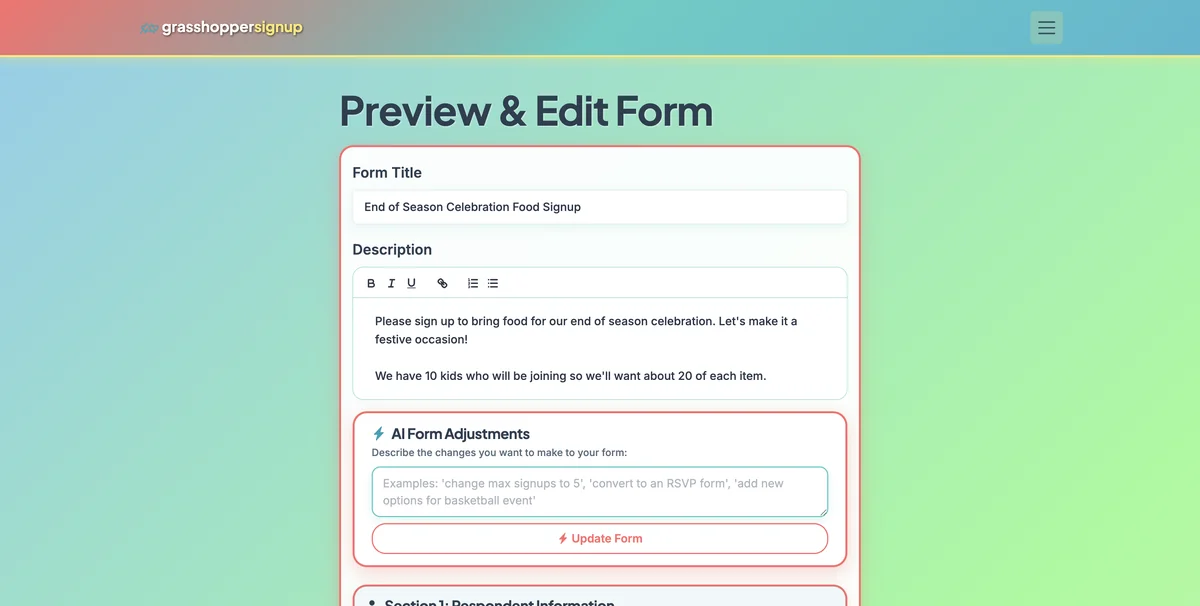
Step 2
Scroll to Section 2: Signup Options
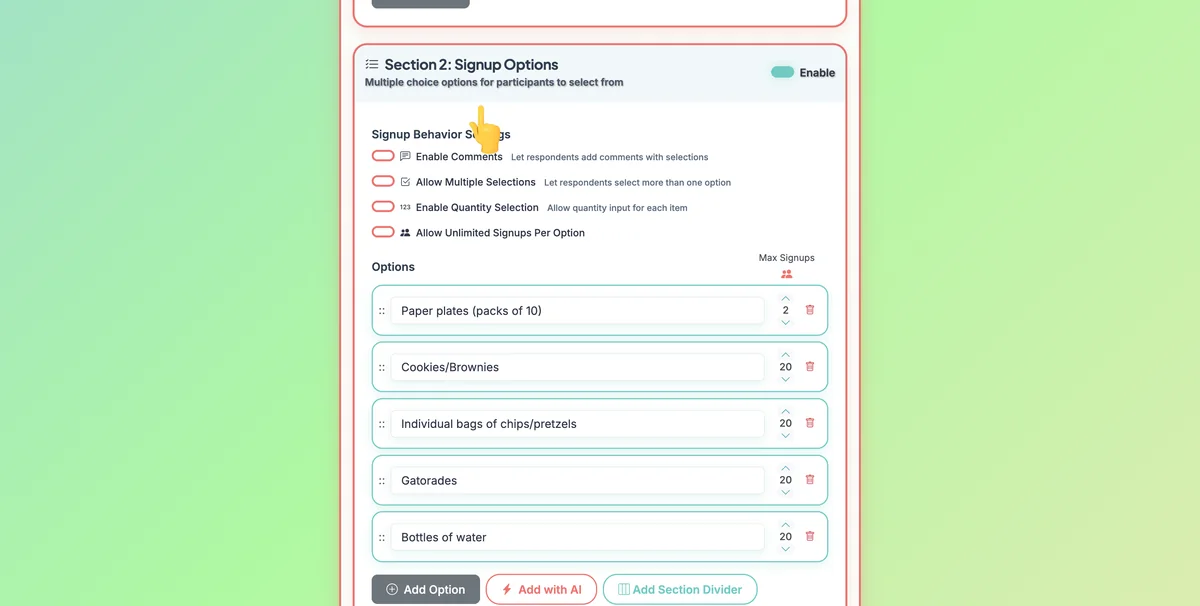
Step 3
Click the option to Enable Quantity Selection. This will allow respondents to input a quantity when they select an option.
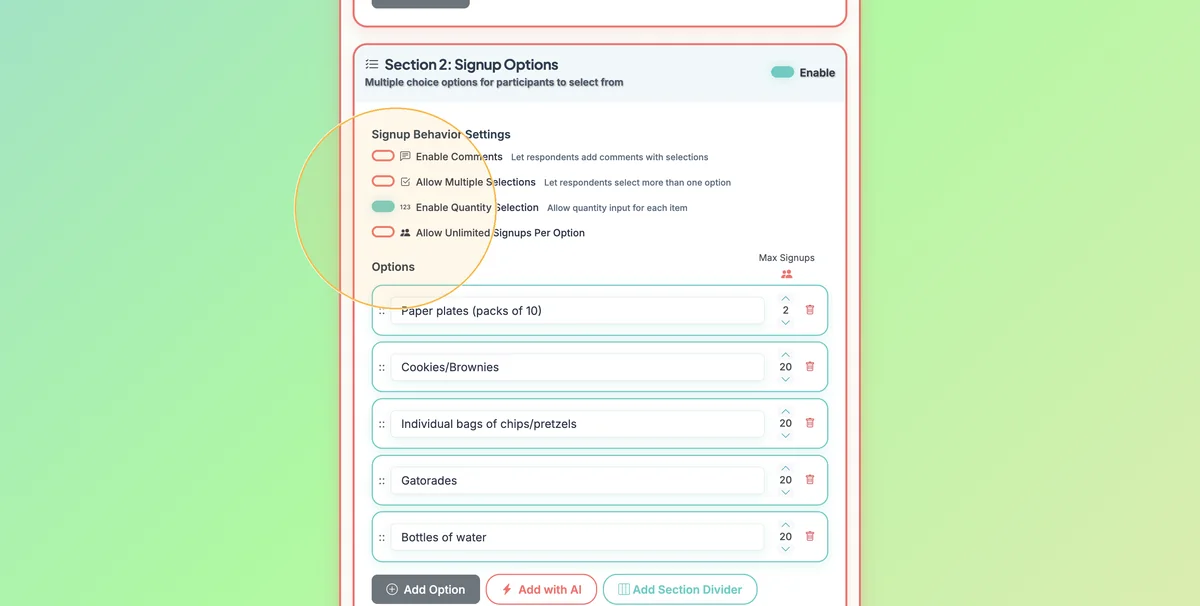
Step 4
Save the form once you have set up all options and settings.
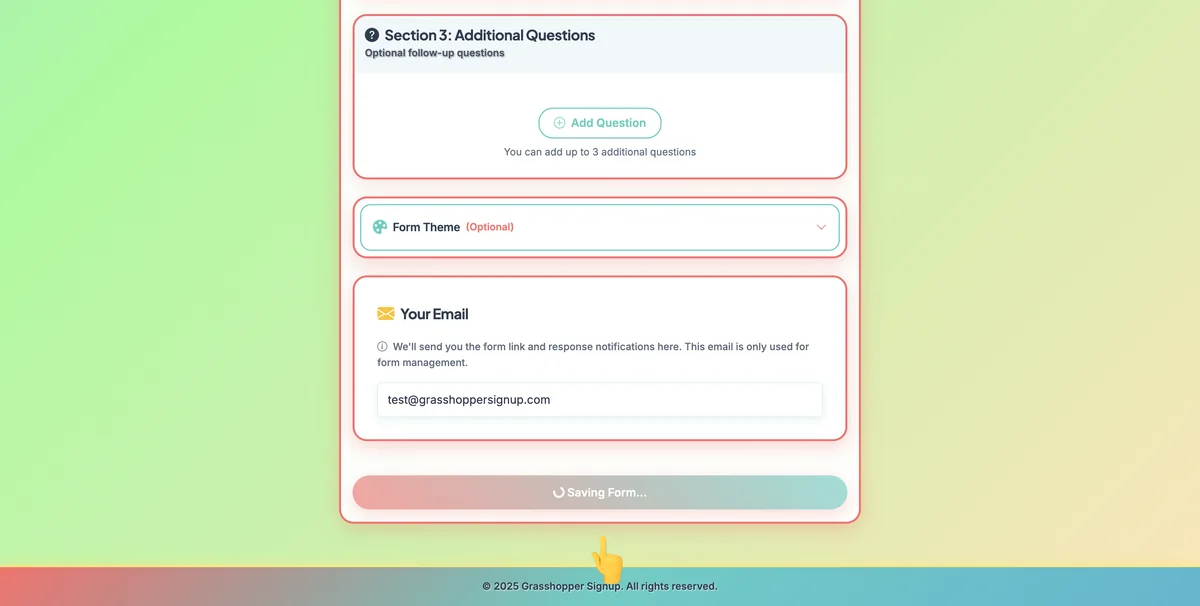
Step 5
When respondents view your form and select an option, they will be able to input a quantity.
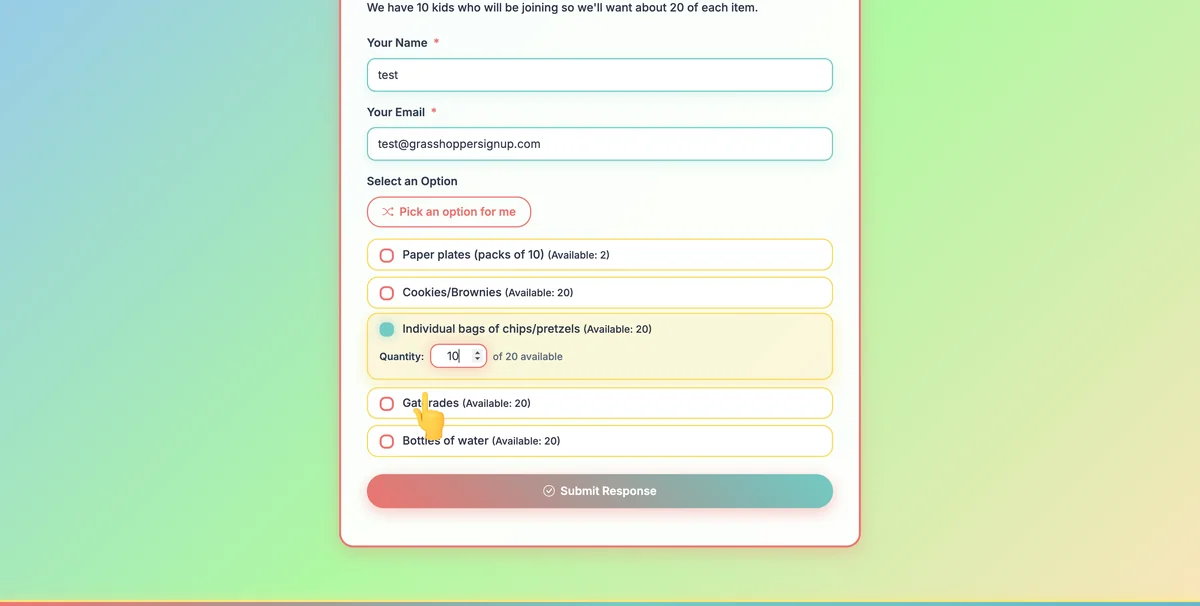
Step 6
See a form that has enabled quantity selection in action here: https://grasshoppersignup.com/respond/30789451-f54b-42ee-aaf4-7fae702650f3
Benefits of using quantity selection:
- Flexible participation: Allow people to specify how many items they're bringing or slots they need
- Better planning: Get exact counts for potlucks, supplies, or resources
- Efficient forms: One option can handle multiple quantities instead of separate options for each amount
- User-friendly: Simple quantity input that works on all devices
Total Steps: 6
Steps generated by StepHopper - Create interactive step-by-step guides