Print Form or Generate QR Code
Learn how to generate a printable version of your form or download a QR code for offline sharing.
You can generate a printable version of your form. You can also generate a downloadable QR code for your form.
Sections in This Guide
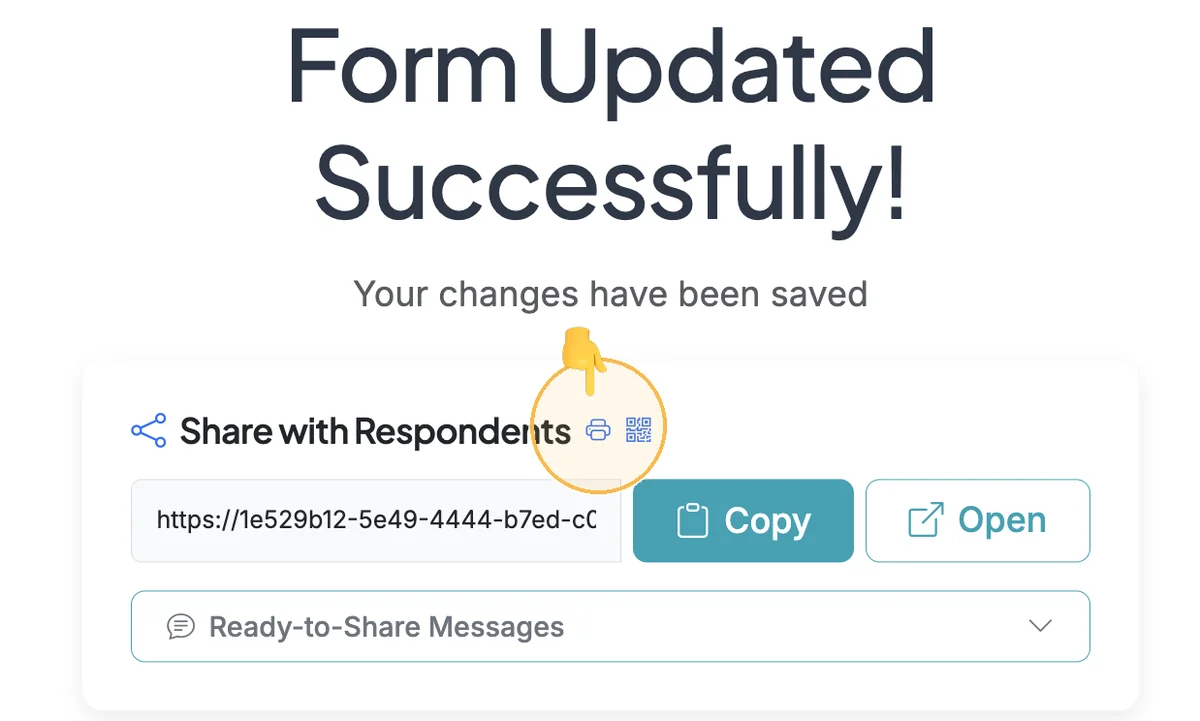
- PRINT A SIGNUP FORM: The Form Options page has a Print function that allows you to print out your signup form.
- DOWNLOAD A QR CODE FOR YOUR FORM: The Form Options page for your form has a function to download a QR Code.
PRINT A SIGNUP FORM
The Form Options page has a Print function that allows you to print out your signup form.
Step 1
Start on the Form Options page for your form.
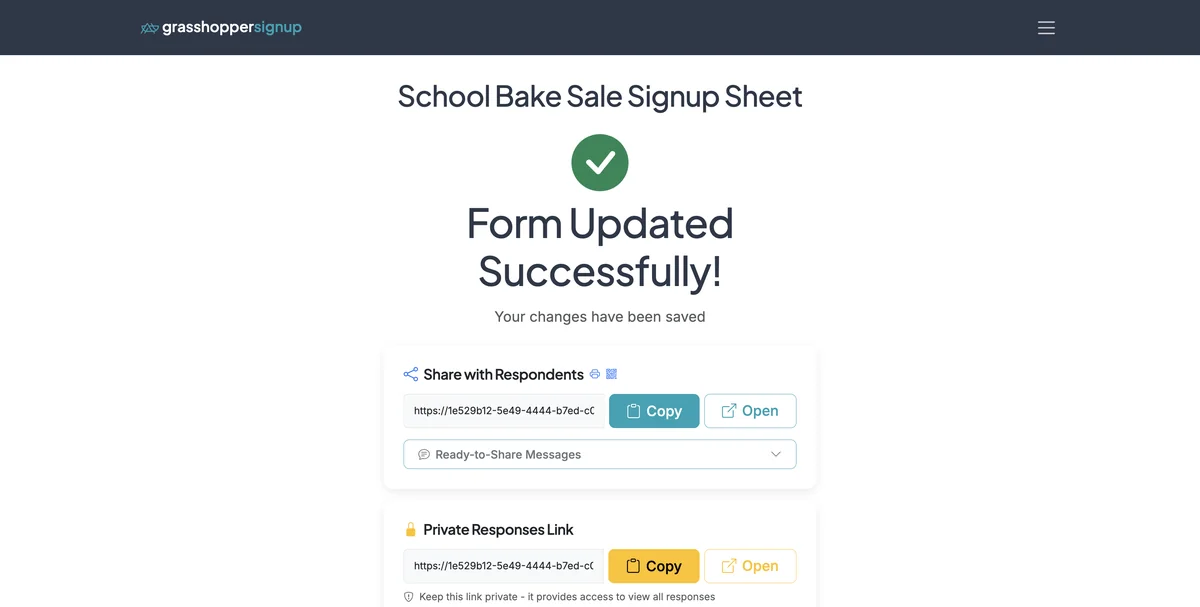
Step 2
Click on the printer icon near the shareable form link to generate a printable version of your form.
Step 3
The printable version will open for you to print.
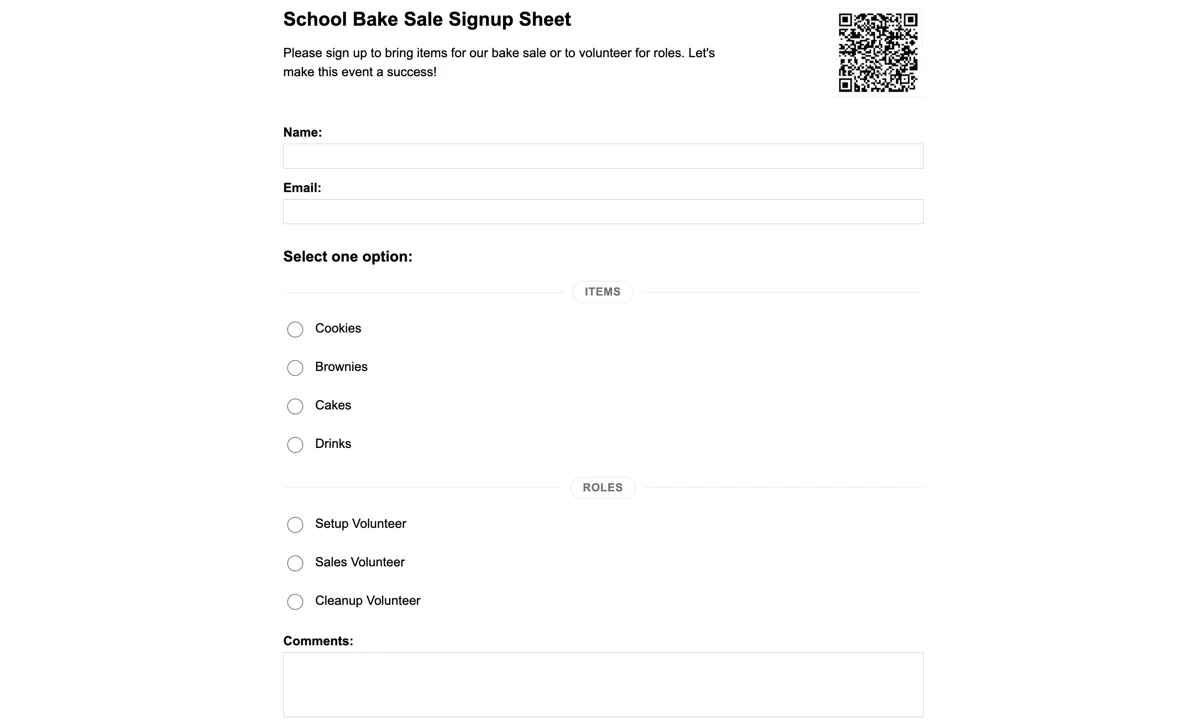
DOWNLOAD A QR CODE FOR YOUR FORM
The Form Options page for your form has a function to download a QR Code.
Step 1
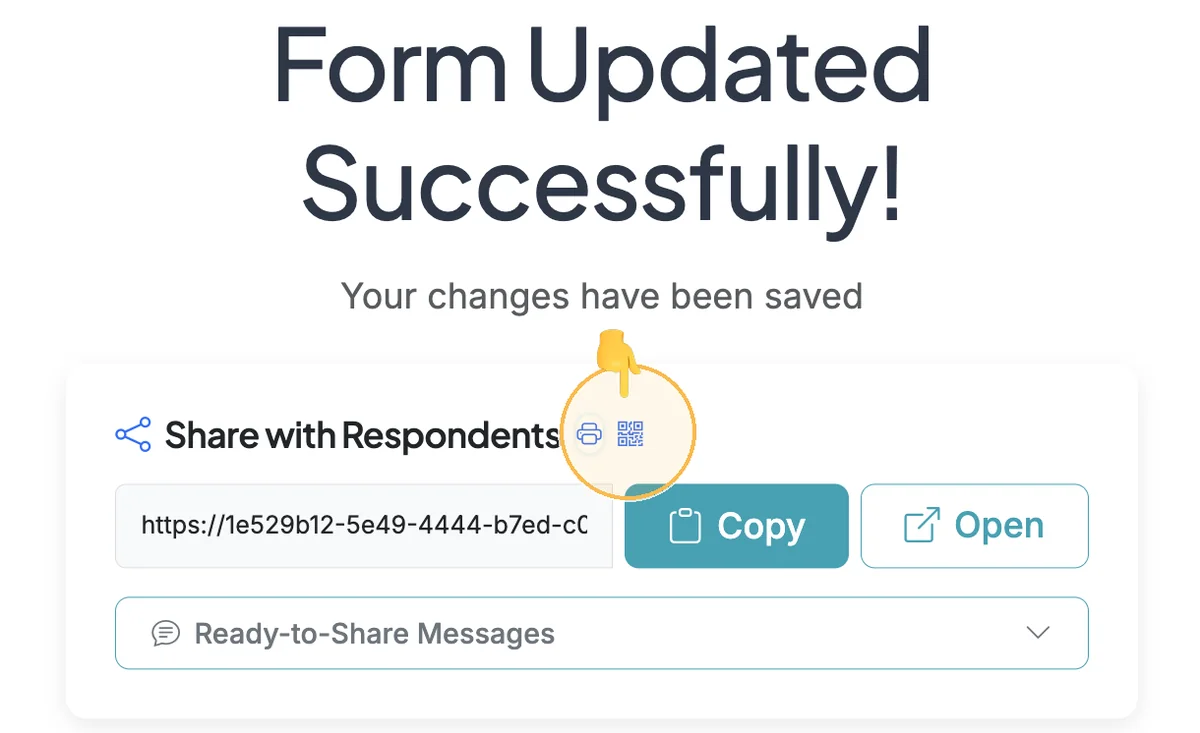
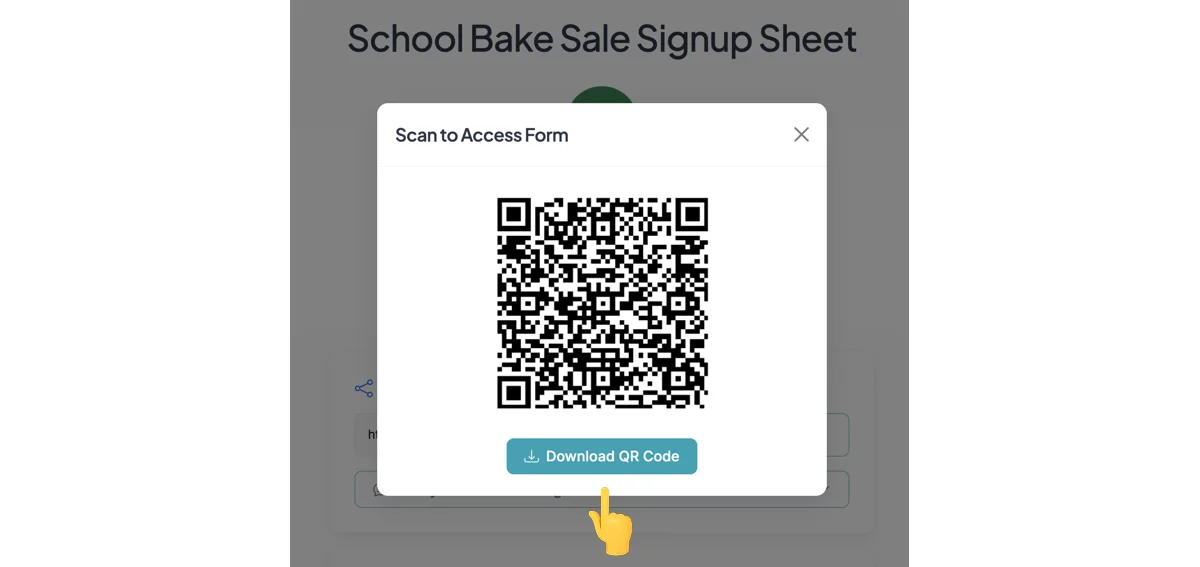
Go to the Form Options page for your form. Click on the QR code near the shareable link for your form.
Step 2
The QR Code will expand and can be downloaded.
Benefits of printing forms and using QR codes:
- Offline access: Print forms for events where internet access may be limited
- Easy offline sharing: Print QR codes on flyers, posters, or handouts
- Quick access: People can scan with their phone camera to instantly open the form
- No typing required: Eliminates the need to type long URLs
- Professional appearance: Clean, modern way to share signup links
Total Steps: 5
Steps generated by StepHopper, a product of Grasshopper Signup - Create interactive step-by-step guides