Disable "Pick an option for me" Button
Learn how to disable the "Pick an option for me" button that allows respondents to randomly select from available options.
You can disable the pick an option for me button. This function allows respondents to randomly select from available options which is useful for some forms, but not all.
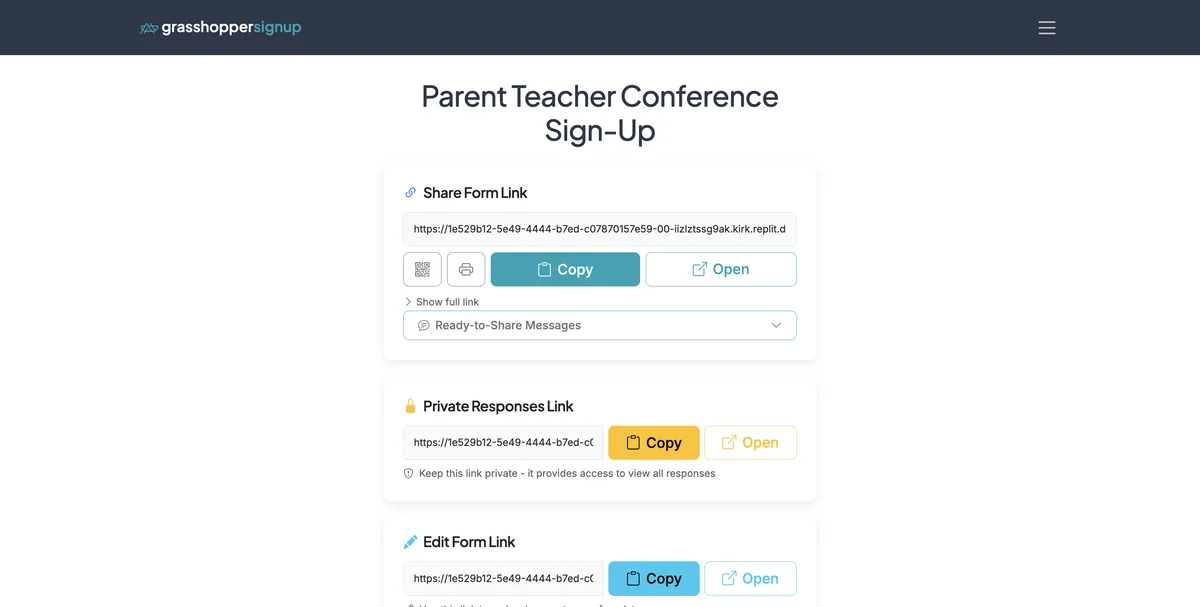
Step 1
Start on the Form Options page.
Step 2
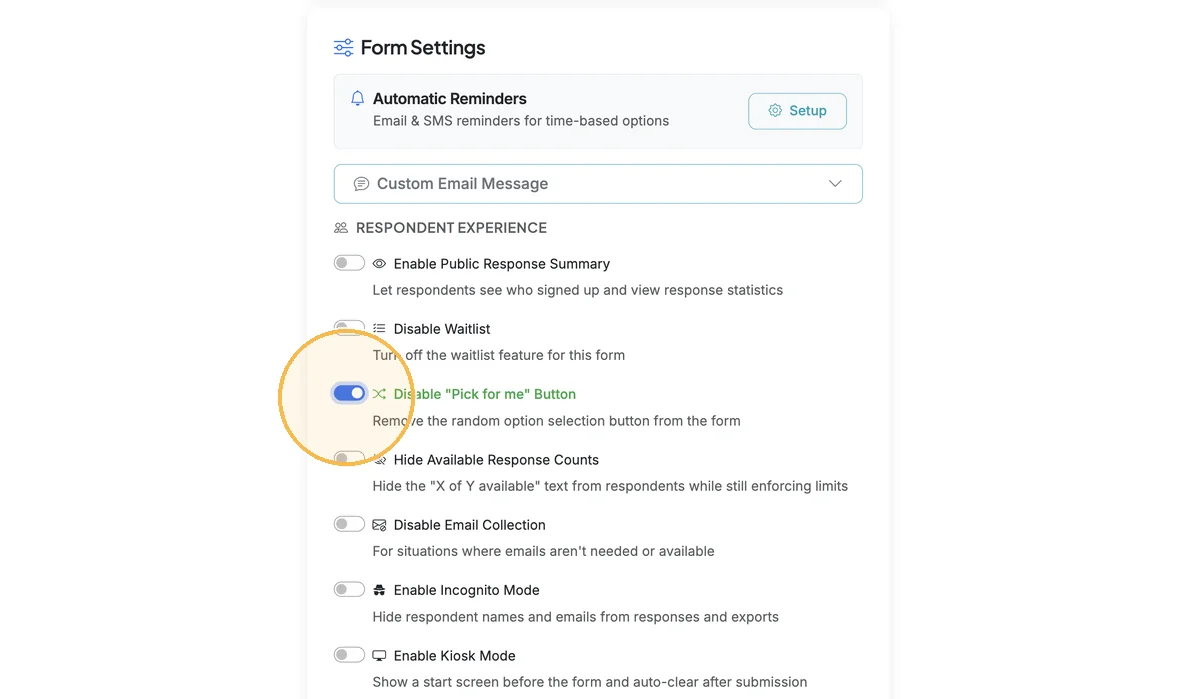
Scroll down to Form Settings. Turn on the 'Disable "Pick for me" Button' toggle.
Step 3
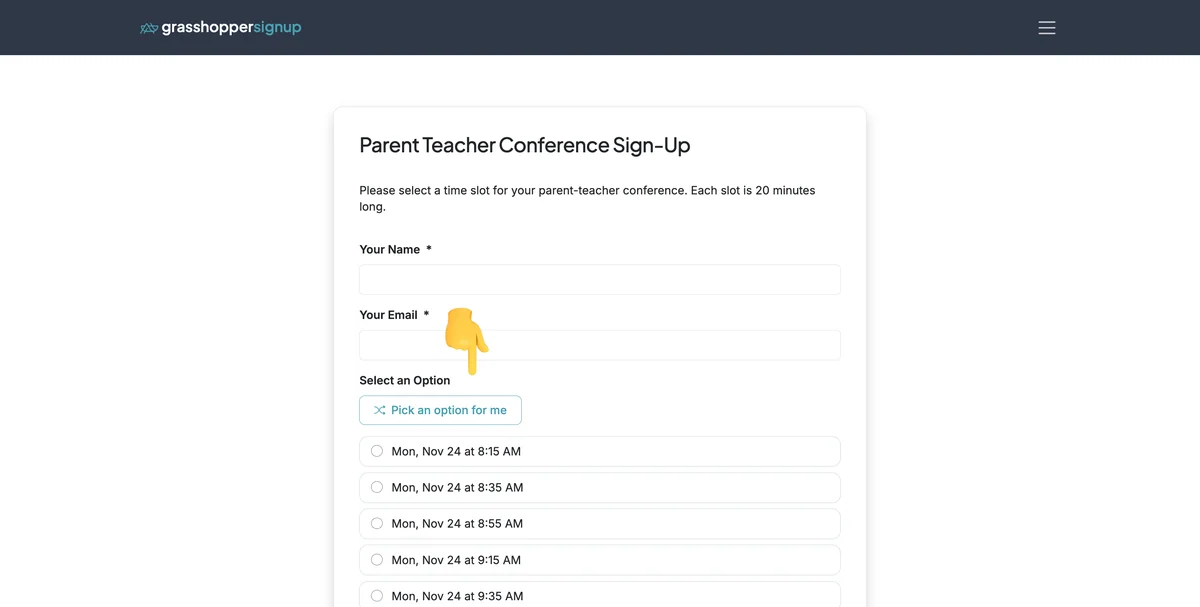
This is a form with the toggle OFF (before disabling).
Step 4
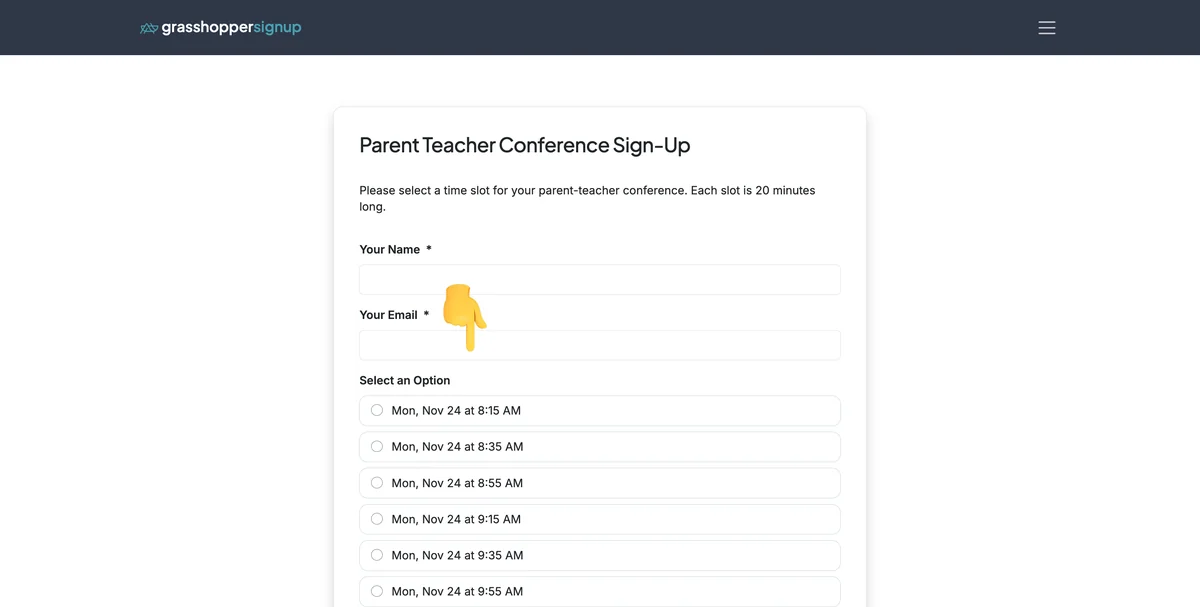
This is a form with the toggle ON (after disabling).
When to disable the "Pick for me" button:
- Specific assignments: When you want people to choose specific roles or time slots deliberately
- Preferences matter: For situations where personal preference is important (like meal choices or workshop selections)
- Reduced clutter: Simplify the form interface when random selection isn't needed
- Professional contexts: For formal sign-ups where random selection might seem inappropriate
Total Steps: 4
Steps generated by StepHopper, a product of Grasshopper Signup - Create interactive step-by-step guides