How to Disable Email Collection
Learn how to disable email collection on your form for situations where emails are not needed or available.
This guide walks you through how to disable email collection on your form. NOTE: disabling email collection is not recommended for most forms since response confirmations cannot be sent. Use this feature in situations where respondents do not have emails (e.g., children) or when collecting emails and providing confirmations is not desired or necessary.
Step 1
Visit the Options page for your form.
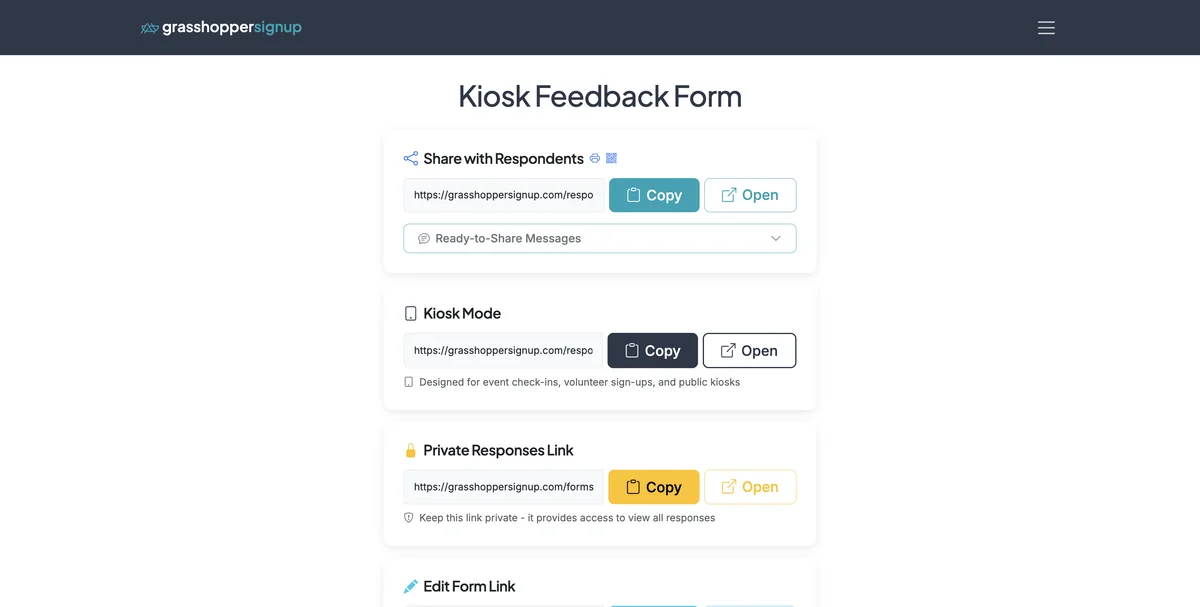
Step 2
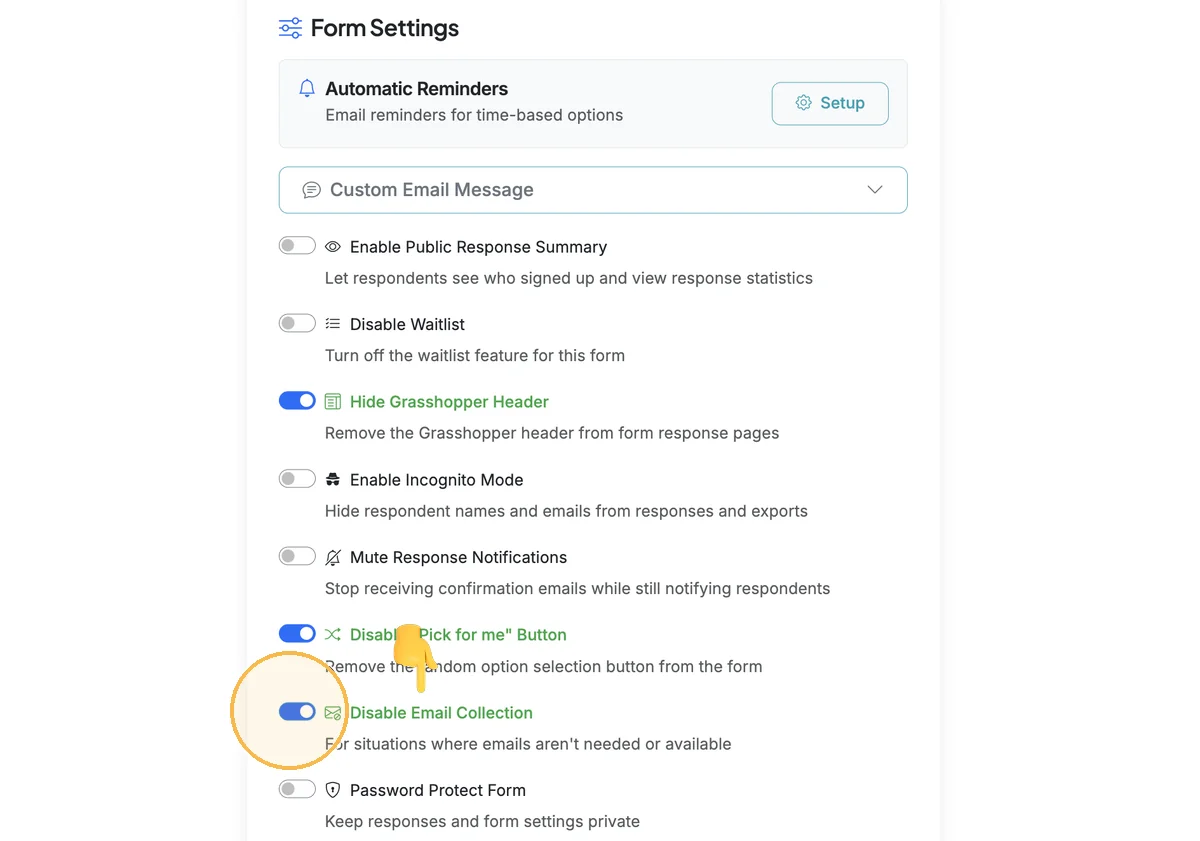
Scroll down to Form Settings and select 'Disable Email Collection'. This will hide the email field on your form and disable any respondent confirmation emails.
Step 3
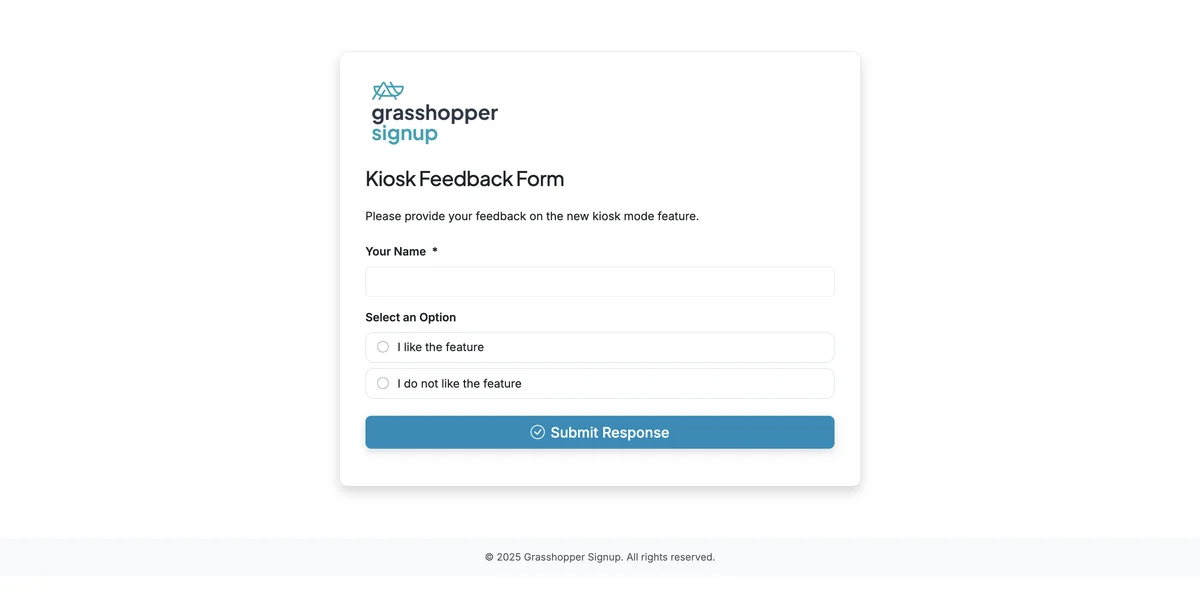
When respondents complete your form, they will not need to enter an email address.
Step 4
To view a live form that does not require email collection, visit this link: https://grasshoppersignup.com/respond/99e4cd84-3060-4d09-84ff-60f83e8301b9
When to use this feature:
- Children's forms: When collecting responses from young children who don't have email addresses
- Anonymous signups: When you want to allow completely anonymous participation
- In-person events: When using Kiosk Mode at physical locations where email collection isn't practical
- Quick polls: For simple preference collection where confirmations aren't needed
Total Steps: 4
Steps generated by StepHopper, a product of Grasshopper Signup - Create interactive step-by-step guides