Delete or Edit/Update Responses and Signups
Learn how form creators and respondents can delete or edit/update responses and signups. Edit someone's signup, change or remove individual selections, or delete an entire submission.
Form Respondents & Creators can delete/remove responses, edit/update responses, and/or add new responses if they need to make changes. To make changes to responses, you will need to navigate to the Submission Summary page for a given response. Read this FAQ for more detail.
Sections in This Guide
- FOR RESPONDENTS: DELETING & EDITING/UPDATING RESPONSES: Respondents can delete or edit/update their responses by visiting their Thank You or Submission page links that are sent to them in their response confirmation email.
- FORM CREATORS: DELETE/UPDATE RESPONSES: Form Creators can delete or update responses from the Responses page of your form.
FOR RESPONDENTS: DELETING & EDITING/UPDATING RESPONSES
Respondents can delete or edit/update their responses by visiting their Thank You or Submission page links that are sent to them in their response confirmation email.
Step 1
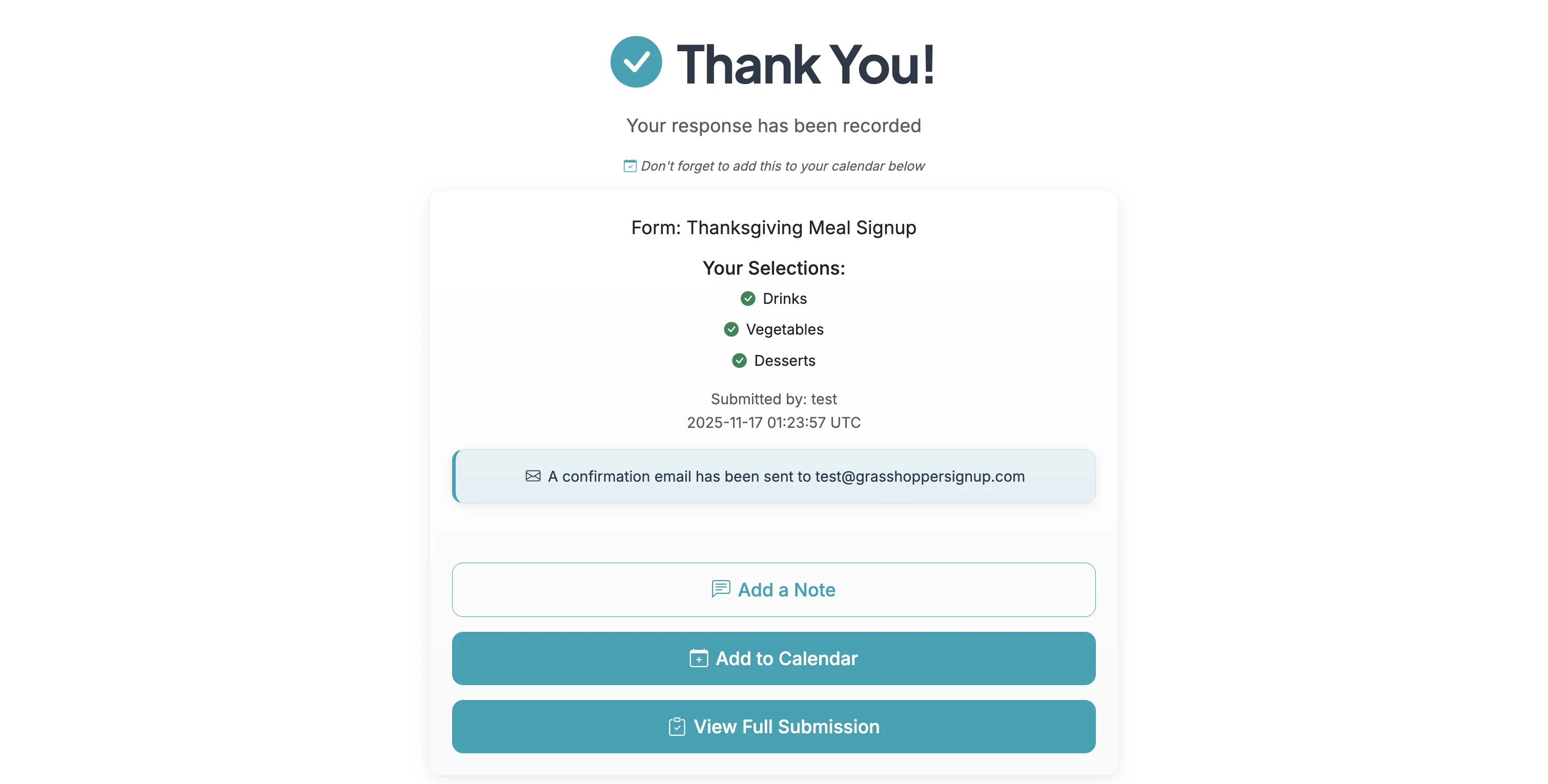
Visit the Thank You page for your response. Thank you page and Submission page links are sent via email after you respond to a form.
Step 2
Click on 'View Full Submission' to see the full response.
Step 3
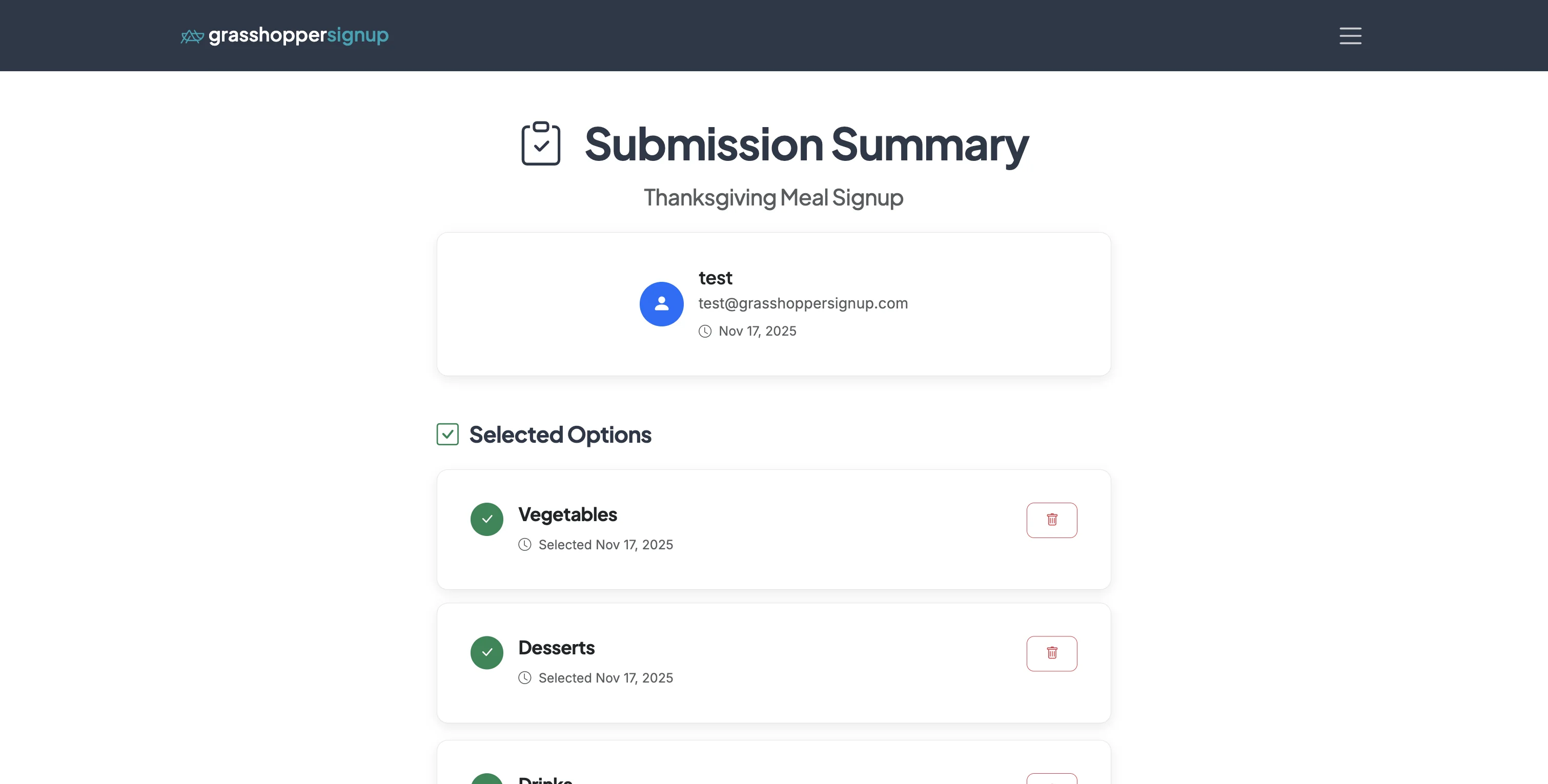
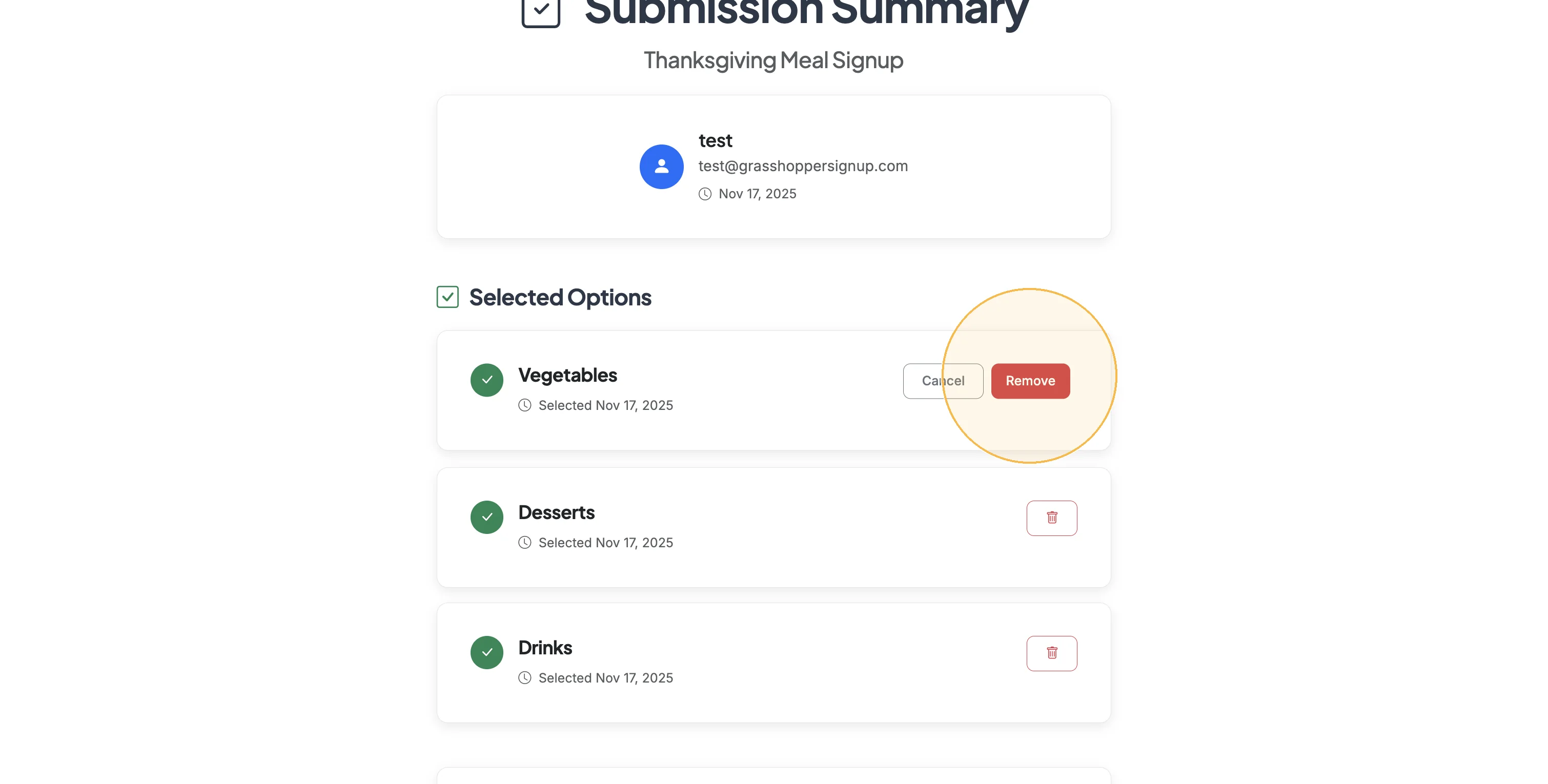
Click the trash icon to remove any selected options that you would like to remove.
Step 4
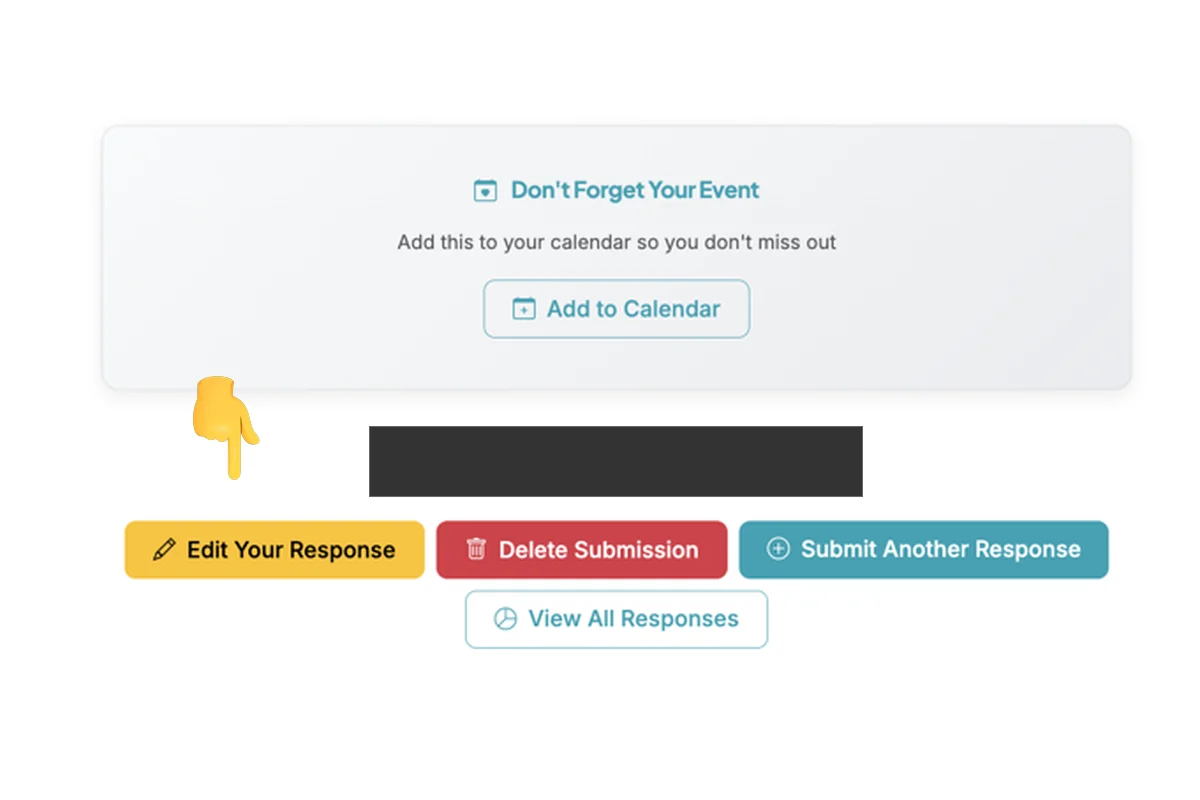
Scroll to the bottom of the Submission Summary to Delete an entire submission or Edit Your Response.
FORM CREATORS: DELETE/UPDATE RESPONSES
Form Creators can delete or update responses from the Responses page of your form.
Step 1
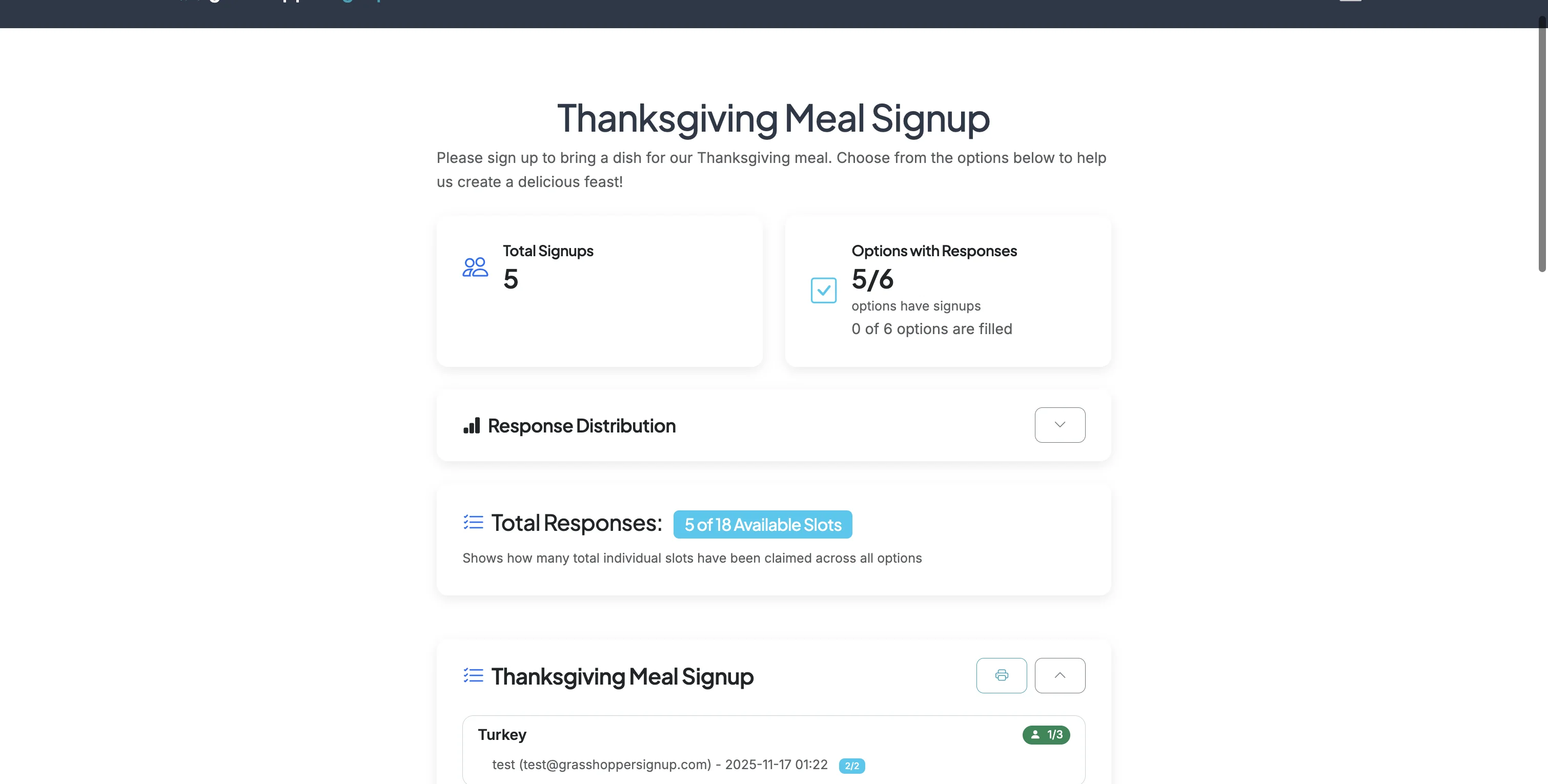
Start on the Responses page of your form.
Step 2
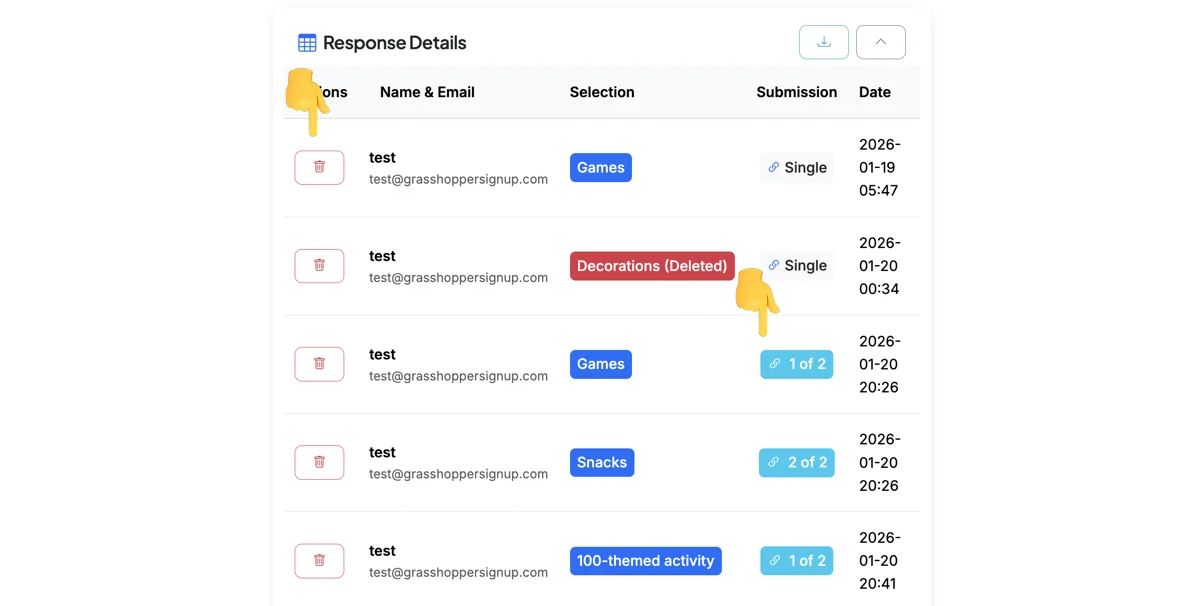
Scroll down to Response Details. You can click the trash icon to remove any responses from your form. Clicking on the Submission links will show you the full Submission for a response/respondent.
Step 3
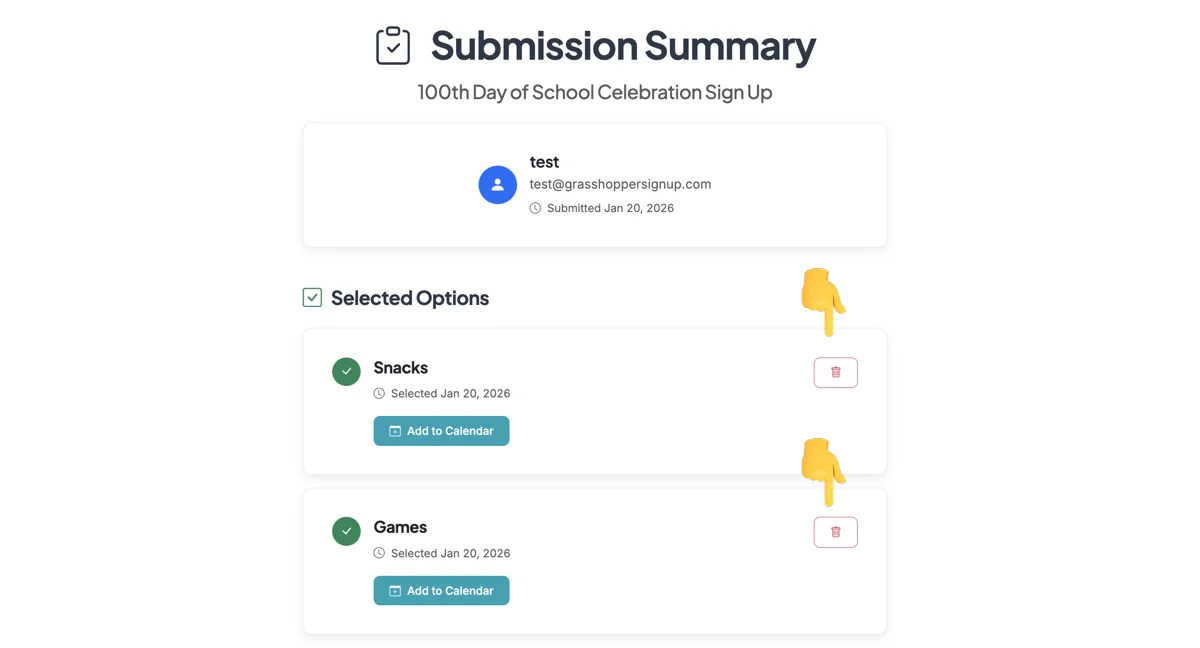
The Submission will allow you to remove full or partial responses. See next step for EDITING a response.
Step 4
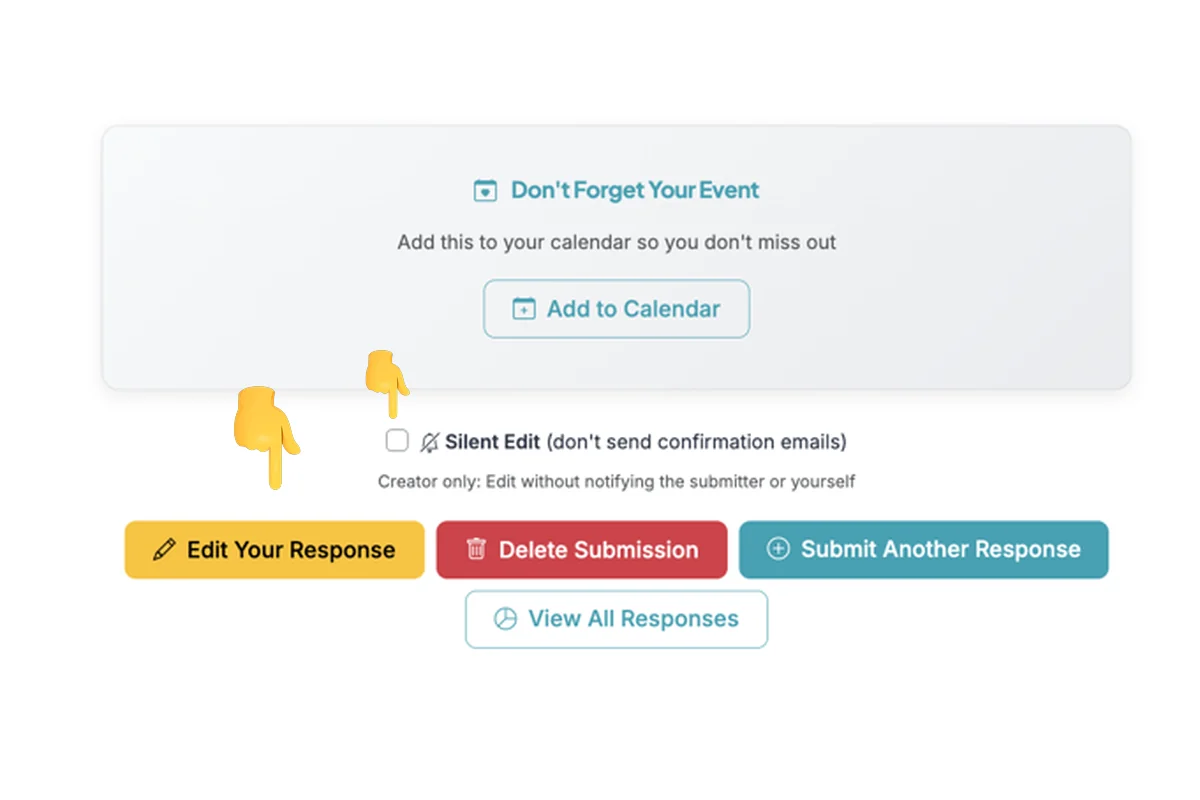
At the bottom of the Submission Summary there is an option to Edit Your Response. You can use this to make changes to an existing submission. For form Creators, you can edit a response without sending confirmation notifications by checking the 'Silent Edit' button before Editing a response.
Total Steps: 8
Steps generated by StepHopper, a product of Grasshopper Signup - Create interactive step-by-step guides