Delete your account
How to permanently delete your Grasshopper account and all associated data.
Delete Your Account
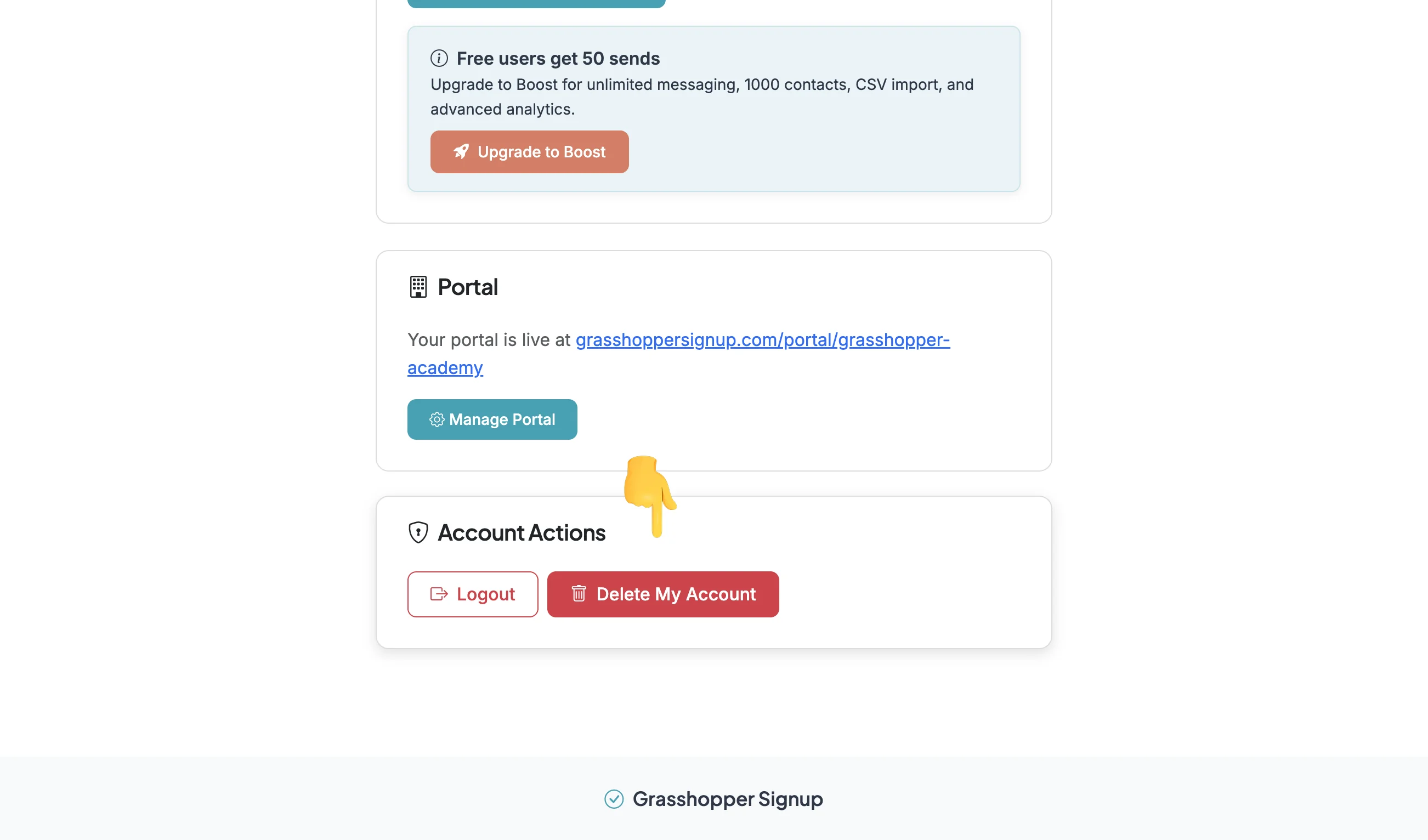
You can delete your account in Account Settings. Deletion will permanently remove your account and all forms and responses. You will be sent a confirmation email when the complete account deletion has been processed.
Step 1
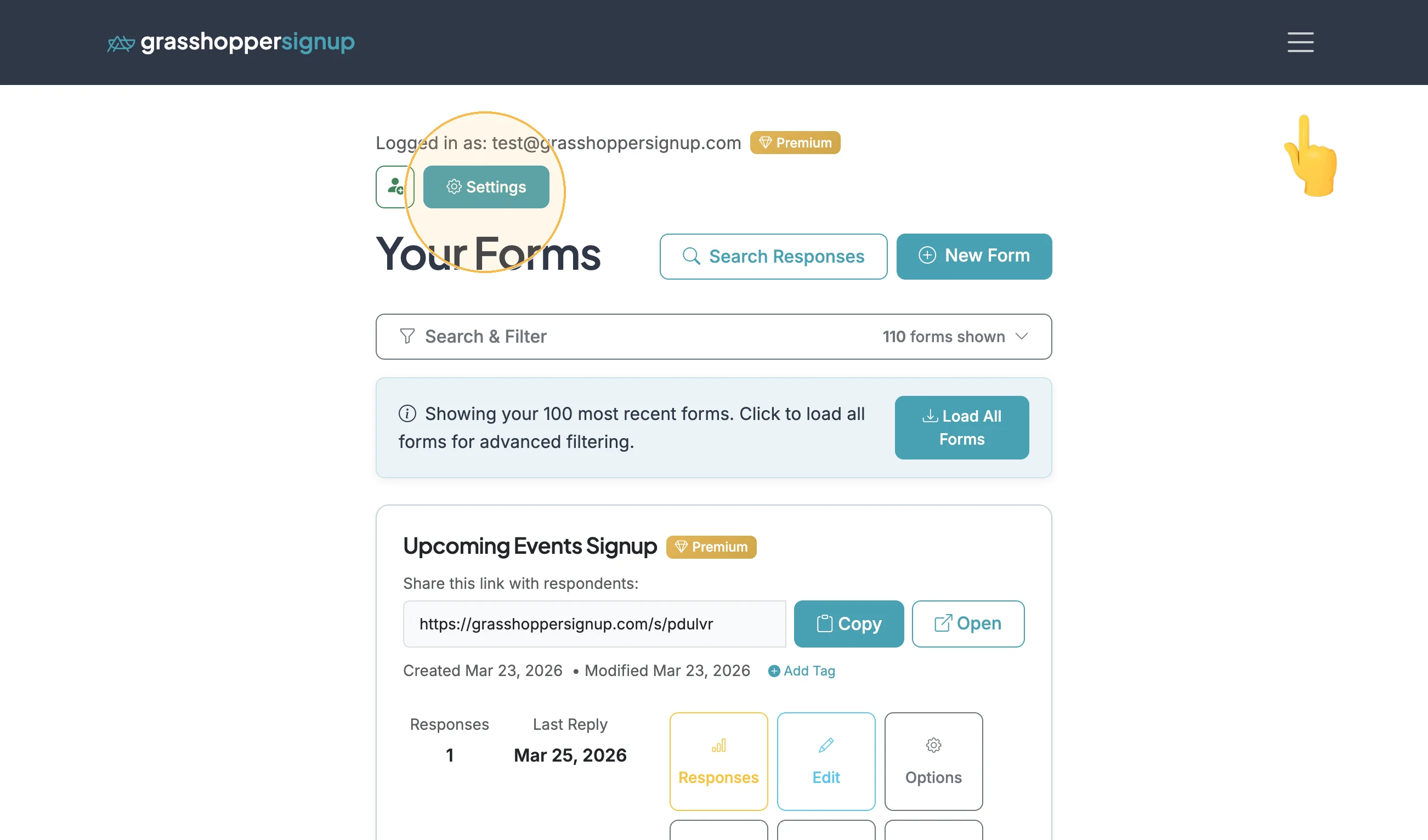
Login to Grasshopper by clicking the hamburger on the top right corner of the website. When you are logged in you will land in your Dashboard. Click the Settings button to view account settings.
Step 2
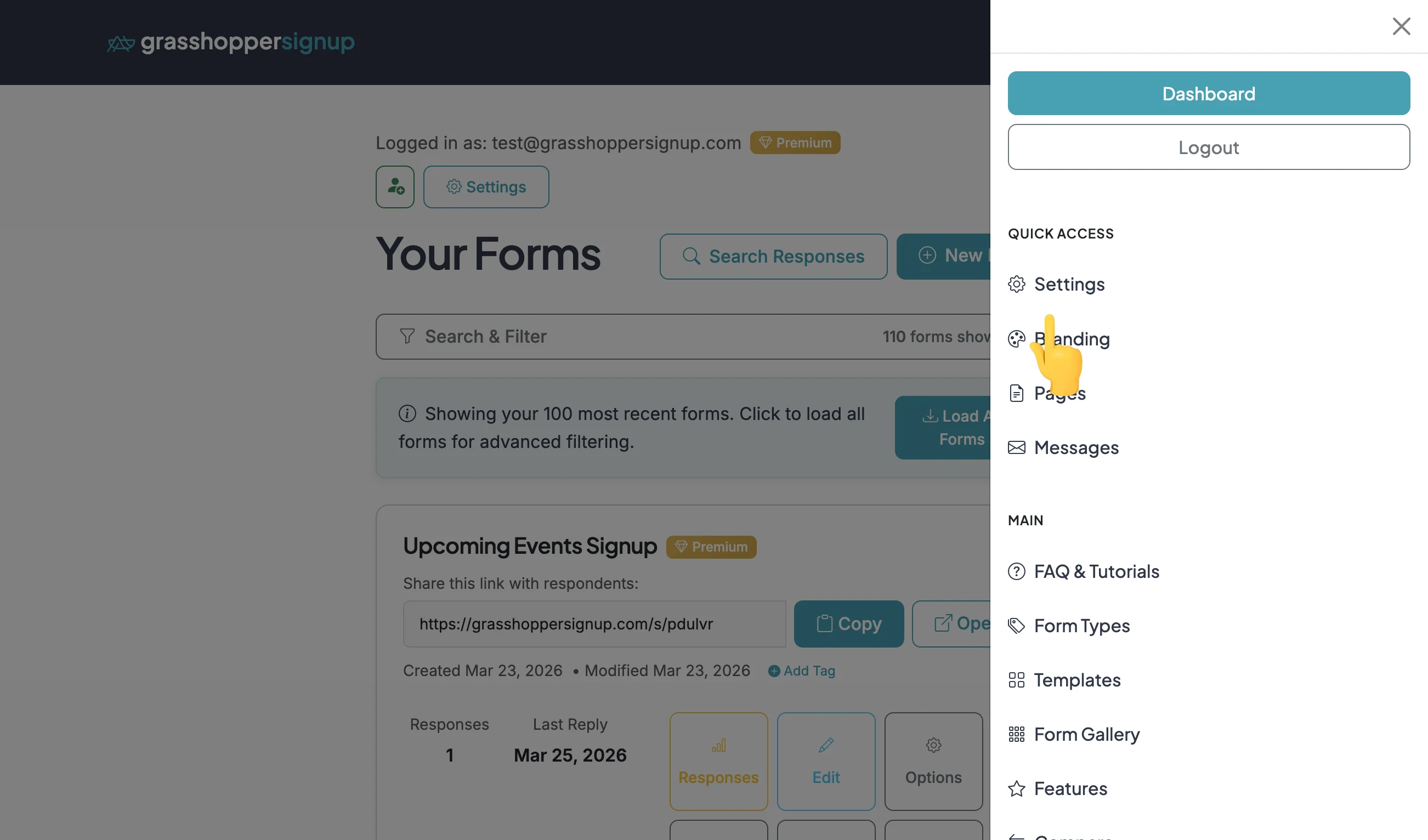
Settings can also be accessed from the hamburger.
Step 3
On the Settings page, scroll to the bottom of the page. Click 'Delete My Account' and complete the process. Deleting your account will create a ticket for complete deletion. Requests are typically processed within hours but may take longer. You will be sent a confirmation of deletion after the deletion is processed.