How to Customize Branding and Themes
Learn how to manage your brand colors, logos, and create custom themes that can be applied to your forms.
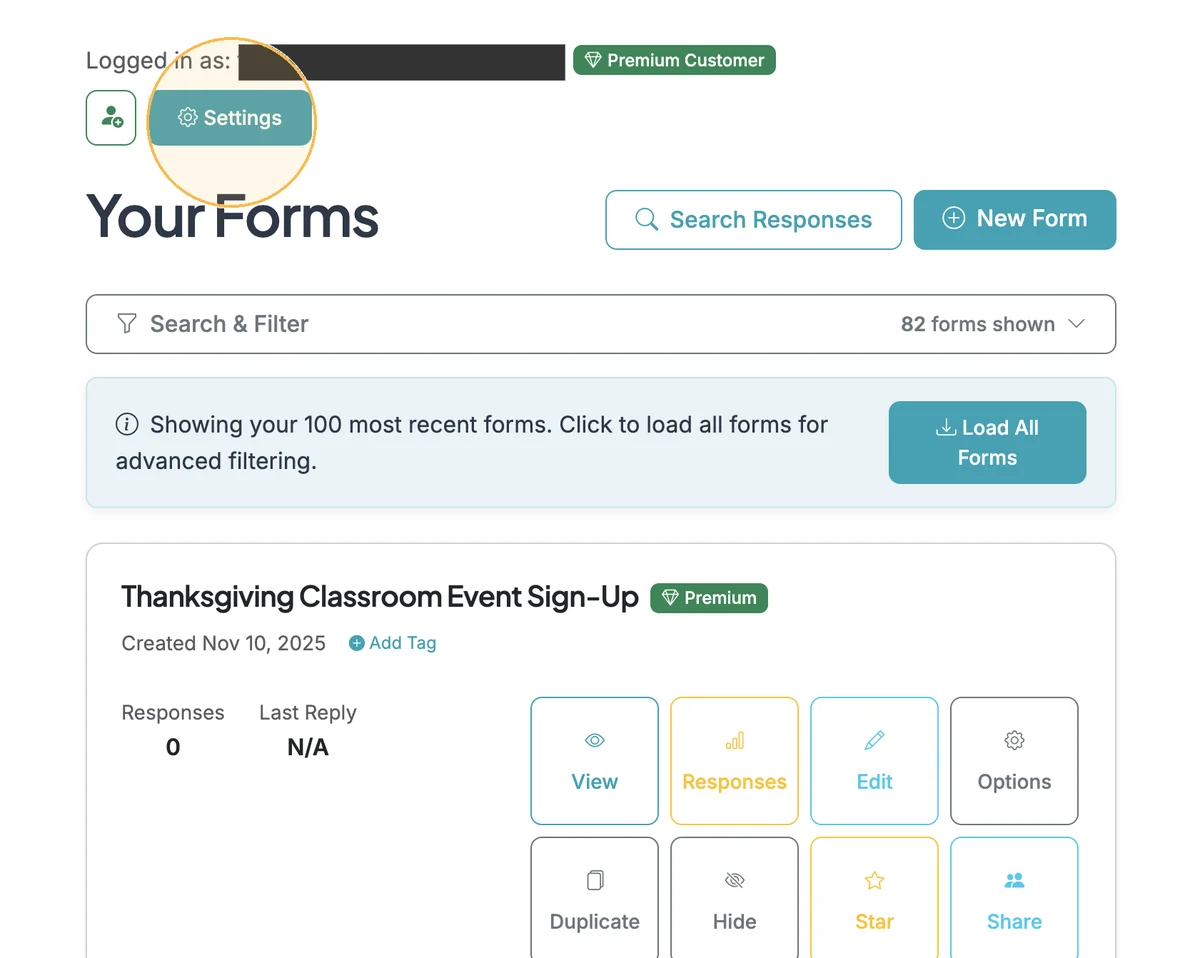
You can save brand colors, logos, and create custom themes to apply to your forms. Find Branding and Themes in the Settings section of you account when you login and land on the Dashboard.
Sections in This Guide
- MANAGE BRANDING: Save your brand colors and logos.
- CREATE CUSTOM BRAND THEMES: Save custom themes you can apply to your forms.
- APPLY CUSTOM THEMES: Custom themes will be available when you are logged in and on the Edit page of a form in the Form Theme section. Custom themes will show up at the bottom of the Form Themes section.
MANAGE BRANDING
Save your brand colors and logos.
Step 1
Start in your Dashboard and click "Settings"
Step 2
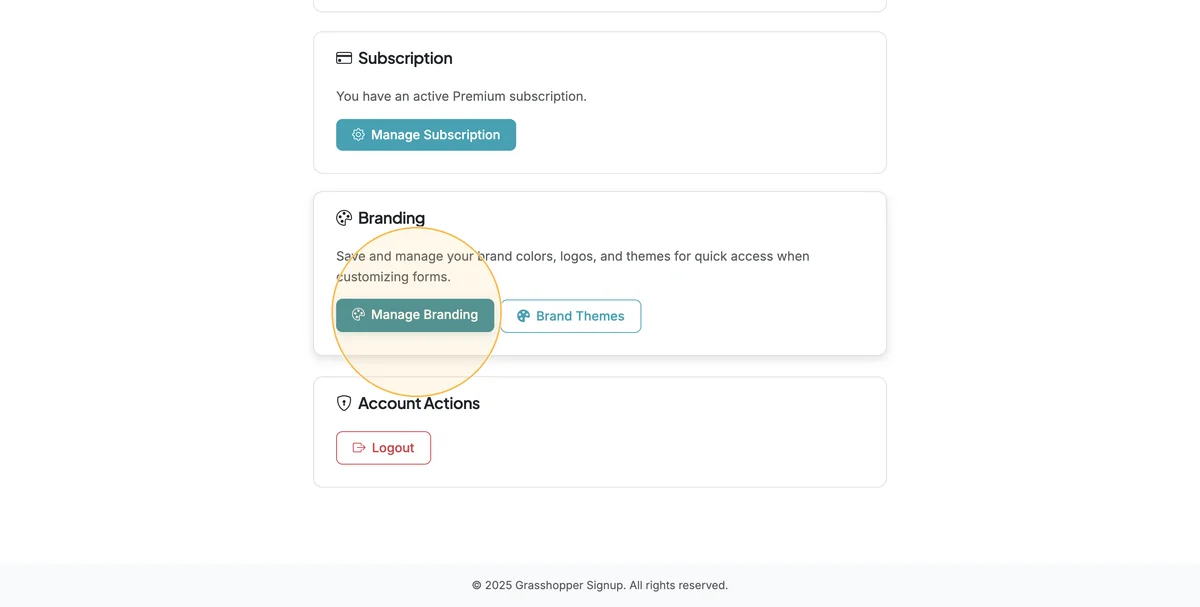
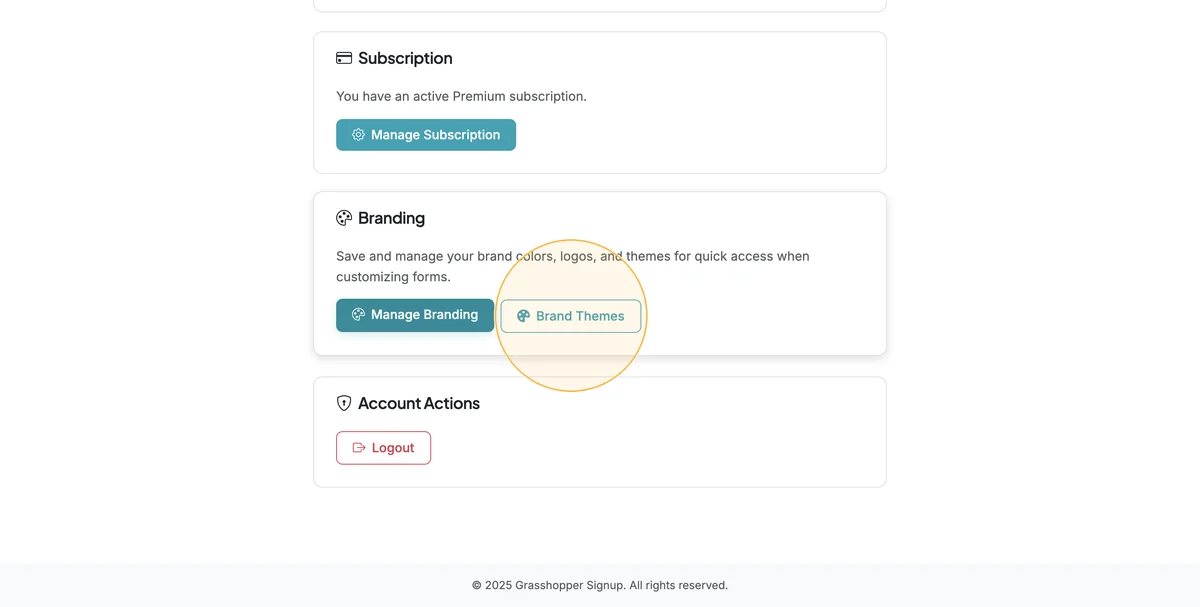
Scroll down to the Branding section and select 'Manage Branding'
Step 3
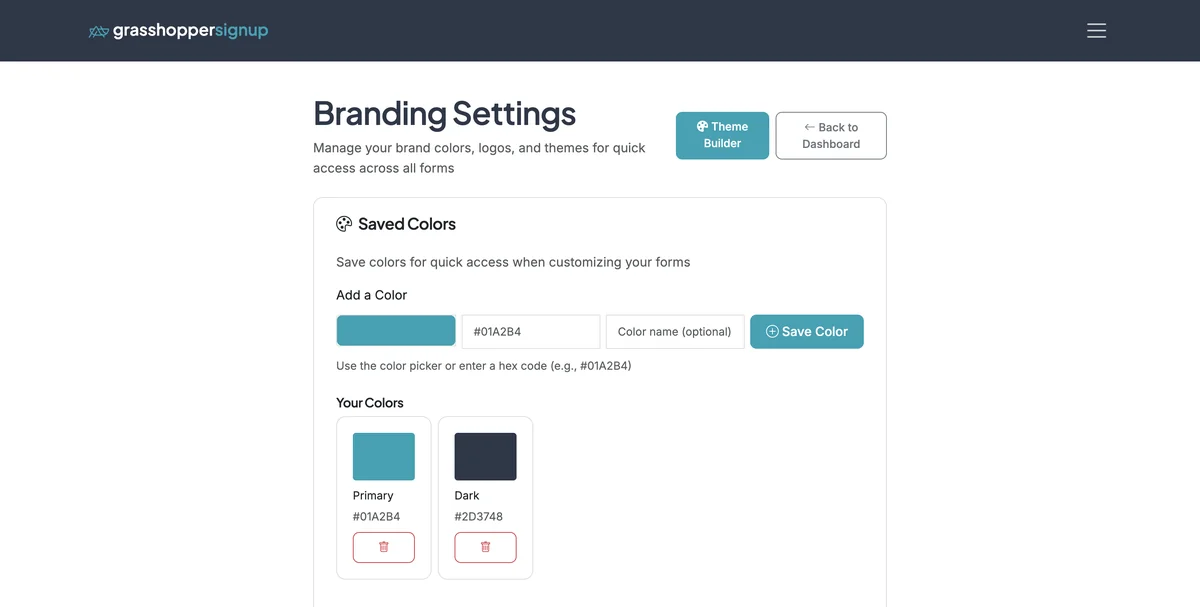
Add saved colors that can be applied to forms and custom themes.
Step 4
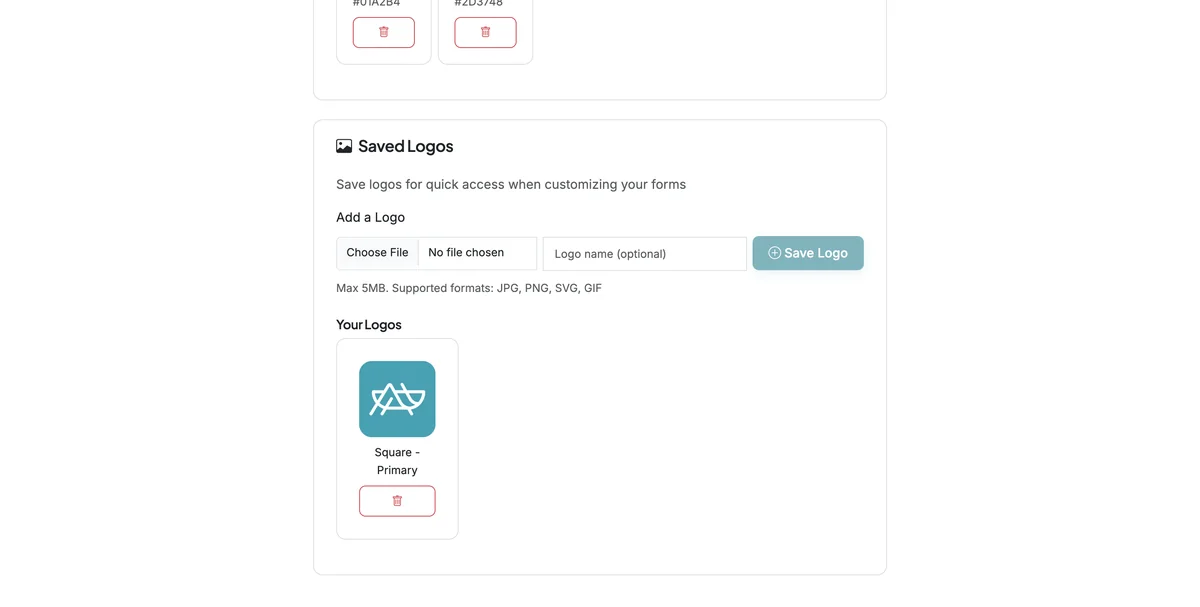
Add saved logos or images that can be applied to forms and custom themes.
CREATE CUSTOM BRAND THEMES
Save custom themes you can apply to your forms.
Step 1
Start in the Settings page (linked from your Dashboard), and select 'Brand Themes'
Step 2
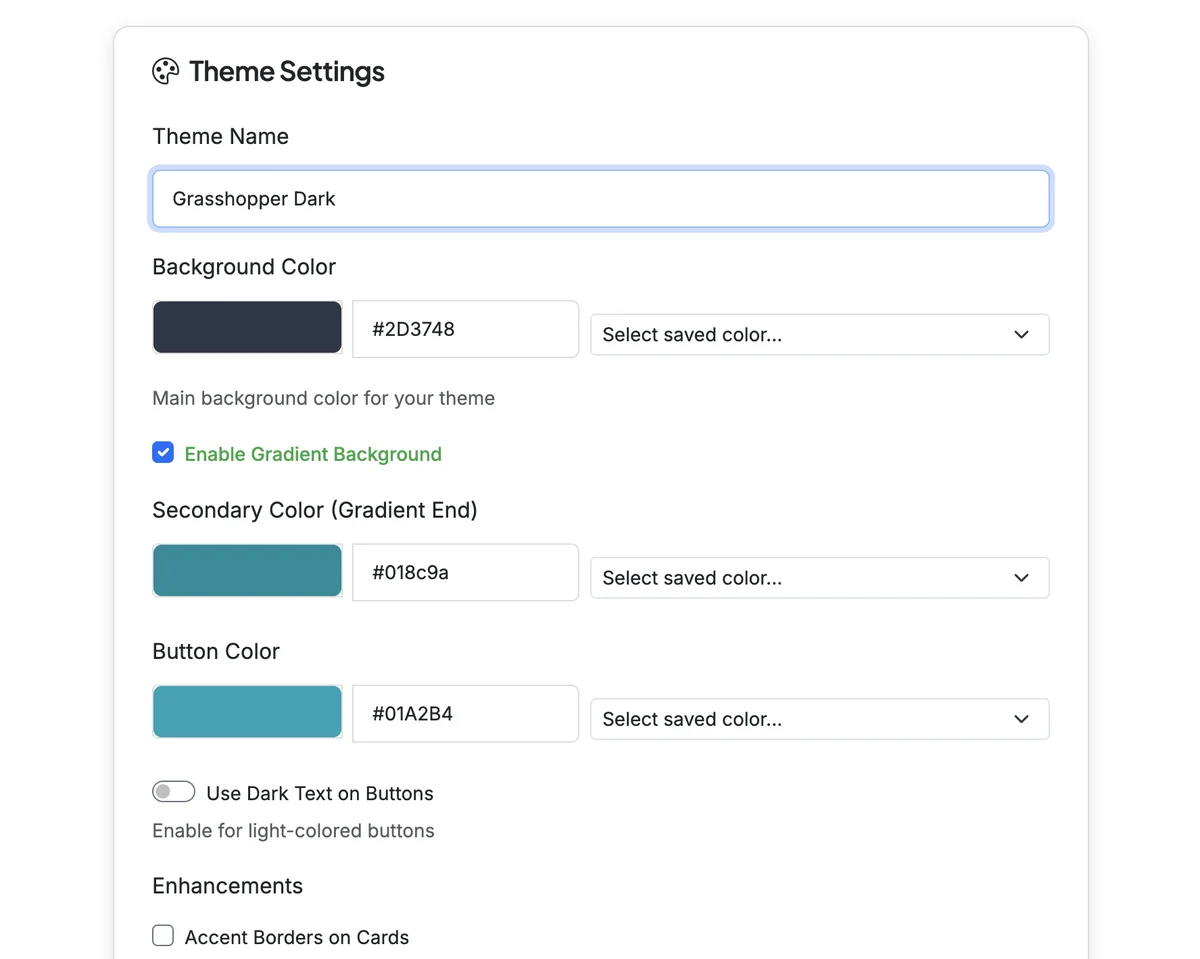
Name your custom theme and select colors to use for backgrounds, buttons and accents.
Step 3
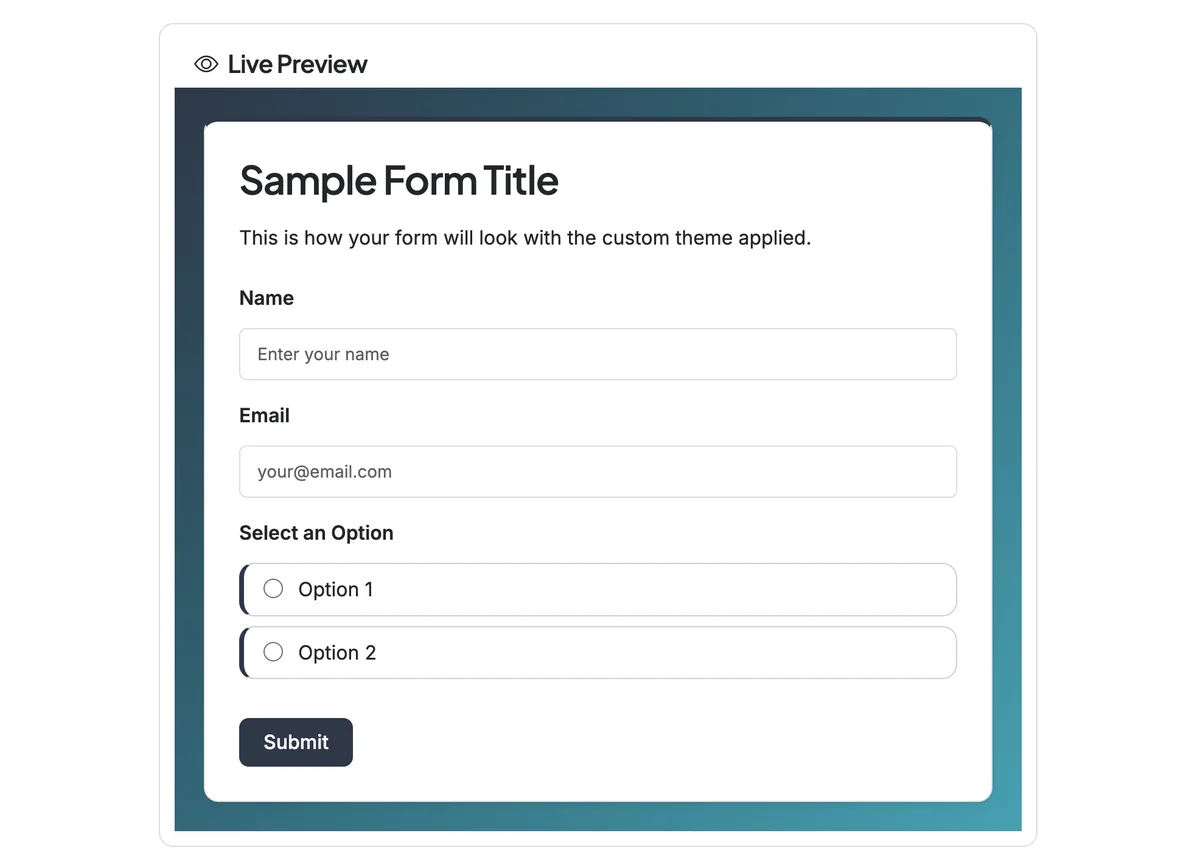
Scroll down to view a live preview of your custom theme.
Step 4
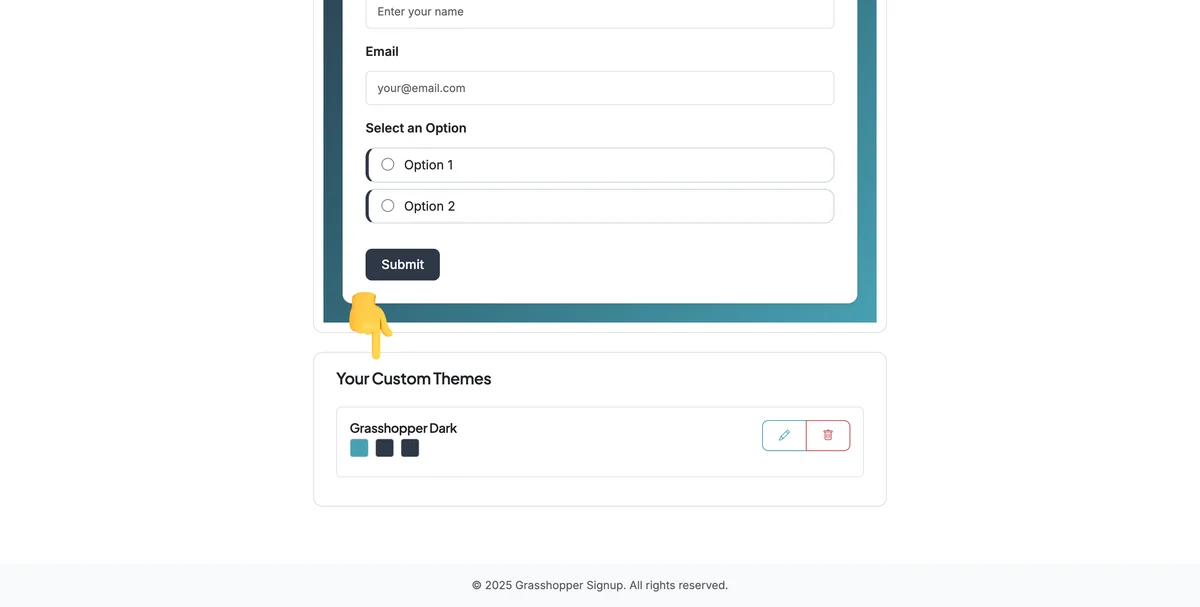
Saved themes are shown at the bottom of the Theme Builder page and are editable or removeable.
APPLY CUSTOM THEMES
Custom themes will be available when you are logged in and on the Edit page of a form in the Form Theme section. Custom themes will show up at the bottom of the Form Themes section.
Step 1
Open Form Theme when you are Editing a form.

Step 2
Scroll down to view your Custom Themes.

Benefits of custom branding:
- Brand consistency: Apply your brand colors and logos across all forms
- Quick access: Saved colors and logos are available for all your forms
- Custom themes: Create unique themes that reflect your brand identity
- Live preview: See how your custom theme looks before applying it to forms
Total Steps: 10
Steps generated by StepHopper, a product of Grasshopper Signup - Create interactive step-by-step guides