How to Close a Form
Learn how to close a form so it no longer accepts responses, and how to reopen it later if needed.
If you want to close a form so that it no longer collects responses, you can enable the Close Form setting. If you want to reopen the form in the future, you can disable the setting.
Step 1
Start on your form's Form Options page.
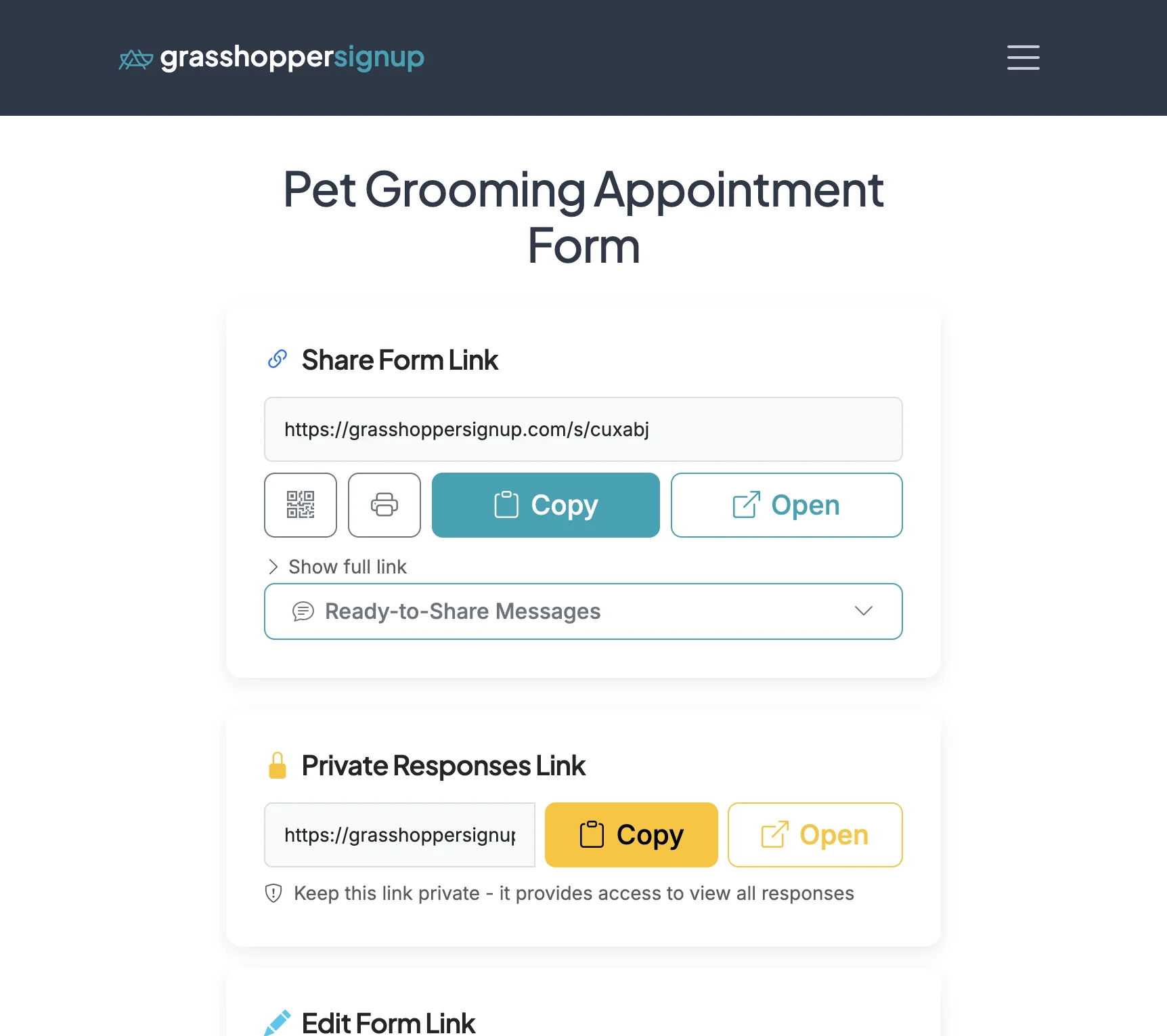
Step 2
Scroll down to Form Settings. The second sub-section is 'Creator Preferences'. The 'Close Form' option is located at the bottom of this section.
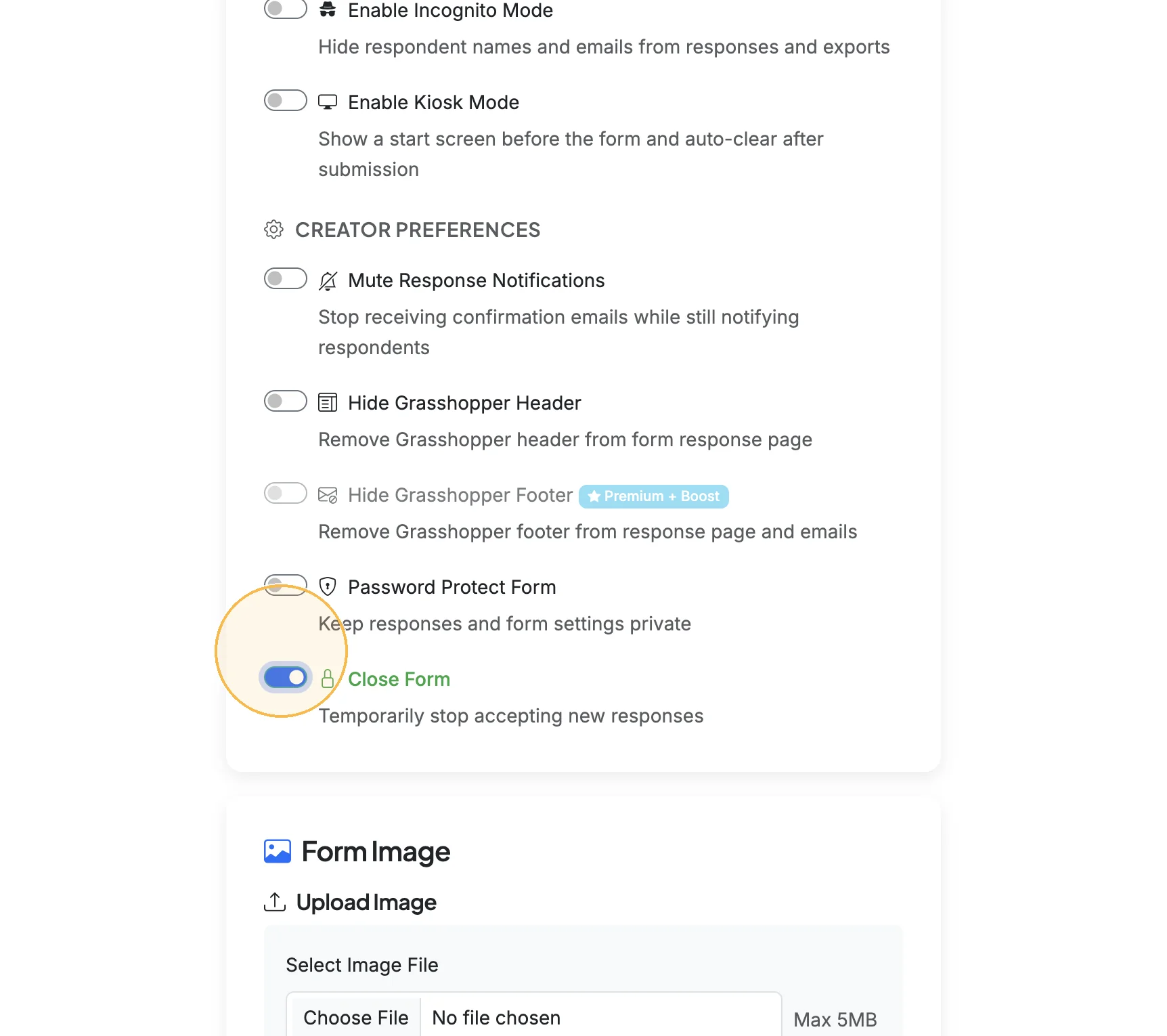
Key points about closing forms:
- Stop responses: When a form is closed, respondents will see a message that the form is no longer accepting responses
- Existing data preserved: All existing responses remain accessible and can be viewed, downloaded, or managed
- Easily reversible: Simply disable the Close Form toggle to reopen the form and start accepting responses again
- Form links remain valid: Your form URL stays the same - closing just prevents new submissions
Total Steps: 2
Steps generated by StepHopper, a product of Grasshopper Signup - Create interactive step-by-step guides