Add CC Notifications for Response Confirmations
Learn how to add email addresses to receive CC notifications for form response confirmations without giving them collaborator access.
You can add email addresses to receive CC Notifications for form response confirmations. The emails these recipients receive will include basic response details but no links to the private responses page for the form.
Step 1
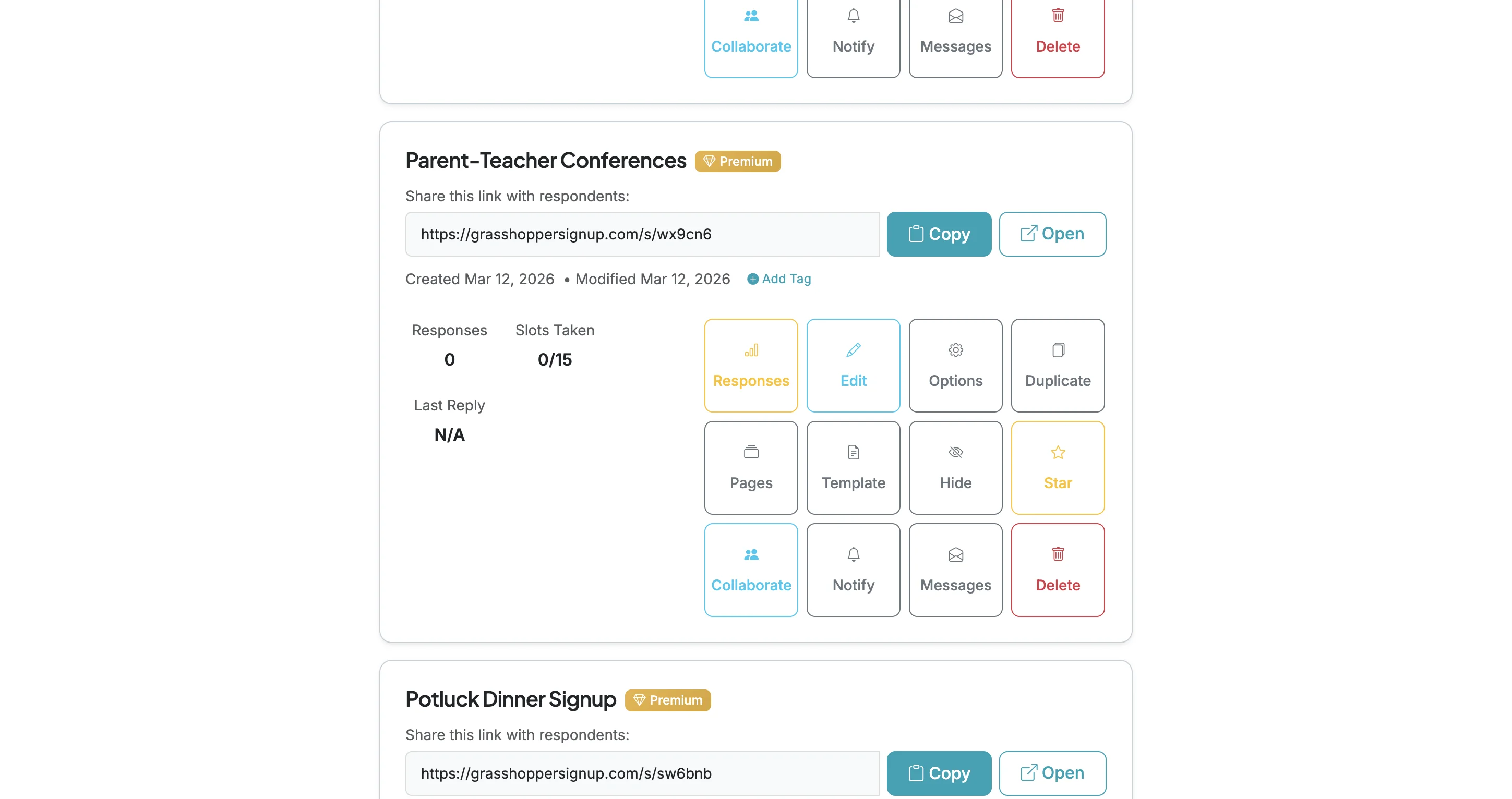
Start on your Dashboard and go to the form you want to add a CC recipient for form response confirmation notifications.
Step 2
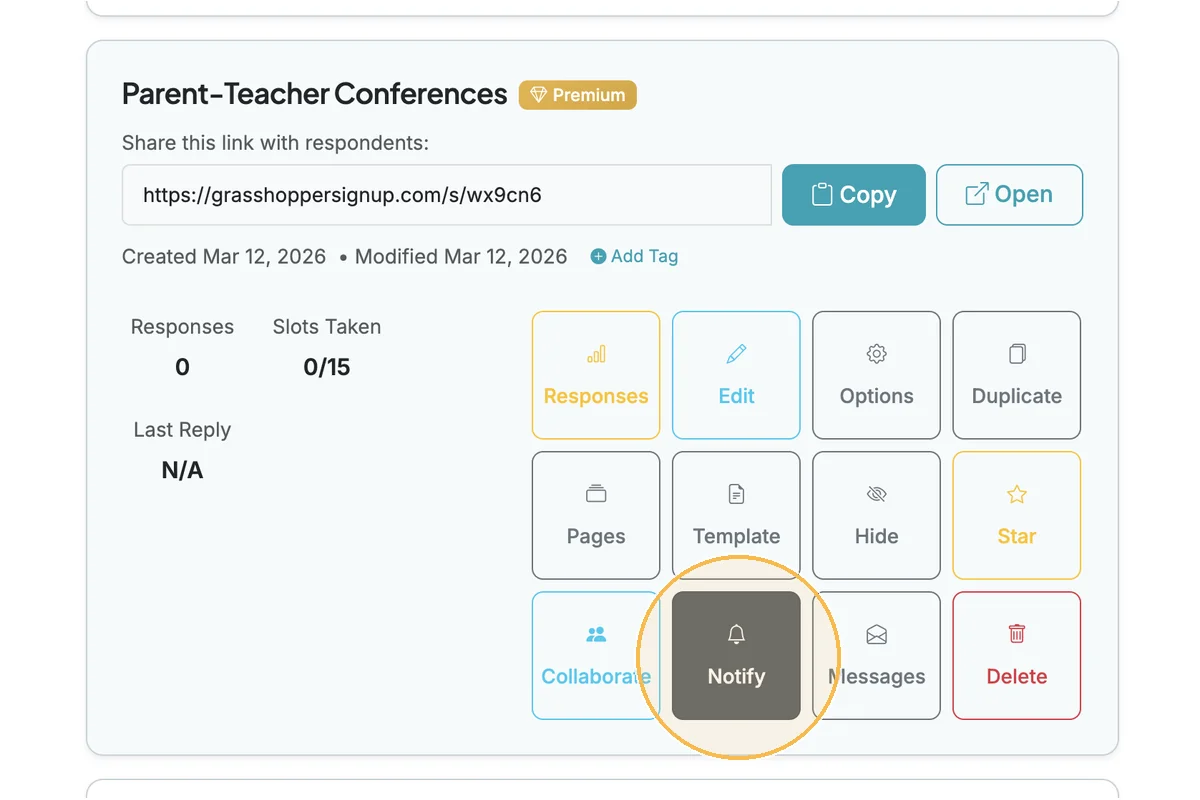
Click the Notify button.
Step 3
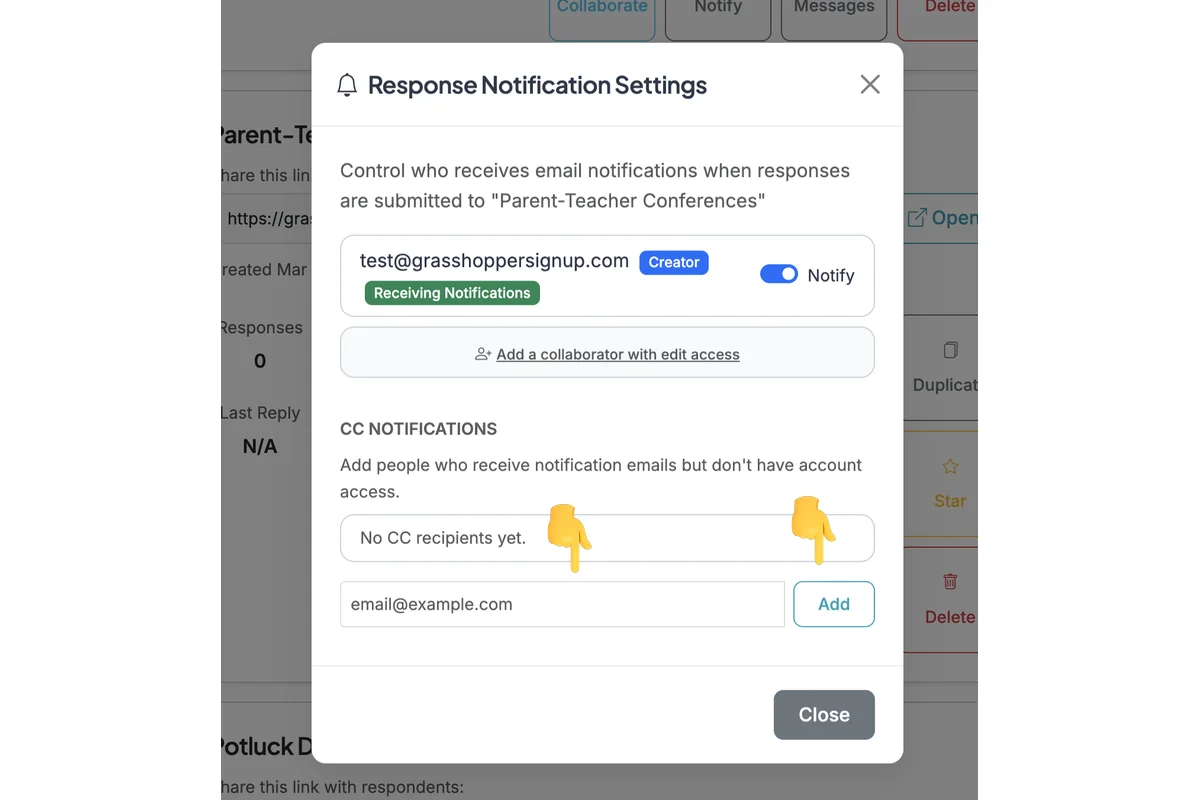
To add someone to only receive response confirmation emails, but NOT have access to the form as a collaborator, input their email in the CC Notifications section and click 'Add'. Alternatively, to give someone collaborator access, click the 'Add a collaborator...' button.
Step 4
When emails are sent to those added to CC Notifications, they receive an email with the basic details from the response submission, but without links to the private responses page. To provide full access to the form, add users as collaborators and then enable notifications.
Total Steps: 4
Steps generated by StepHopper, a product of Grasshopper Signup - Create interactive step-by-step guides