Cancel Premium Subscription
Learn how to access, manage, and cancel/downgrade your premium plan.
When you cancel a Premium subscription, it will remain active until the end of your prepaid term. After that, it will not renew or charge your card.
This guide will teach you how to access, manage, and cancel/downgrade your premium plan. When you cancel a Premium subscription, it will remain active until the end of your prepaid term. After that, it will not renew or charge your card.
Step 1
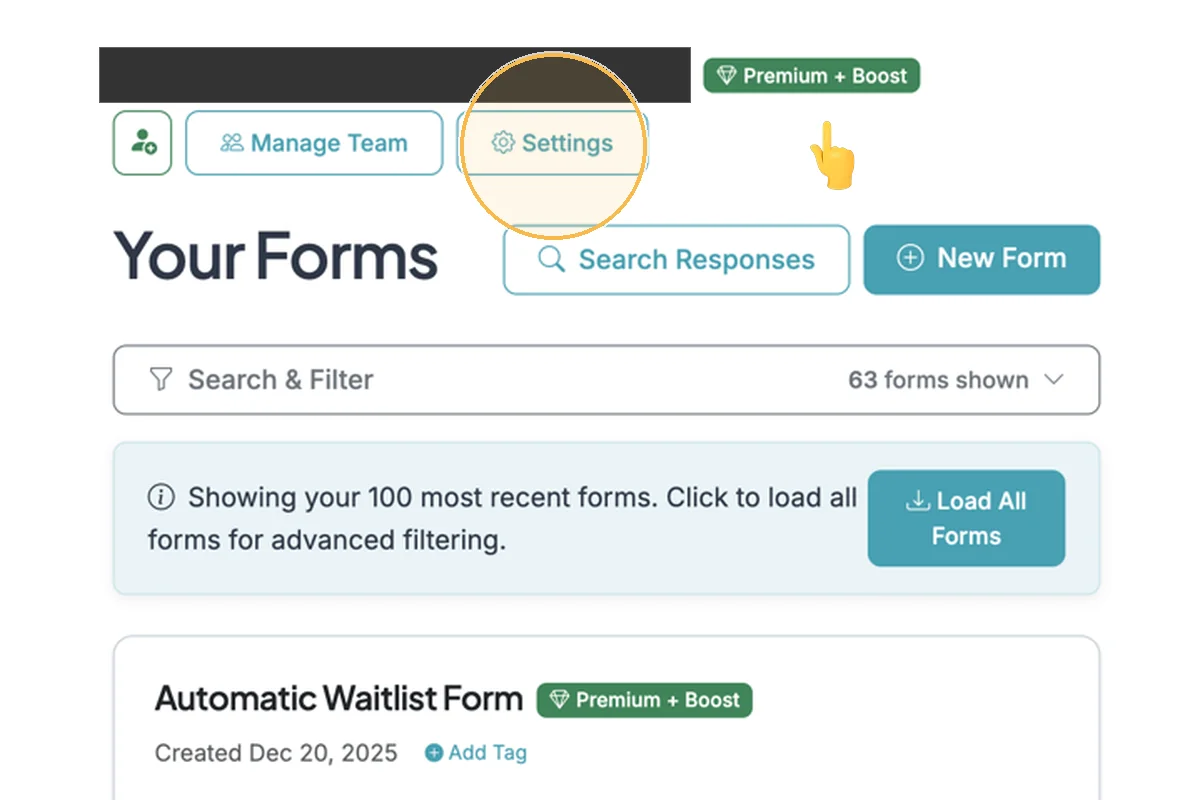
Go to your Dashboard. If you have a Premium plan you will see it shown as a badge next to your email. Click the 'Settings' button to go to your Account Settings page.
Step 2
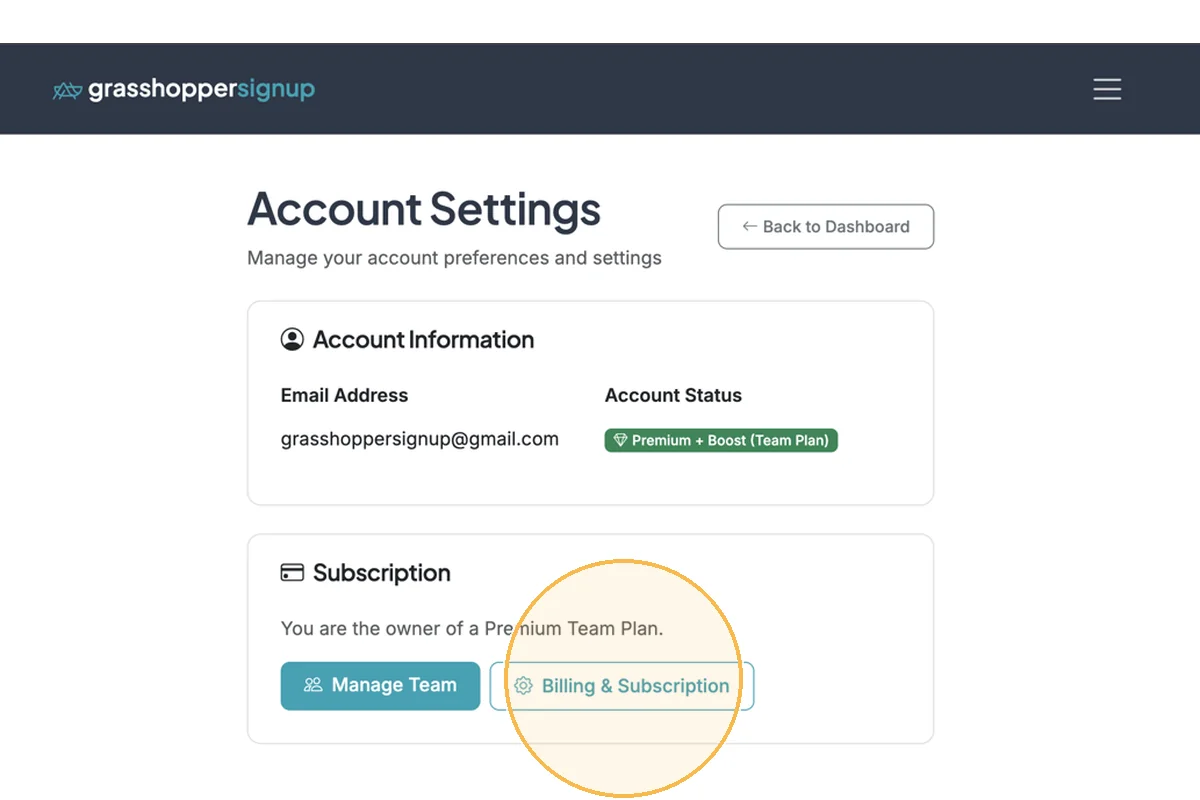
On the Account Settings page, click 'Manage Subscription' (or 'Billing & Subscription' on a Team plan) in the Subscription card to manage your plan.
Step 3
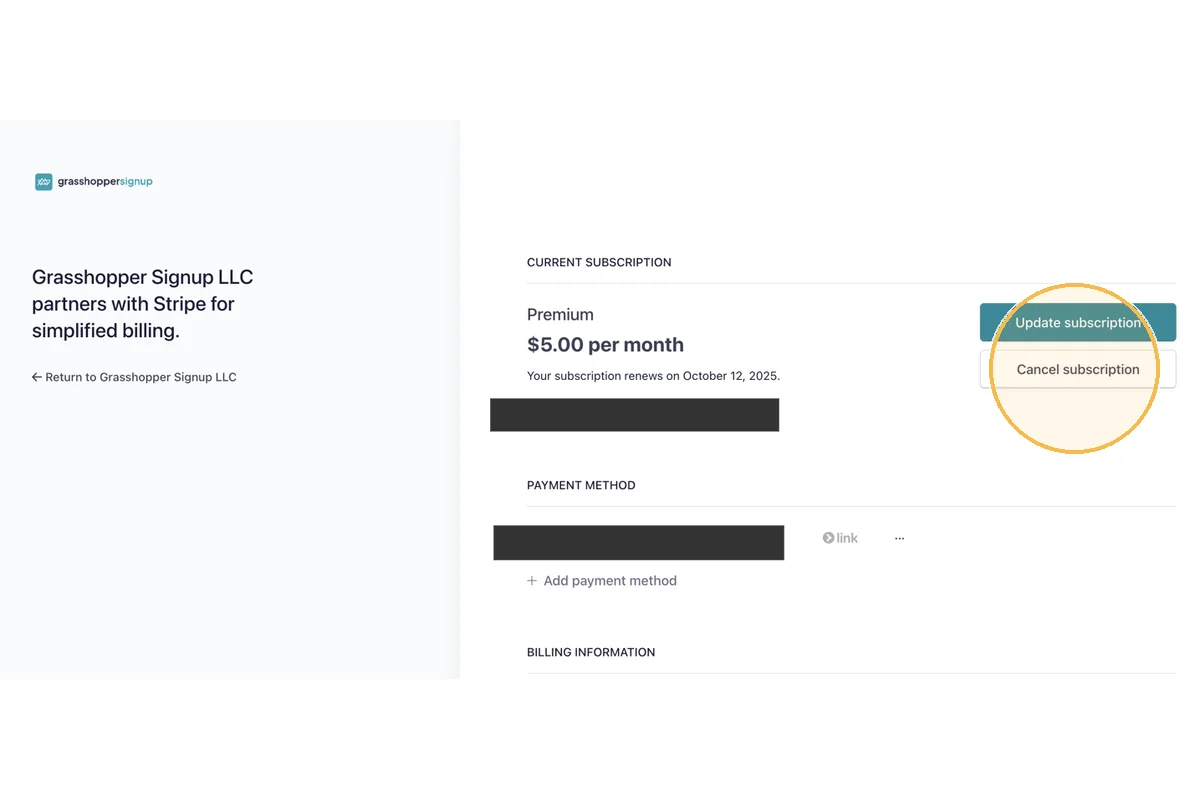
You will be taken to the Stripe portal to manage your account. On this page you can change your subscription plan or click 'Cancel subscription' to cancel your plan.
Step 4
If you cancel your plan, you will continue to have access to your paid plan features for the remainder of your subscription term. Cancelling your plan will disable future auto-renewals for your plan and your account and forms will downgrade at the end of your subscription term.
Total Steps: 4
Steps generated by StepHopper, a product of Grasshopper Signup - Create interactive step-by-step guides