Allow Multiple Selections
Learn how to enable multiple selections so respondents can choose more than one option on your form.
You can allow respondents to select multiple options on your form by enabling the 'Allow multiple selections' toggle.
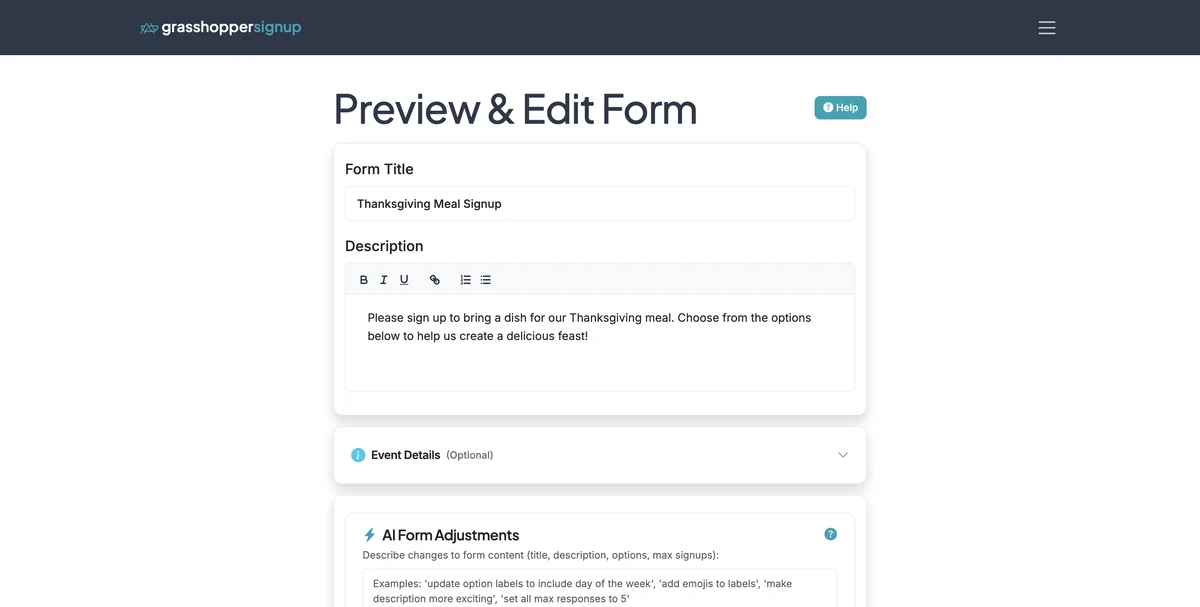
Step 1
Start on the Edit page for your form.
Step 2
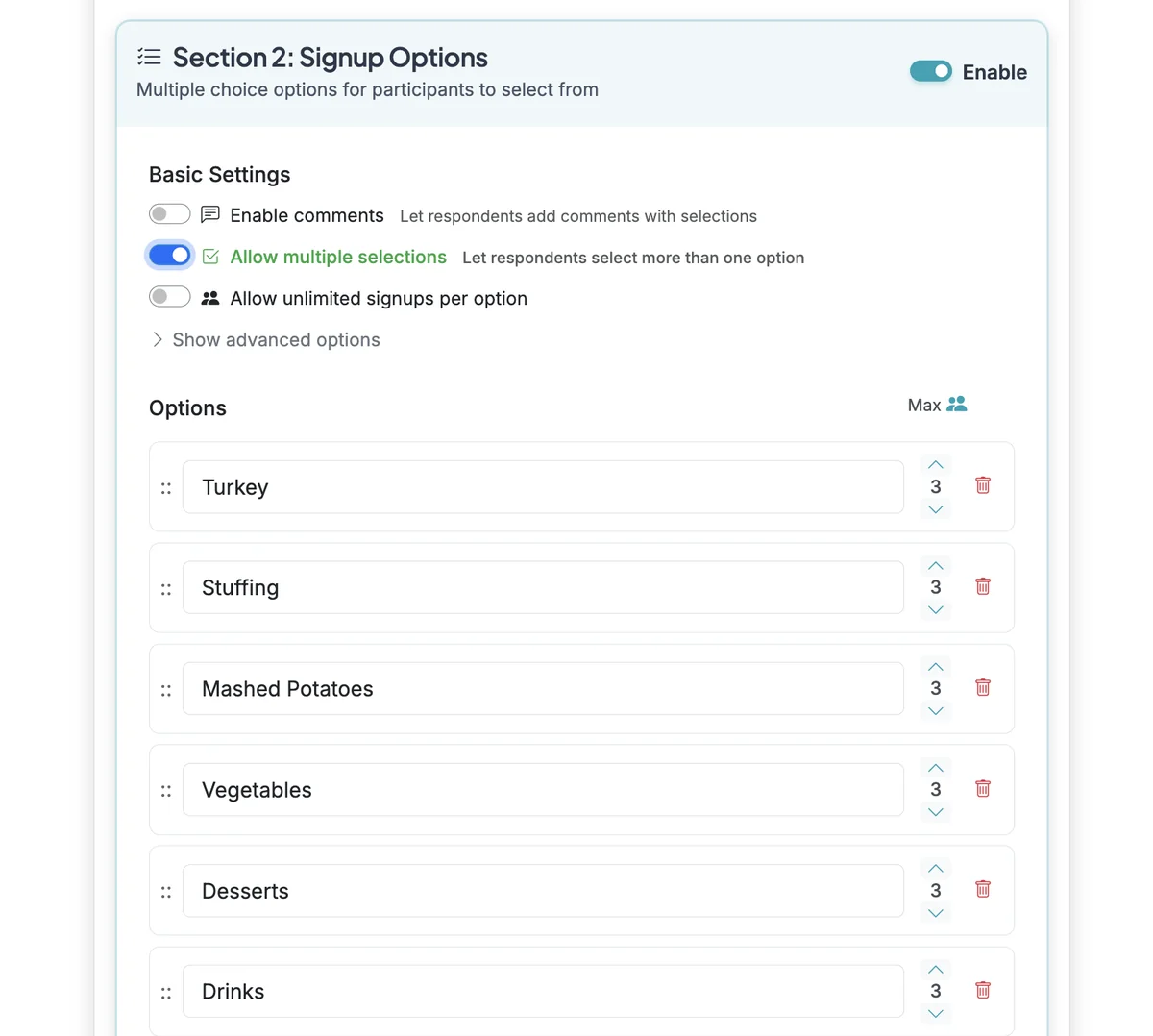
Scroll down to Section 2: Signup Options. Enable the toggle for 'Allow multiple selections'. This will allow respondents to select multiple options.
Step 3
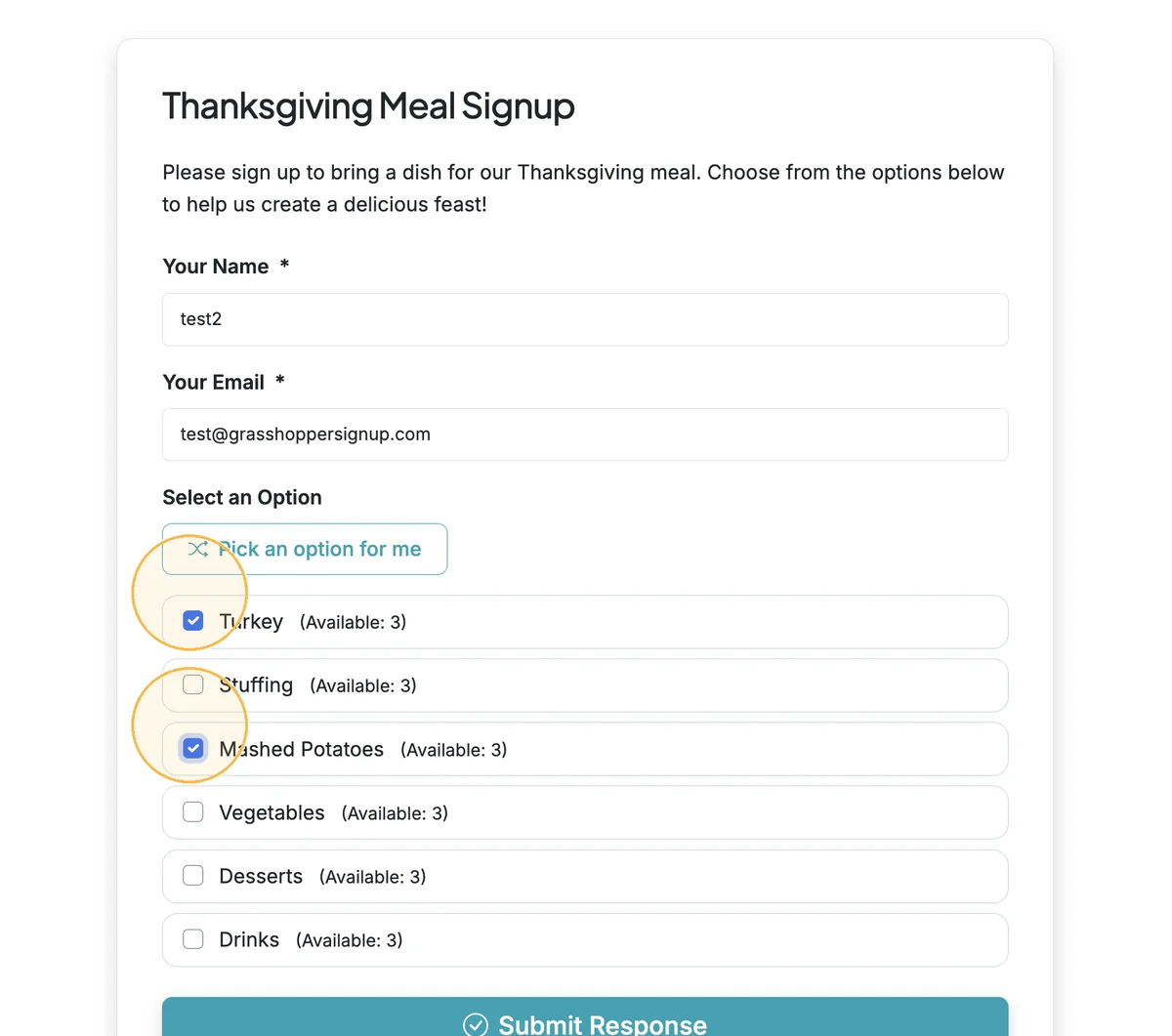
Respondents will see checkboxes on the form and they can select multiple options.
Benefits of allowing multiple selections:
- Flexible participation: Let people sign up for multiple time slots, dates, or items
- Volunteer coordination: Allow volunteers to select multiple shifts or activities
- Event planning: Let attendees choose multiple workshops, sessions, or activities
- Contribution tracking: Enable people to bring multiple items to potlucks or events
Total Steps: 3
Steps generated by StepHopper, a product of Grasshopper Signup - Create interactive step-by-step guides