Add a Consent/Checkbox Statement
Learn how to add a consent checkbox question for disclaimers, waivers, terms of use, or other consent statements using the Consent Checkbox question type.
You can include a consent checkbox question type for things like a disclaimer, waiver, terms of use, or other consent text by using the Consent Checkbox question in Additional Questions on your form.
Step 1
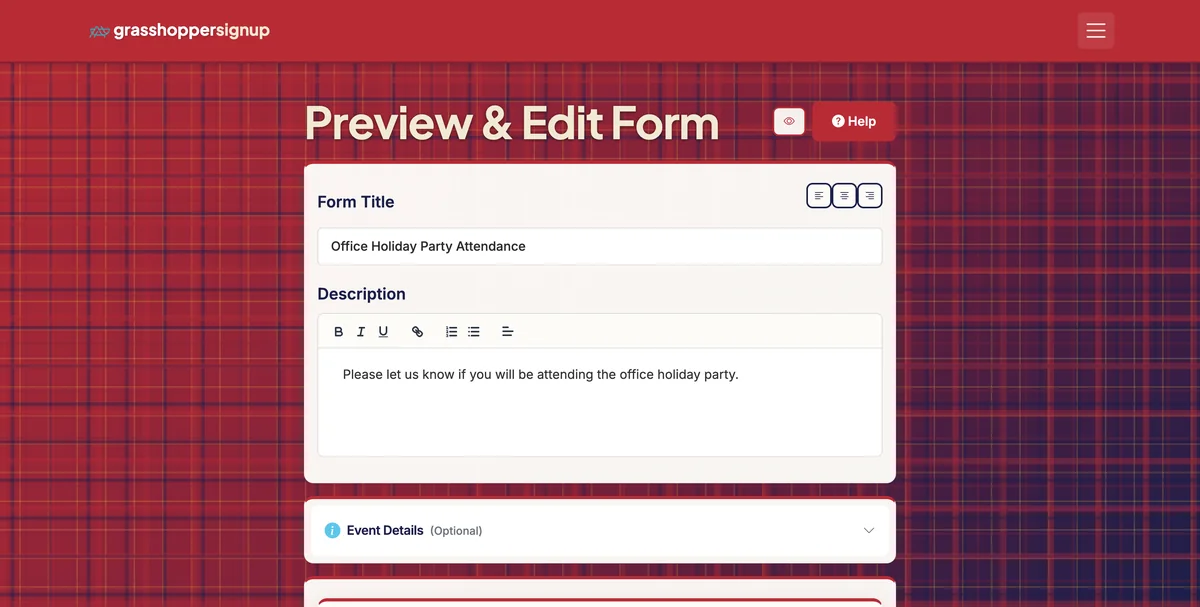
Start on the Edit page of your form.
Step 2
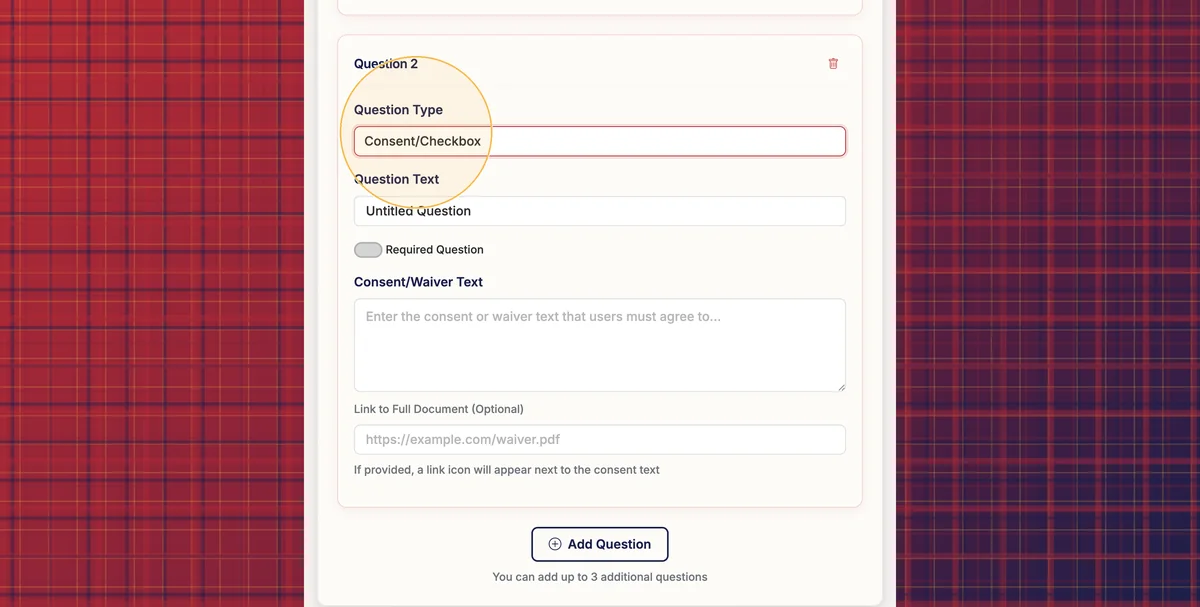
Scroll down to Section 3: Additional Questions and add a new question. In the 'Question Type' dropdown, select 'Consent/Checkbox'.
Step 3
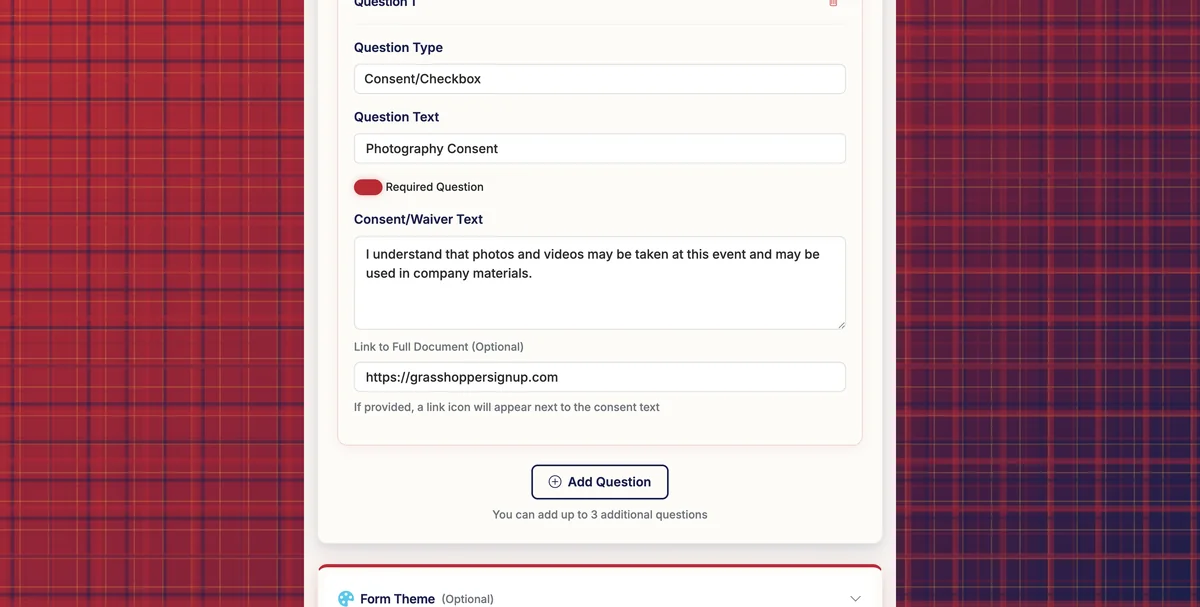
The Consent/Checkbox question type allows you to add consent/waiver text and you can also include a link. You can set the checkbox to be required to submit the form.
Step 4
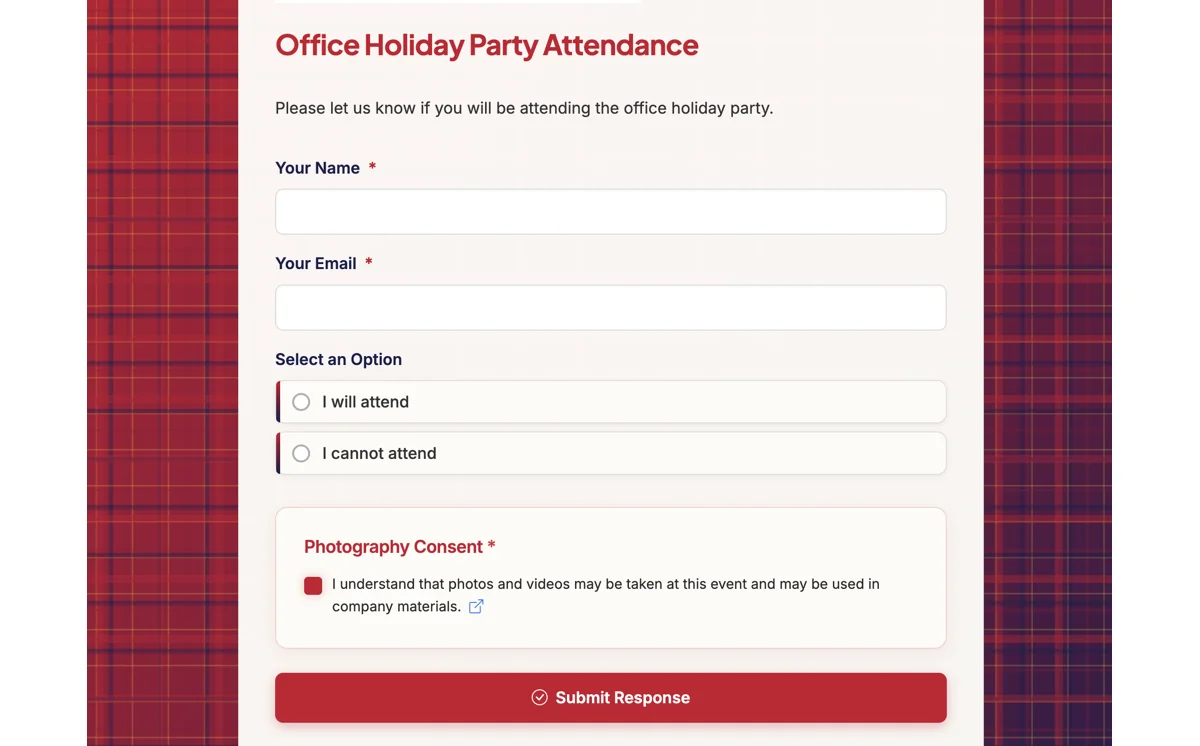
When respondents visit your form, they will see your consent statement (and link if included) and a checkbox to accept your statement. If users check the box, the check will be recorded as "True" in your Responses.
Step 5
You can view a live form with a consent checkbox here: https://grasshoppersignup.com/respond/8d68e3f7-7caf-4a77-9ab1-2ad86b854f6a
Common uses for consent checkboxes:
- Liability waivers: Collect agreement to waive liability for sports events, activities, or field trips
- Photo consent: Get permission to use photos or videos taken during events
- Terms and conditions: Require acceptance of event rules or participation guidelines
- Medical consent: Obtain permission for emergency medical treatment at events
- Privacy policies: Confirm agreement to data collection and usage policies
Total Steps: 5
Steps generated by StepHopper, a product of Grasshopper Signup - Create interactive step-by-step guides